Minecraft server hosting

2 GB RAM
✔️Vanilla & small plugins
Server location:
4 GB RAM
✔️450+ modpacks
✔️For friends & community
Server location:
10 GB RAM
✔️750+ modpacks
✔️Supports many players
Server location:
Create your own setup and customize every option.
Start with popular modpacks right away or search for the setup you want. The RAM recommendation helps you choose the right server performance level for each modpack.
![Cisco's Fantasy Medieval RPG [Ultimate]](/images/minecraft/modpacks/957753.webp)
![Prominence I [FORGE]](/images/minecraft/modpacks/860195.webp)


The cost of a Minecraft server depends primarily on player count, RAM, and setup. A small vanilla world for a few friends needs significantly less performance than a server with many plugins, large farms, or extensive Forge and Fabric modpacks.
As a rough guideline, small vanilla servers often need 2 to 4 GB RAM. For Paper, Spigot, Bukkit, or multiple plugins, 4 to 6 GB is usually sensible. Large modpacks often require 6 to 10 GB RAM or more, depending on scope.
Typical cost drivers for Minecraft servers:





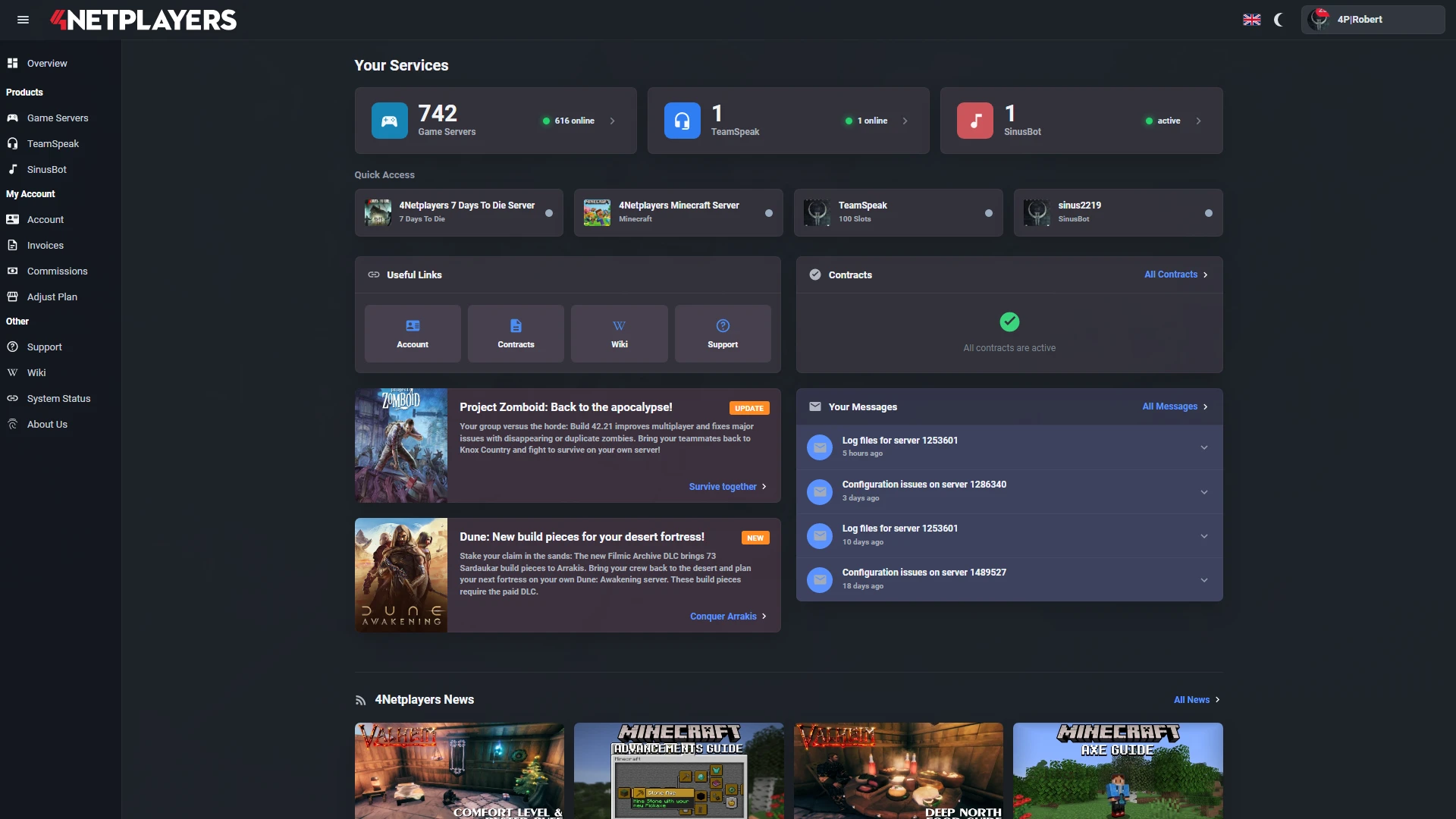
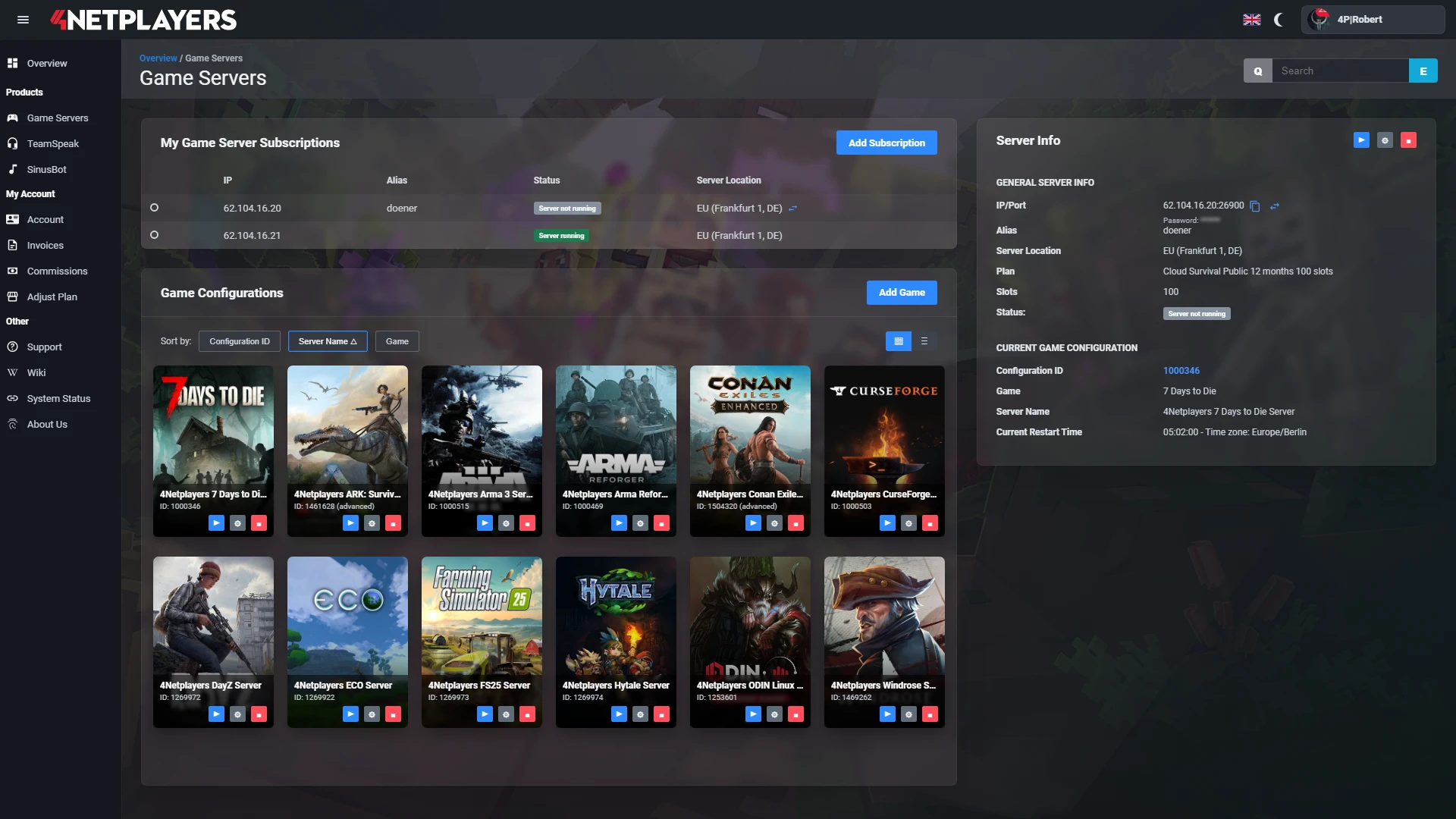
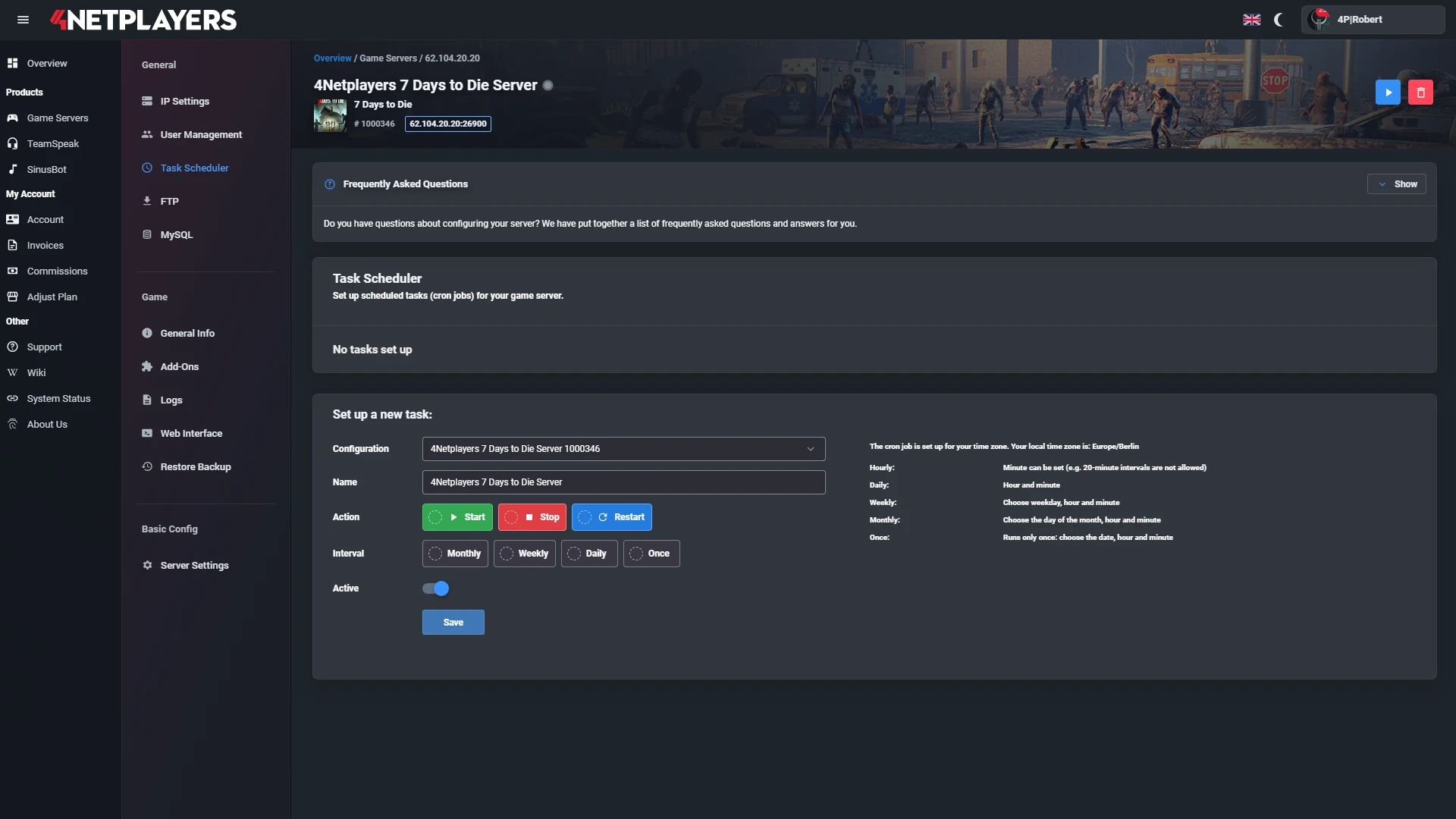
Manage your Minecraft server easily through our web interface. Start, stop, configure your server, or manage backups - all in just a few clicks, with no prior experience required.
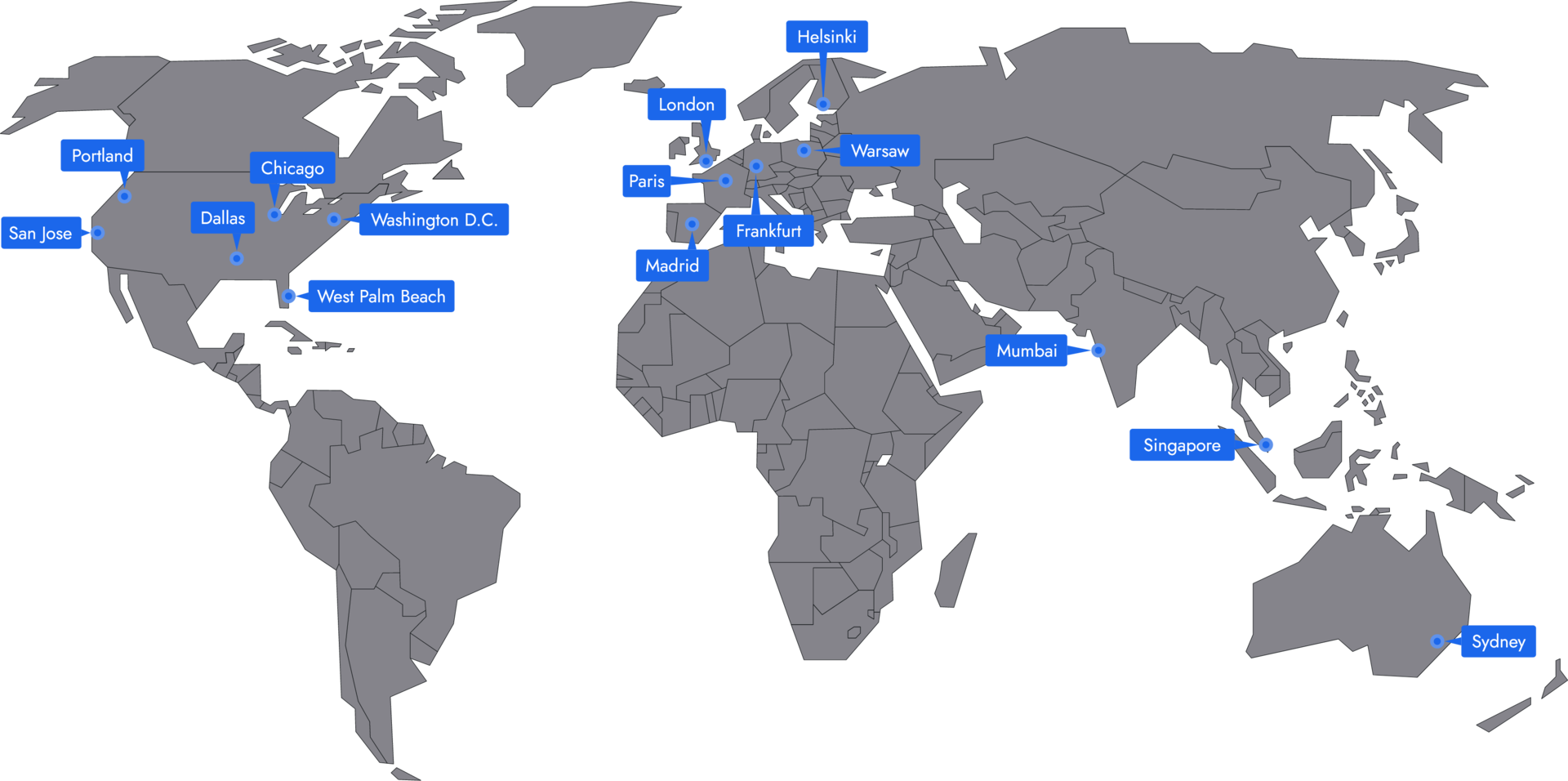
In 14 locations worldwide we offer unmatched connectivity with the lowest pings. Additional locations are continually being added and guarantee breathtaking gameplay in every game at the lowest latency.
Monthly costs primarily depend on RAM, term length, and configuration. A small vanilla world for a few friends is cheaper than a large modpack or community server.
RAM requirements depend on player count, mods, plugins, view distance, and world size. For small vanilla servers, 2 to 4 GB of RAM is often enough. With plugins or modpacks, plan for more.
Java is usually the best choice for mods, plugins, Paper, Spigot, Bukkit, Forge, and Fabric. Bedrock is a good option when players want to join via console, smartphone, or tablet.
Yes, you can transfer an existing Minecraft world to your server. This is useful if you want to continue playing an existing world with friends or don’t want to lose a build project.
Depending on your setup, you can select mods and modpacks directly or upload them manually. It’s important that the server version, mod loader, and modpack match.
After purchase, your Minecraft server will be ready in a few minutes. Then select the version, settings, and mods or plugins if needed.
The best location is as close to the players as possible. For groups in Germany or Central Europe, Frankfurt is usually a good choice. International groups should choose a location that provides a stable connection for all players.
Yes, you can change the server favicon yourself. The icon will then be displayed next to your server in the Minecraft server browser.
Your Minecraft server is usually ready to use within a few minutes.
A rented Minecraft server gives you full control and a stable gaming environment.
You can rent your Minecraft server flexibly from as little as one month.
The Minecraft servers run on professional hosting infrastructure.
Yes, you can try your Minecraft server risk-free.
Yes, your Minecraft server is fully configurable.
Yes, you’ll receive support for technical questions and issues.
Yes, you can switch to another game at any time.
With 4Netplayers, you rent a Minecraft server for Java or Bedrock that is online within minutes and runs around the clock, even when your PC is off. You choose the RAM (2 to 12 GB) and the term (1 to 12 months) yourself.
Included with every Minecraft server:
A free server is fine for trying things out. Renting a Minecraft server pays off as soon as your world should run around the clock, you want to use mods or plugins, or more than a handful of friends play along. Realms, Mojang’s subscription, does keep your world online permanently, but it does not allow Forge or Fabric mods or plugins.
Free providers split their hardware across many servers. There, the server often only starts after a waiting time and goes offline as soon as nobody is playing. Farms stop running, and nobody can join spontaneously. A rented Minecraft server at 4Netplayers, on the other hand, runs permanently and gives you:
That mainly depends on mods and the number of players: a vanilla world with a few friends gets by with 2 to 4 GB of RAM, a modpack with several players needs 6 to 8 GB. Large modpacks such as All the Mods 10 need at least 8 GB.
Most of our modpacks run from 4 GB of RAM. For every modpack, you can see how much RAM it needs at minimum. A little headroom above that keeps the server running smoothly even with farms and several players.
You can increase the RAM at any time later when your world grows: change your plan.
On a Minecraft server at 4Netplayers, you install over 750 modpacks in one click, including All the Mods, FTB, Cobblemon, Vault Hunters and numerous Create packs. You upload your own mods for Forge, NeoForge or Fabric as well as plugins for Paper or Spigot via FTP.
With the one-click installation, the server automatically sets up the matching version and mod loader. Your friends install the same modpack in their launcher, for example via CurseForge, and can join straight away.
Mods or plugins? Mods change the game itself and usually have to be installed by every player. Plugins only run on the server: protected areas, ranks, economy or minigames work without your friends having to install anything.
Forge or Fabric? The modpack decides. Forge and NeoForge carry the big modpacks, Fabric is leaner and usually available sooner for new Minecraft versions.
Yes. With your Minecraft server, you create either a Java or a Bedrock server. Java is the choice for PC and Mac with mods and plugins. On a Bedrock server, friends on smartphone, tablet, Windows, Xbox, PlayStation and Switch play together. You connect mixed groups with GeyserMC.
Connect to your Bedrock server · Set up GeyserMC
Your friends open Multiplayer (Java) or Servers (Bedrock) in Minecraft, add your server address and join.
Whether anyone can join or only invited players is up to you via the whitelist. Your first steps as a server owner:
Yes. You upload worlds from singleplayer, from another server or from a LAN session to your Minecraft server via FTP and keep playing there with your friends. The only thing that matters is that the server version matches the version of the world.
Your world is backed up automatically. You can also download it at any time, for example before a big update. You can even create several worlds as separate configurations and switch between them, such as a survival world and a modpack world. If you want a fresh start, reset the world and begin with a new seed.
You choose the term of your Minecraft server yourself: 1, 3, 6 or 12 months. The longer the term, the lower the monthly price: you save 3% with 3 months, 5% with 6 months and 10% with 12 months.
The subscription renews automatically until you cancel it. You cancel online in the customer center. You can add more RAM at any time.
Change your plan · Cancel your subscription
Selected guides for choosing, setting up and managing your own Minecraft server.