If you’ve been playing Minecraft for a while, you’ve probably heard about mods. The two go hand in hand because Minecraft offers tons of ways to expand the base game. With mods, you can add exciting features created by community members beyond the official updates. Modding isn’t always straightforward, especially for beginners. That’s why we’ve put together this complete guide to help you get started smoothly!
What are Minecraft mods? A simple explanation
“Mods” is short for “modifications,” meaning changes made to a program. In video games, mods alter things not originally provided by the official developers. Minecraft is far from the only game that supports this. An early example is the original DOOM, which already allowed mods for new maps. Skyrim is another famous case — without mods, it likely wouldn’t have stayed popular for so long.
Minecraft also thrives on community-made mods. Since the early alpha, players have been creating and sharing new content. Today, there are thousands of mods, some with millions of downloads.
Where can I safely download Minecraft mods?
Your best source for mods is the website CurseForge, the most comprehensive and reliable site for all kinds of mods. Over the years, this platform has become the go-to place to find mods and install the right versions. You can also download resource packs (texture packs), shaders, and other tweaks there — all part of Minecraft modding. Modrinth is another great site that’s been gaining traction recently.
What PC requirements are there for Minecraft mods?
Before you start modding, a few prerequisites matter. This guide applies to the Java Edition only; modding on Bedrock is limited and mostly available via the Marketplace. Use Minecraft: Java Edition if you want to mod.
Java is the next key point: many mods require up-to-date Java. Sometimes a specific Java version is needed. Check the official site or pay attention to automatic updates.
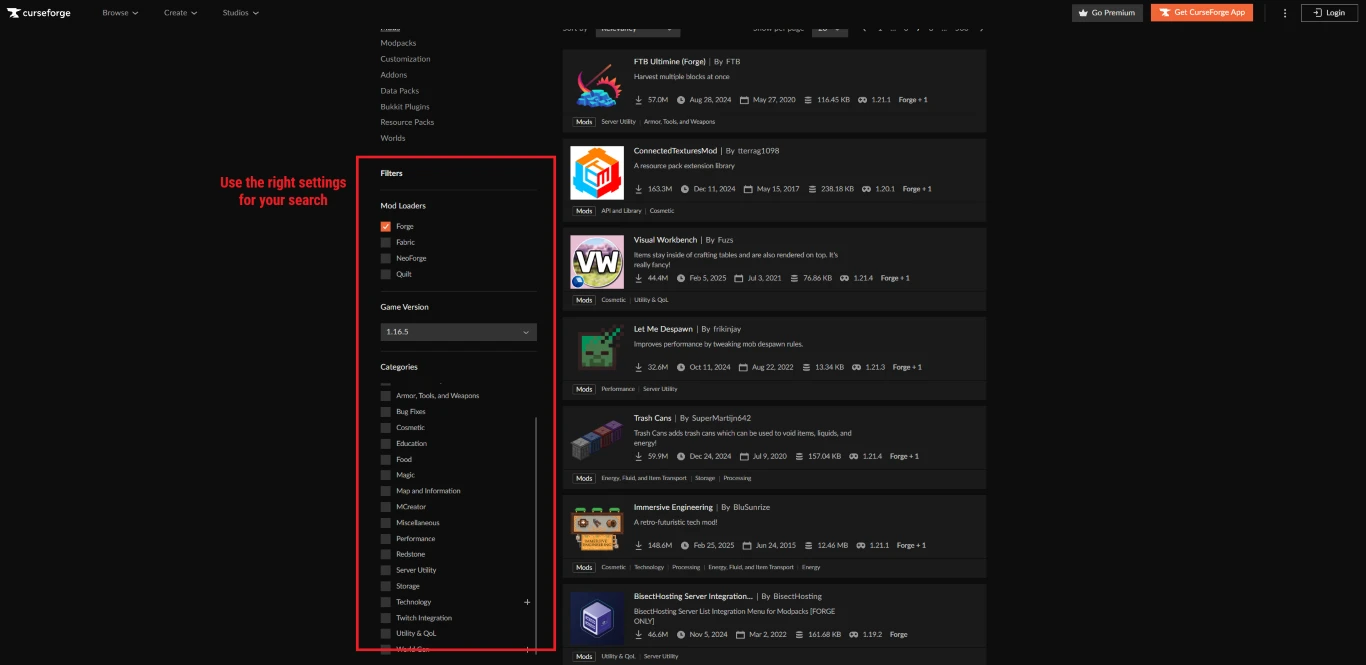
Also make sure you’ve selected the correct Minecraft version. Mods aren’t always available for the latest update and may target earlier versions. Create a separate Minecraft installation that matches your modding version. Popular versions for modding include 1.7.10, 1.12.2, and 1.16.5, as these are the last releases before major changes.
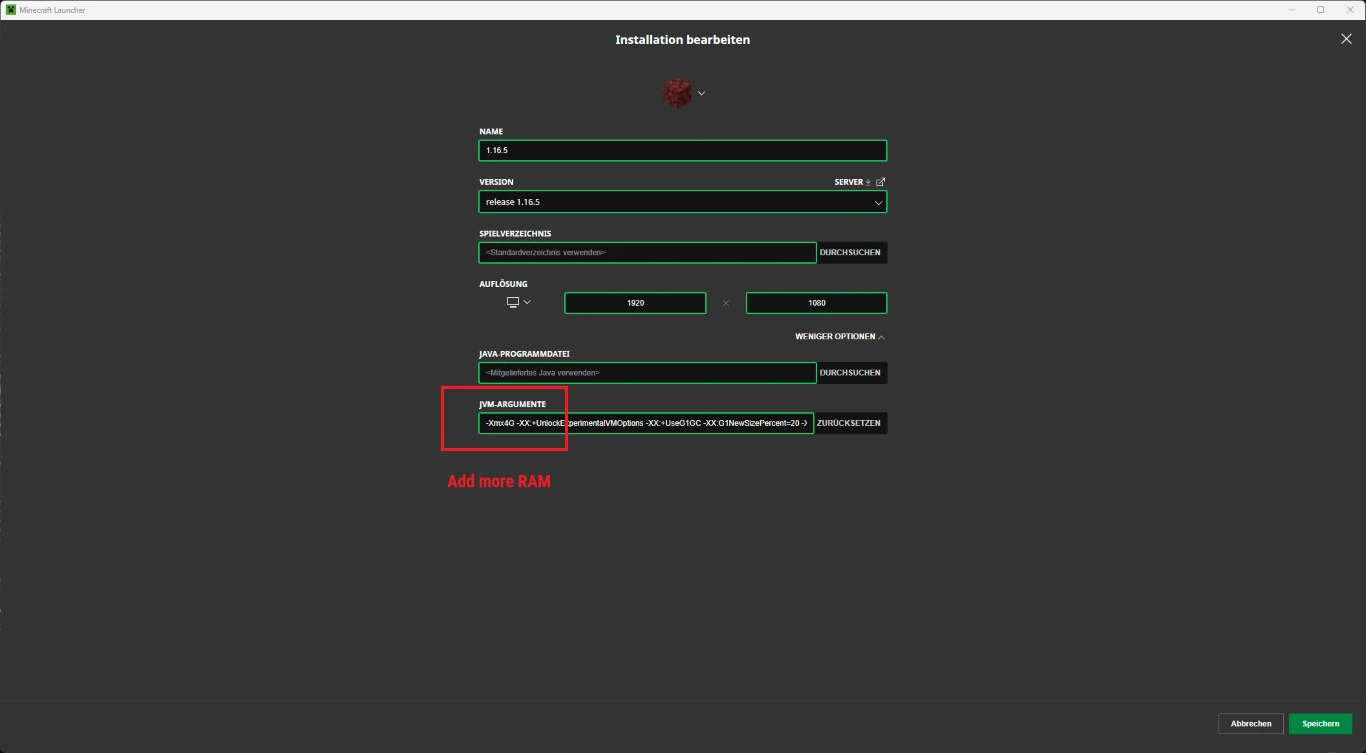
In your Minecraft installation, you can allocate more RAM to ensure enough performance — some mods are very resource-hungry. A good rule of thumb is up to half of your system’s RAM, and 4G or 6G is usually plenty.
Install a mod loader for Minecraft: Forge or Fabric?
Now for how to actually install mods. First, you need a “mod loader.” This is a base-level modification that enables Minecraft for modding and provides the technical framework.
The two major mod loaders are Forge and Fabric. It doesn’t really matter which one you choose — just make sure every mod you add supports that loader. Each mod’s page will state which loader it uses, and some support both. Two other loaders are NeoForge and Quilt, but they’re less important for most players.
Forge vs. Fabric: Which mod loader is right for you?
| Criterion | Forge | Fabric |
|---|---|---|
| Popularity & adoption | Very well-known, the largest and oldest mod loader for Minecraft. | Newer and more modern, and gaining a lot of popularity. |
| Number of available mods | Very many mods available; lots of older mods are built on Forge. | Many newer mods, especially lightweight and performance mods (e.g., Sodium, Iris). |
| Compatibility with large modpacks | Large and complex modpacks (e.g., Technic, Feed The Beast) usually use Forge. | Lighter, modern modpacks more often use Fabric. |
| Performance | Can be resource-intensive with many mods. | Lean and faster, especially with smaller mod sets. |
| Beginner-friendliness | Lots of guides available, but complexity can make it a bit harder. | Very easy to get started, especially with fewer mods. |
| Mod selection for tech/fantasy | Many large tech and fantasy mods (e.g., IndustrialCraft, Thaumcraft). | More performance and QoL mods, fewer massive content mods. |
| Updates and speed | Updates for new Minecraft versions often come later due to complexity. | Very fast updates after new Minecraft releases. |
In short:
- Forge: Perfect for large modpacks, many big content mods, and classic tech or fantasy expansions.
- Fabric: Ideal for fast, lightweight mod sets, performance improvements, and quick support for new Minecraft versions.
Install Minecraft Forge: Step by step
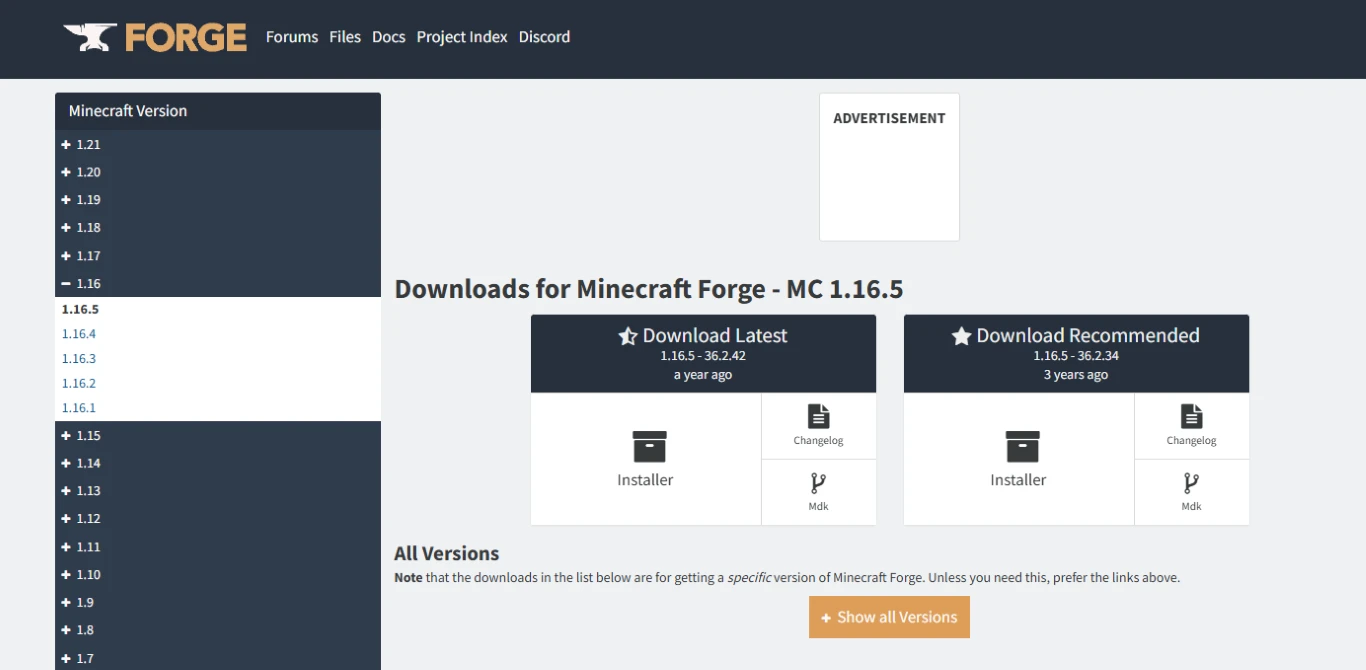
We’ll demonstrate using Forge for version 1.16.5. Visit the Forge website and download the version you want to mod. You’ll get a Java file (.jar). Double-click it and install the client.
Then restart your Minecraft Launcher. Forge should appear as a new installation. Double-check settings like RAM allocation. Launch Minecraft once with Forge so it can finish setting up. After that, you can close the game again.
Install mods with Minecraft Forge: Guide
Download mods from CurseForge or Modrinth, as described. Always match the correct version — both your Minecraft version and the right mod loader. These will also be Java files. You don’t install them by double-clicking; instead, place them in a specific folder.
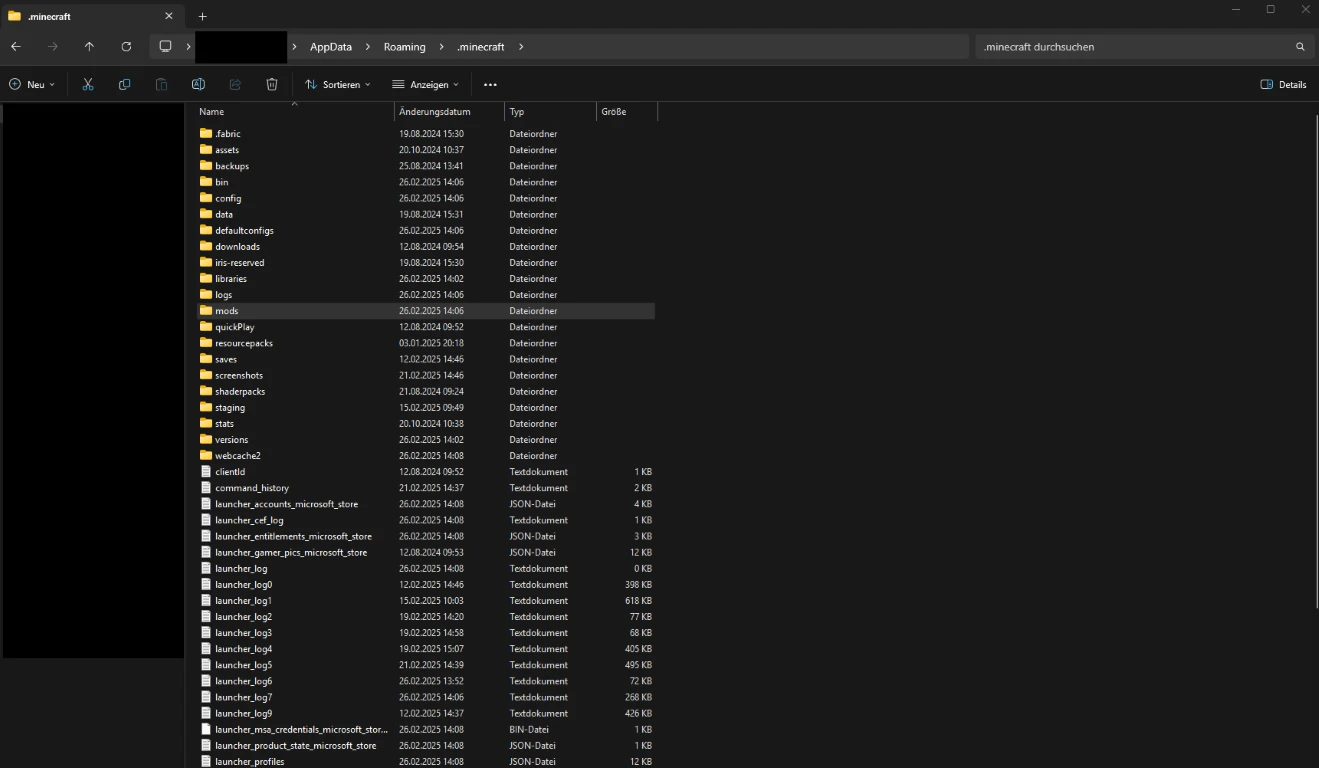
Open the Minecraft Launcher and go to “Installations.” Next to “Play,” you can open the installation folder. Inside, you’ll find a “mods” folder — that’s where your downloaded mods go. They’ll load automatically when you start the game. You can also view them from Minecraft’s main menu.
Note: Many mods have dependencies — additional mods required for them to work. Always read the notes on the mod page and install any required libraries. Otherwise, mods may not run correctly.
What Minecraft mods are there? Overview and tips
Wondering which mods to install? The sky’s the limit. After more than 15 years, there’s a massive selection to explore — boredom won’t be an issue!
There are mods for:
- Improved performance: Many know OptiFine, but nowadays mods like Sodium or Iris (for shaders) are often better choices.
- Quality-of-life tweaks: These don’t necessarily add new content but enhance the classic “vanilla” experience — for example, minimaps, new keybinds, or shaders.
- New gameplay content: There’s a huge range here. Some mods practically turn Minecraft into a different game with exciting ideas.
- Modpacks: Curated collections of compatible mods, often built around a theme. Some focus on technology, others lean into fantasy.
Installing Minecraft mods on servers: Here’s how
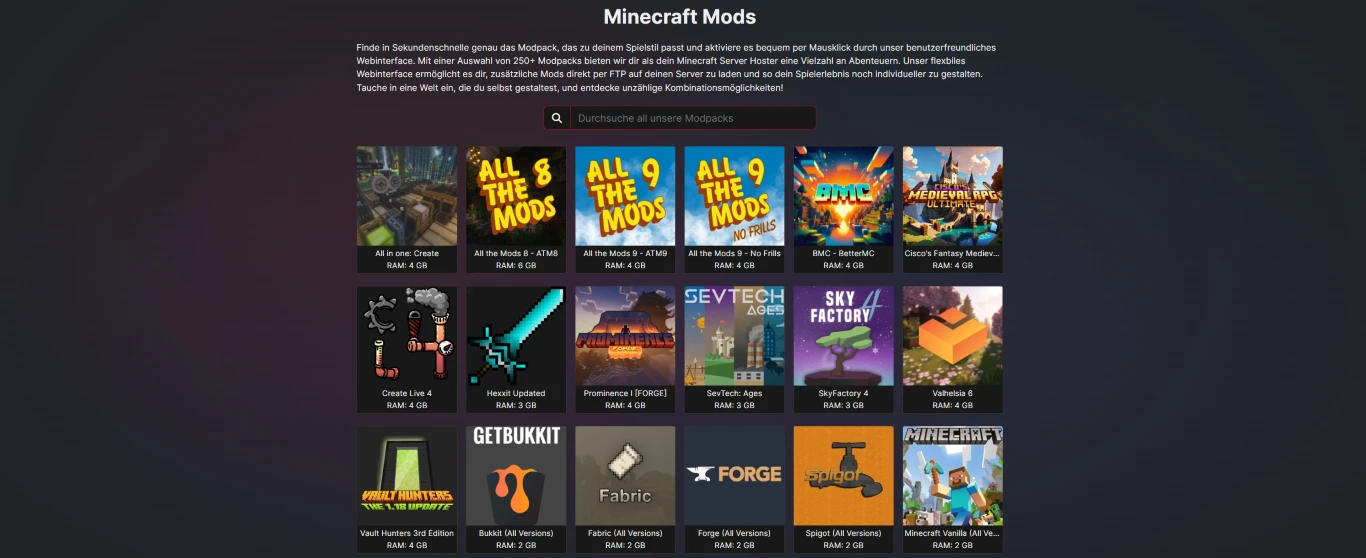
You can, of course, install mods with modded Minecraft server hosting so you can play with friends. For example, with us you can add modpacks directly during purchase or when setting up your server.
Conclusion: Install Minecraft mods easily and safely
Mods give you endless ways to shape Minecraft to your liking. It’s no surprise the game remains so popular — the default features often just aren’t enough. There are so many great mods to discover to keep things fresh! On a modded Minecraft server, you can experience these new facets together with your friends.