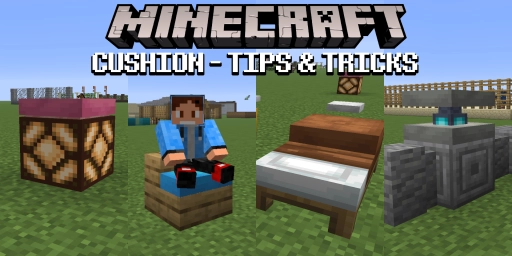
With the latest “Wilderness Bound” drop, you can now craft practical seat cushions in Minecraft. This alone is something many players have wanted for over a decade. The cushion is the perfect decor element for any in-game home, and it is functional, too! But you don’t just place it on the floor and sit on it — you can do a whole lot more with it. Because the cushion is treated as an entity in the game, it’s extremely flexible and can be placed in many different ways. For creative Minecraft players in particular, that’s an absolute blessing, enabling a level of detail that was previously unthinkable. Today, we’ll take a closer look at why the cushion is so revolutionary.
Minecraft seat cushions: how to find and craft them
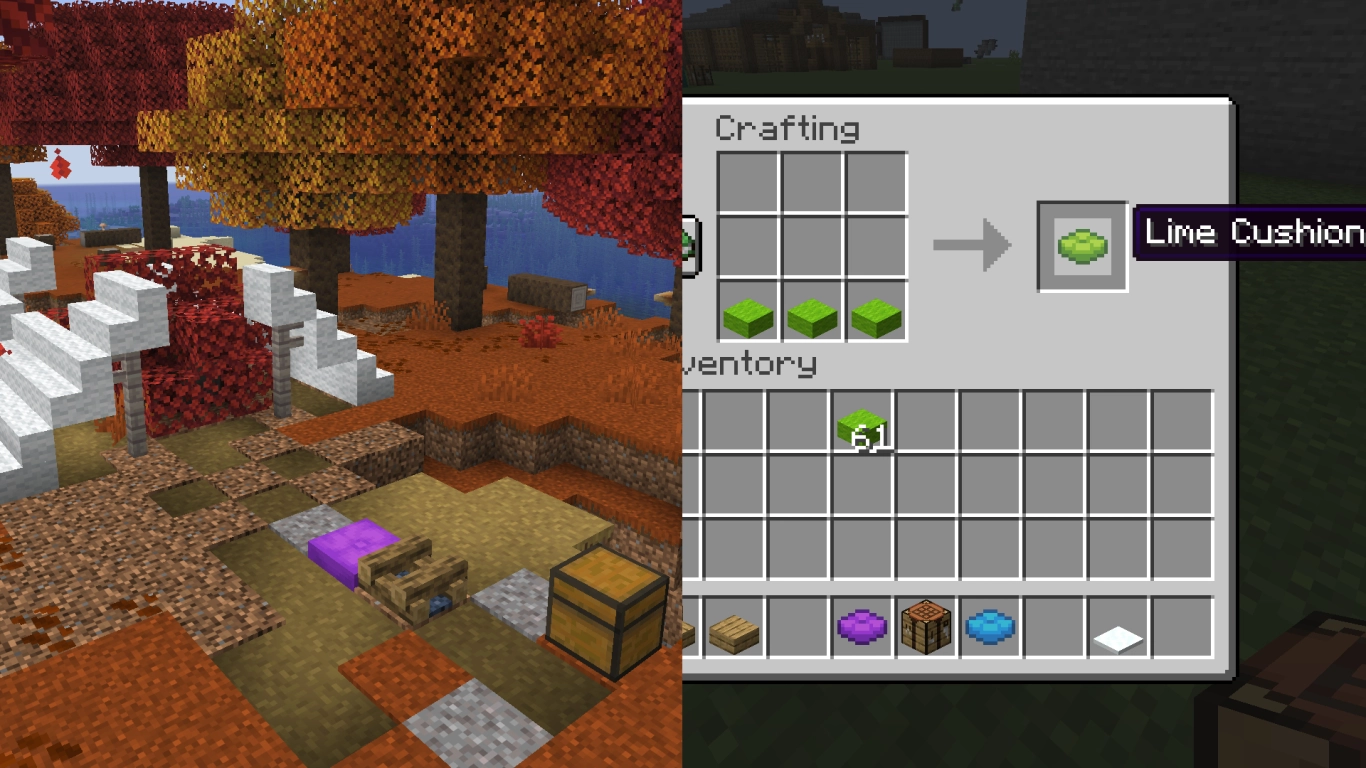
With Version 26.3, alongside the autumn forest and the poplar, the seat cushion was also added to the game. It’s a square block you can lay down and sit on. Cushions come in all 16 Minecraft colors, and you can later use dye to change a cushion to a different color.
Cushions are crafted from three wool slabs of a specific color. Slabs for all 16 wool colors are also a new, much-requested feature now in Minecraft. You only get one cushion per recipe, so they’re a bit pricey. Alternatively, you can head to the new abandoned camps and take some cushions from there. They generate as part of the structure in various colors or can be found as loot in chests.
On a server, seat cushions are a particularly cool detail, because now you can chill with other players and take a break. And if you don’t have a server yet, you can rent a Minecraft server at a great price. Try out the new cushion and see what creative things you can do with it. There’s more to them than just sitting.
Minecraft seat cushions: functions, placement, and height
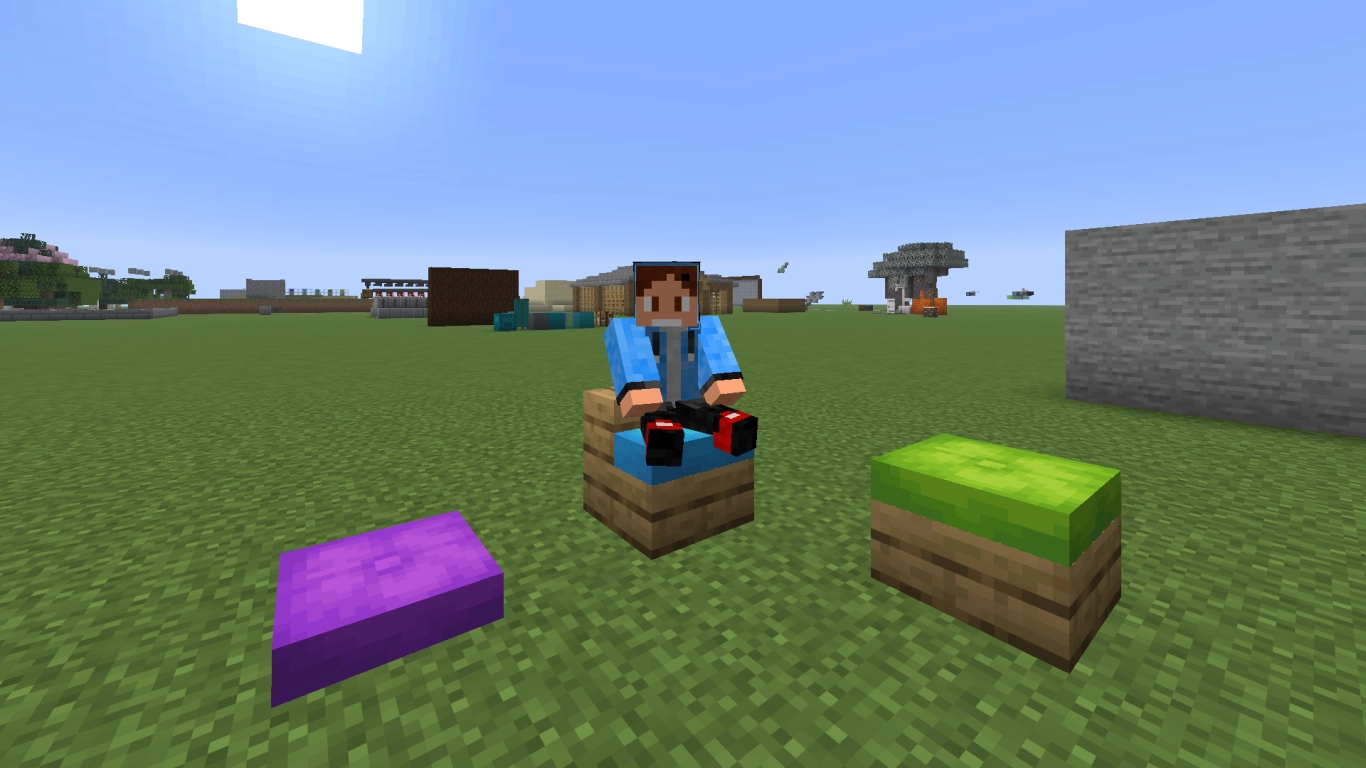
You can lay a cushion on the ground or place it on another block and then right-click to sit on it. Simple, but long requested. And we really do mean on almost any block; very little is excluded here. This only works because seat cushions count as an entity in the code and therefore don’t collide directly with other blocks. While they are locked to Minecraft’s horizontal grid, they can be placed vertically at any height.
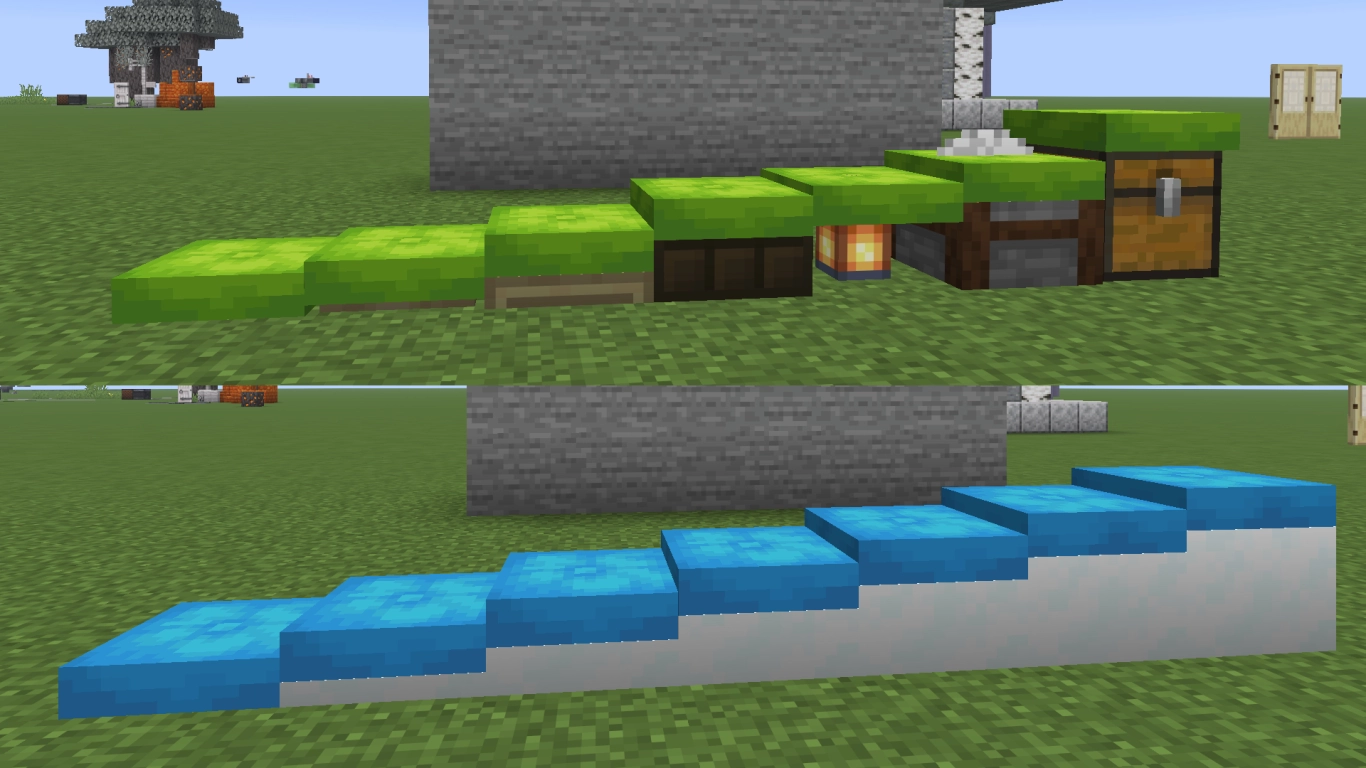
For instance, you can place cushions on the lower half of a stair block, turning the stair into a seat. The same applies to slabs and pretty much any other block. You can also place seat cushions on trapdoors, snow layers, stonecutters, chests, and many other blocks. The cushion adapts and “clips” through parts of the block thanks to the lack of collision. Give it a try and see what’s possible.
As mentioned, the cushion can occupy any height. Since a full Minecraft block consists of 16 pixels, there are 16 possible heights per block. It gets even better if you break the block and then replace it with another block. The cushion can persist for a few seconds without support, letting you adjust the height first and then place the intended block. As long as a block intersects the cushion’s hitbox, it will remain.
Creative building ideas with Minecraft seat cushions
To wrap up, we want to show you some of these possibilities. Hopefully they’ll inspire new ideas you can bring to your world. Experiment with the cushion and see what’s possible. The key is understanding how the cushion interacts with its surroundings. Basically, anything works as long as the seat cushion is supported in some way.
1. Build custom Minecraft seats with cushions
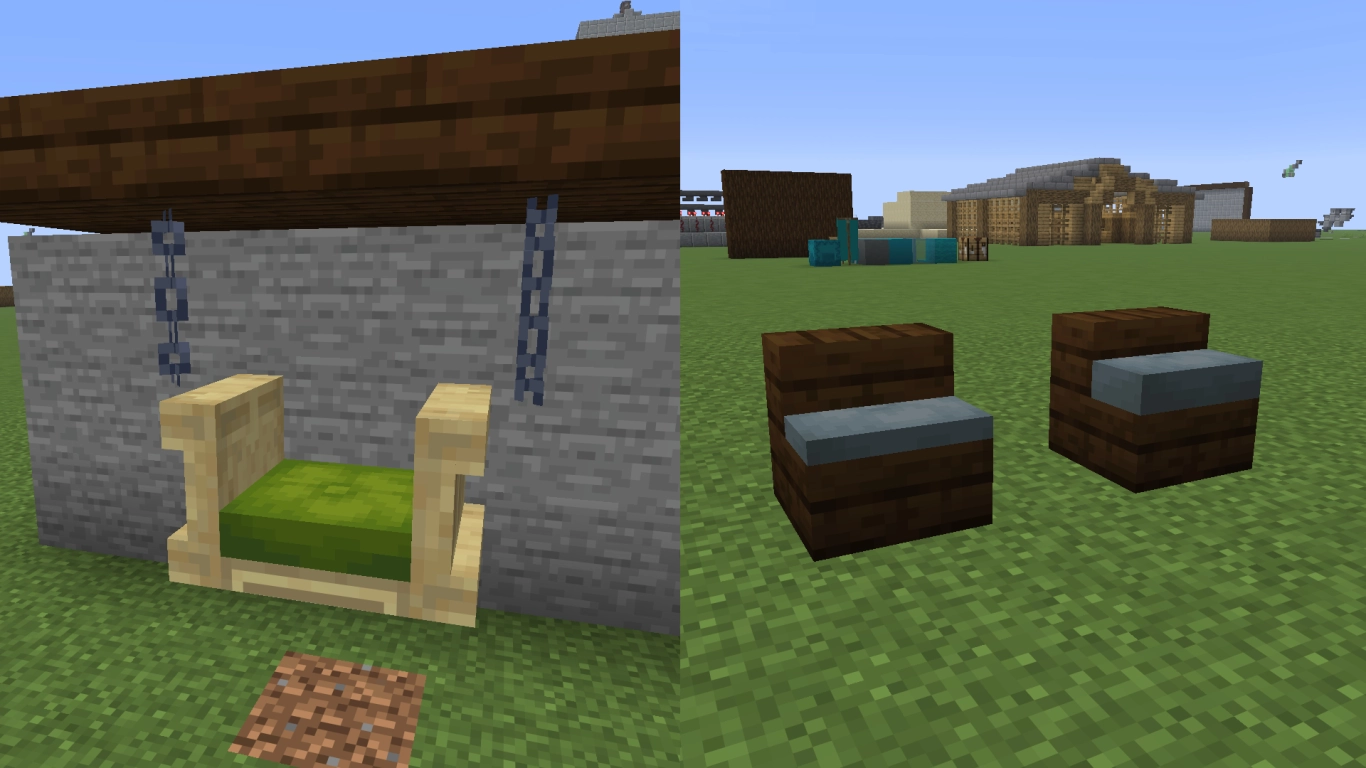
We already explained that you can place the cushion on stairs or slabs and then sit on it. That alone is something many players have wanted. But you can adjust the cushion’s height individually and then quickly replace the block, giving you more control over how high the cushion sits. With trapdoors, iron chains, and cushions, you can even create hanging seats. The new shelves work well as armrests.
2. Set up fast travel with Minecraft seat cushions
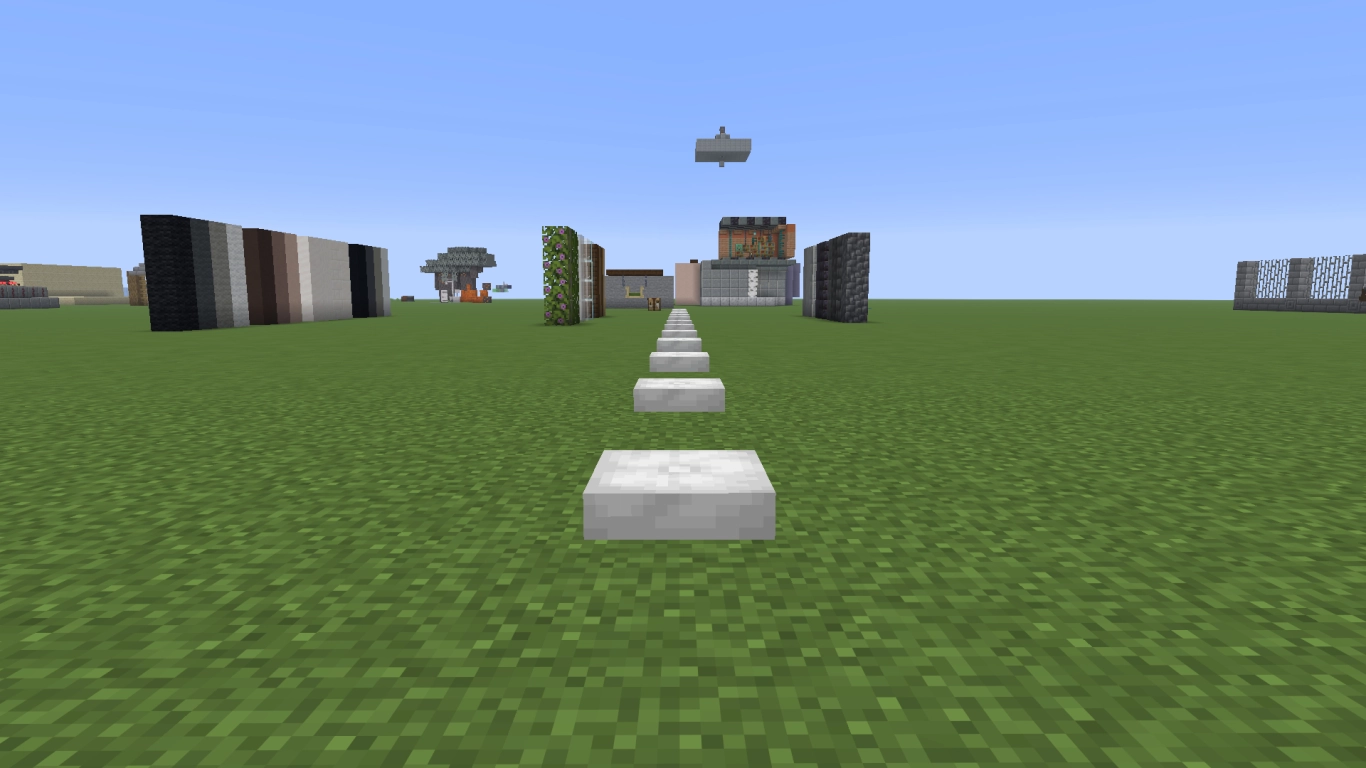
Since you can sit on a cushion with a right-click, you can quickly jump from one cushion to the next. That lets you chain cushions together as a fast travel system. You’ll actually be faster than on a horse or in a minecart. If you click quickly in succession, you can even reach boat-on-ice speed. A 3-block spacing between cushions is perfect.
3. Permanently power a Redstone lamp with a cushion
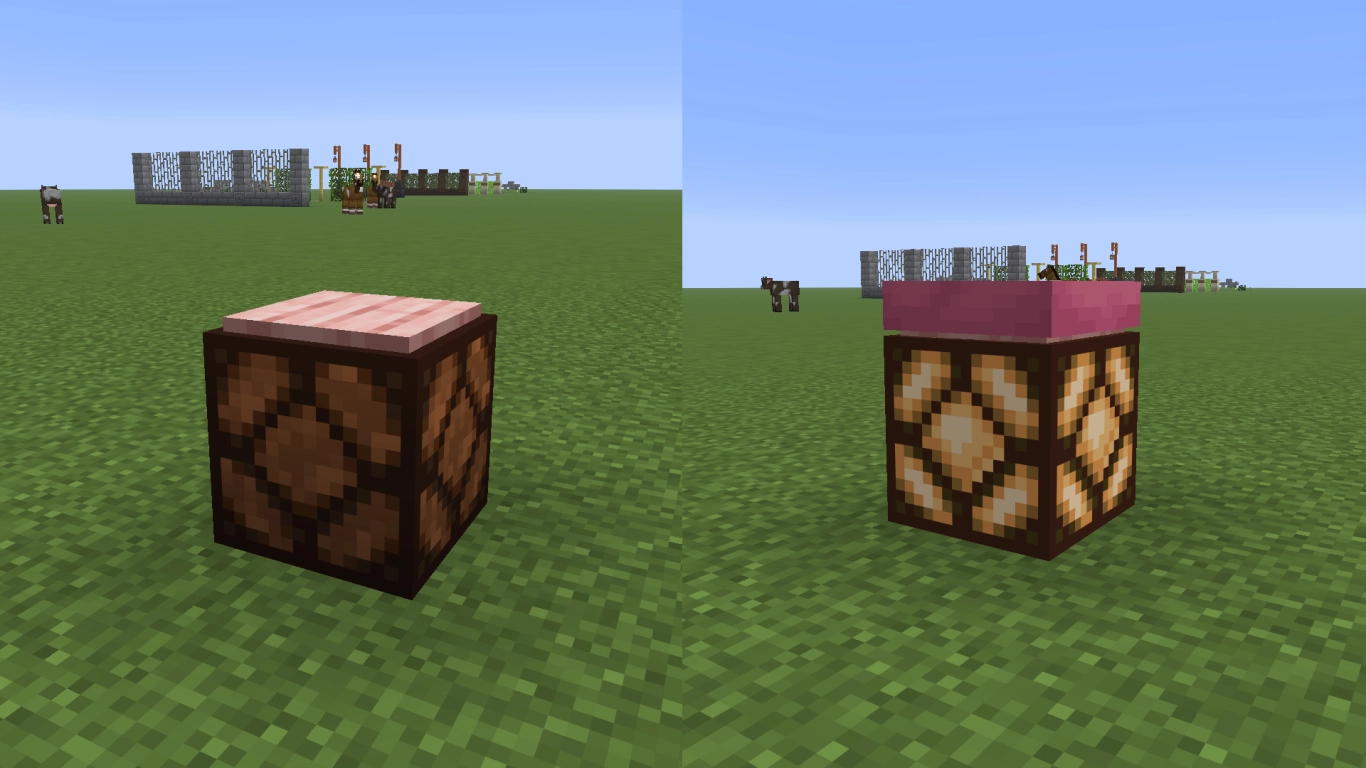
You can also make cool lamps that burn indefinitely using a cushion. Place a pressure plate on a Redstone lamp, stand on it, and press it down. Then, while still standing on the plate, use Shift-click to place the cushion. Voila. A stylish lamp that shines forever.
4. Use cushions as a blanket for your Minecraft bed
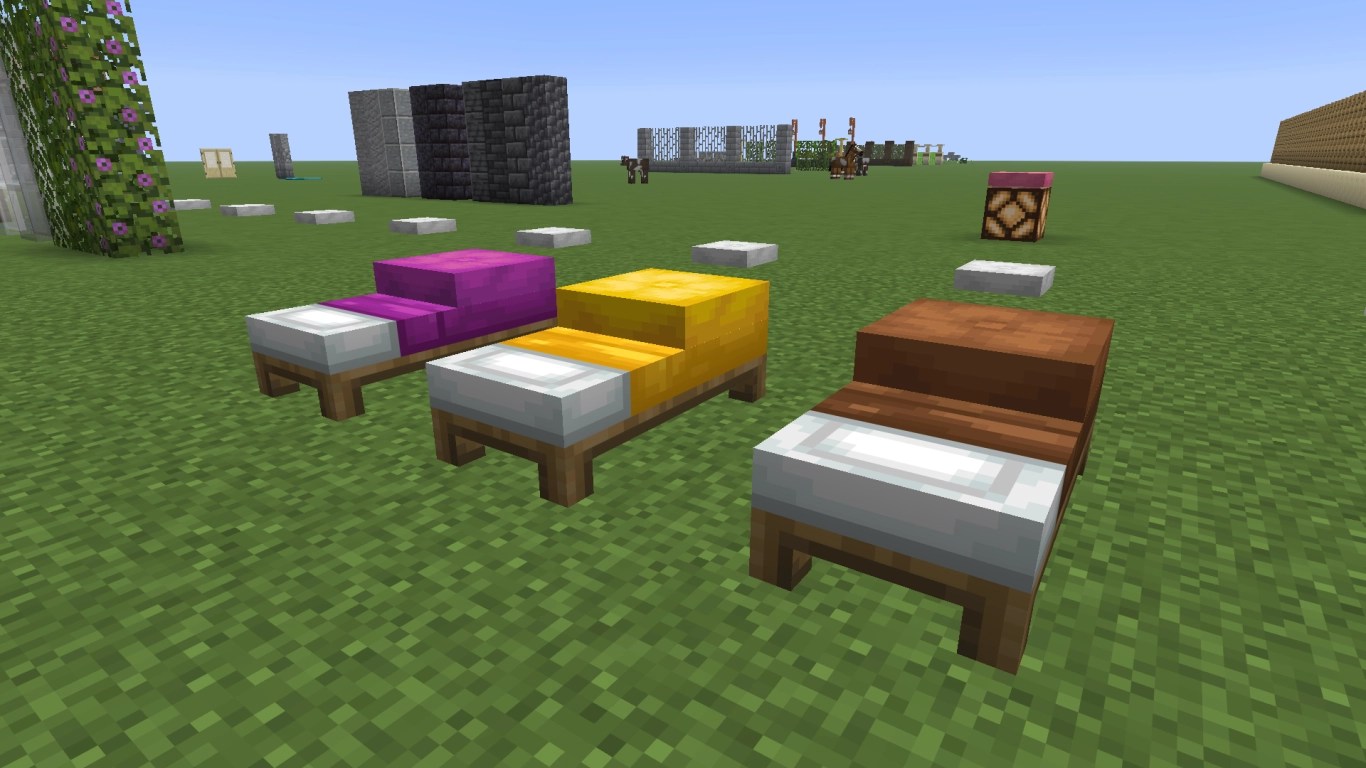
You can place cushions on a bed, making them look like a thick blanket. When you lie down to sleep, it looks as if your character is really tucked in. Since both beds and cushions come in all 16 colors, you can match them perfectly.
5. Add detail to columns and walls with cushions
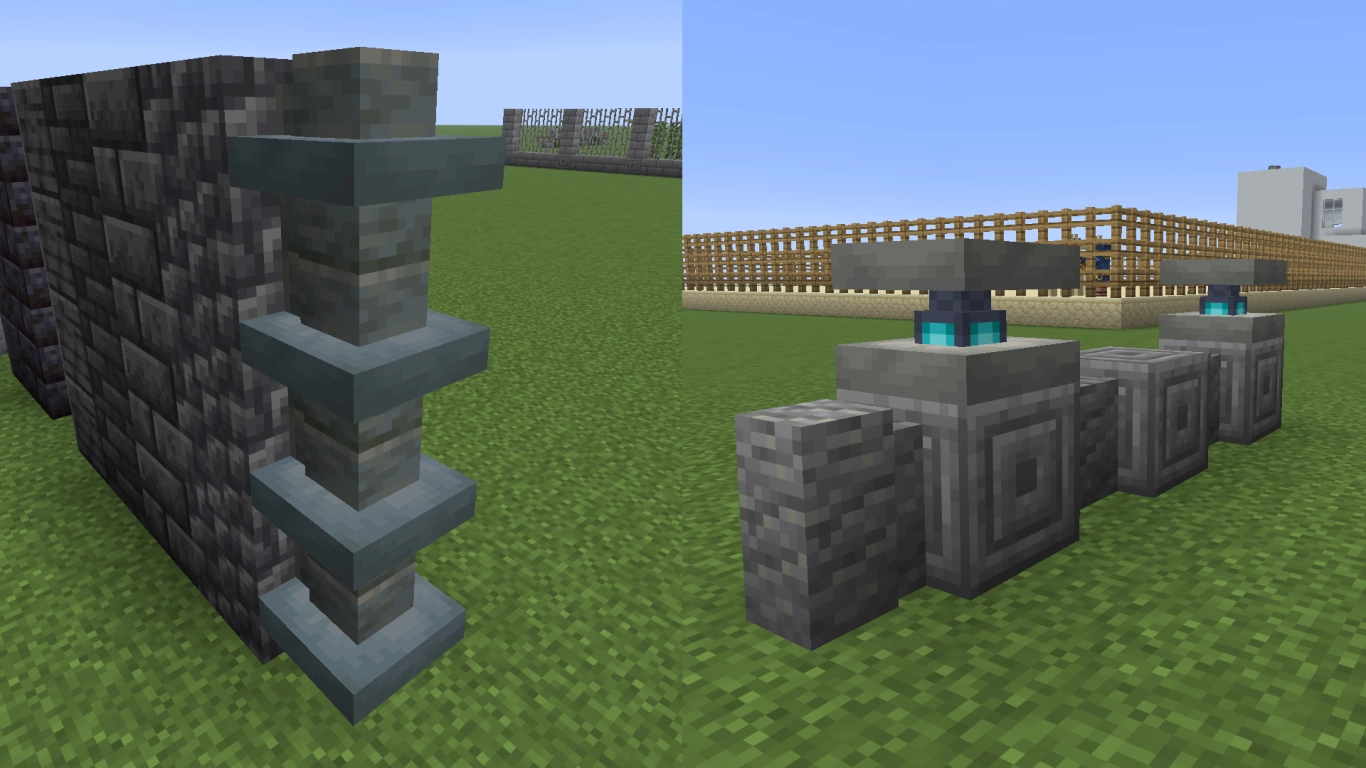
Seat cushions can also be used purely decoratively, which works especially well on columns or walls. They let you build with even more detail. And since you can adjust the height individually, there are hardly any limits. You just need to be quick enough to replace the block with a wall, and the cushion will remain. Thanks to the 16 colors, there are many ways to make your world look even more stylish.
Conclusion: Minecraft seat cushions are more than just decor
At first glance, cushions seem like a great way to finally give your Minecraft character a chance to sit down. Craft them in 16 colors from the new wool slabs, place them wherever you like, and sit down. But cushions count as an entity, which makes them very flexible. They can share the same space as other blocks, their height can be set individually, and they can be used creatively. There are already plenty of great ideas if you make the most of their properties.