The release of Enshrouded brings not only lots of new additions but also improvements to older systems in the game. Players have been asking for these for a long time, and they’ve finally been implemented! From better ways to build to adjusting your character’s size, the developers listened to your feedback and packed the Enshrouded launch with a whole range of quality-of-life changes. If you want to learn more about the big features, read our previous post about the 1.0 release. Here, we’re focusing on the small but meaningful details of this update—music to the ears of long-time players, sometimes quite literally!
Build in flight mode: Enshrouded skill Airy Architect
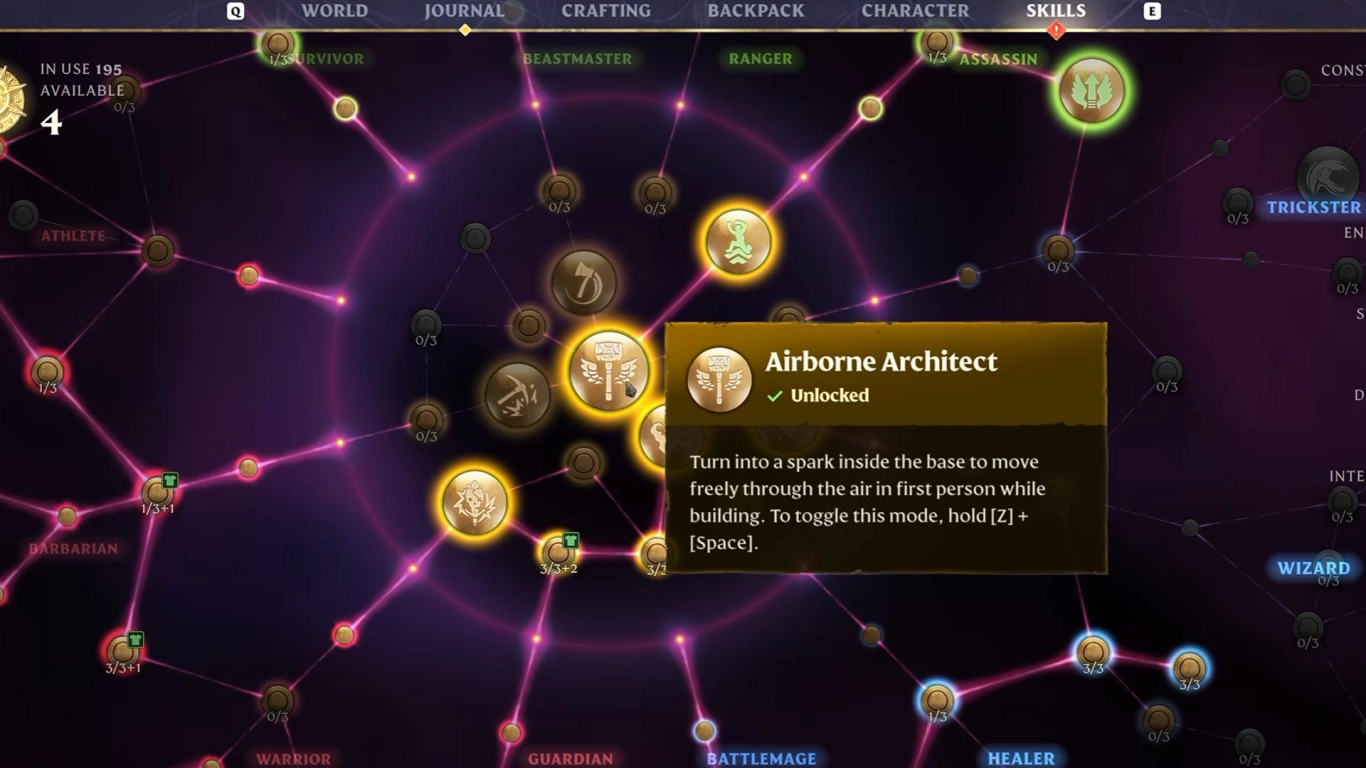
In the middle of the skill tree you’ll now find a completely new skill you’ll definitely want to unlock. It’s called “Airy Architect” and can be activated for three points. It lets you transform into a spark and, using flight mode, operate almost out of body. It’s designed for build mode and lets you move freely and build in places that were previously hard to reach. A dream for every Enshrouded architect!
So if you’re planning a large building project soon—or want to design a cool base with friends—this ability is a must. Either way, you can rent your own Enshrouded server from us right away and jump straight into the 1.0 update. But flight-mode building is only one of the cool additions awaiting you.
Enshrouded item magnet: Automatically pick up all items
One thing that will definitely make your gameplay easier is the new item magnet. You can either hold down the pickup button to vacuum up everything on the ground, or enable it to happen automatically in the settings. The days of manually picking up every single thing are over. This was one of the biggest criticisms of Enshrouded, and it’s now history. However, you’ll still need to manually loot chests, containers, and enemies.
Map and markers: Pin locations in Enshrouded with precision
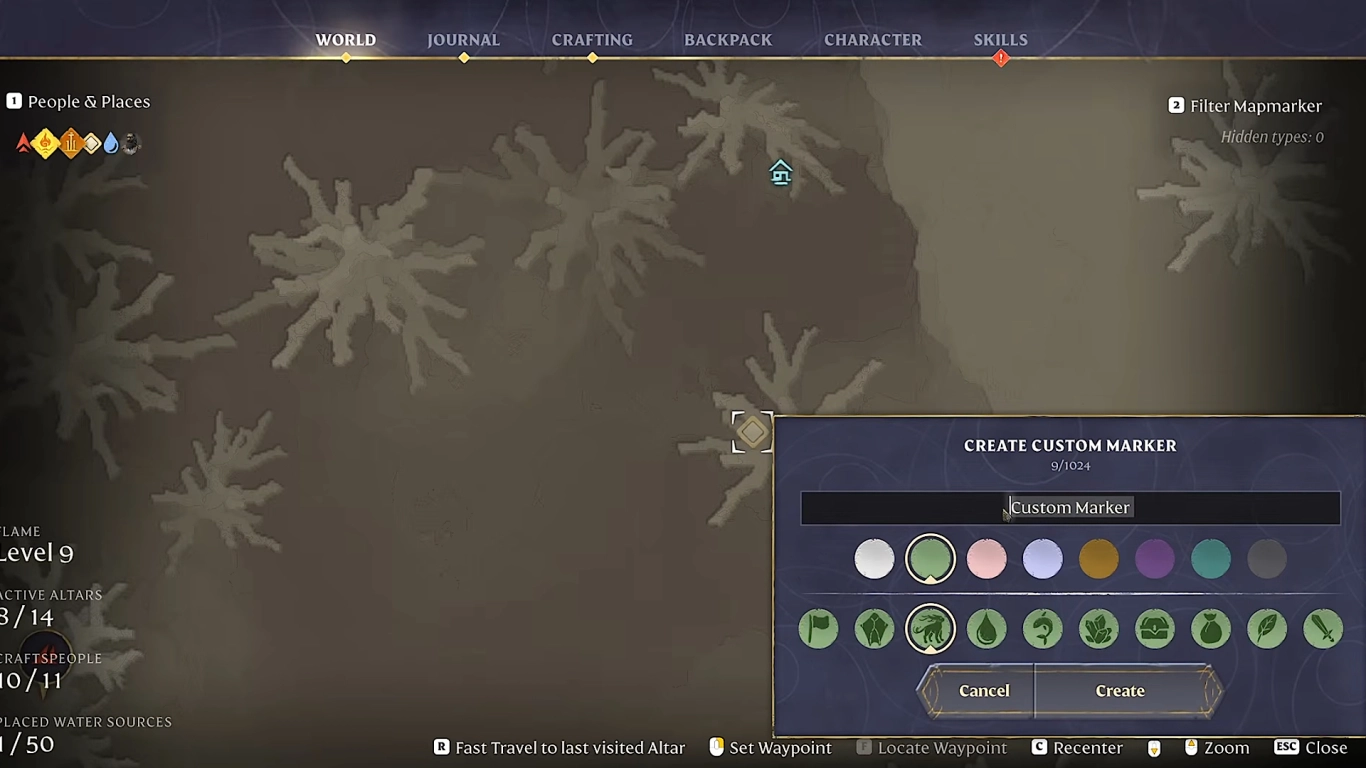
You can now make Enshrouded’s world map much more organized. Many places are marked by default, but you can also place your own markers. With 1.0 you can now rename them to easily find the right spots later. You can choose between ten symbols and eight colors, giving you plenty of customization. And naming rounds the system off perfectly so you don’t forget important places—or wonder why you marked something in the first place.
Chest upgrade: Expand storage without moving items
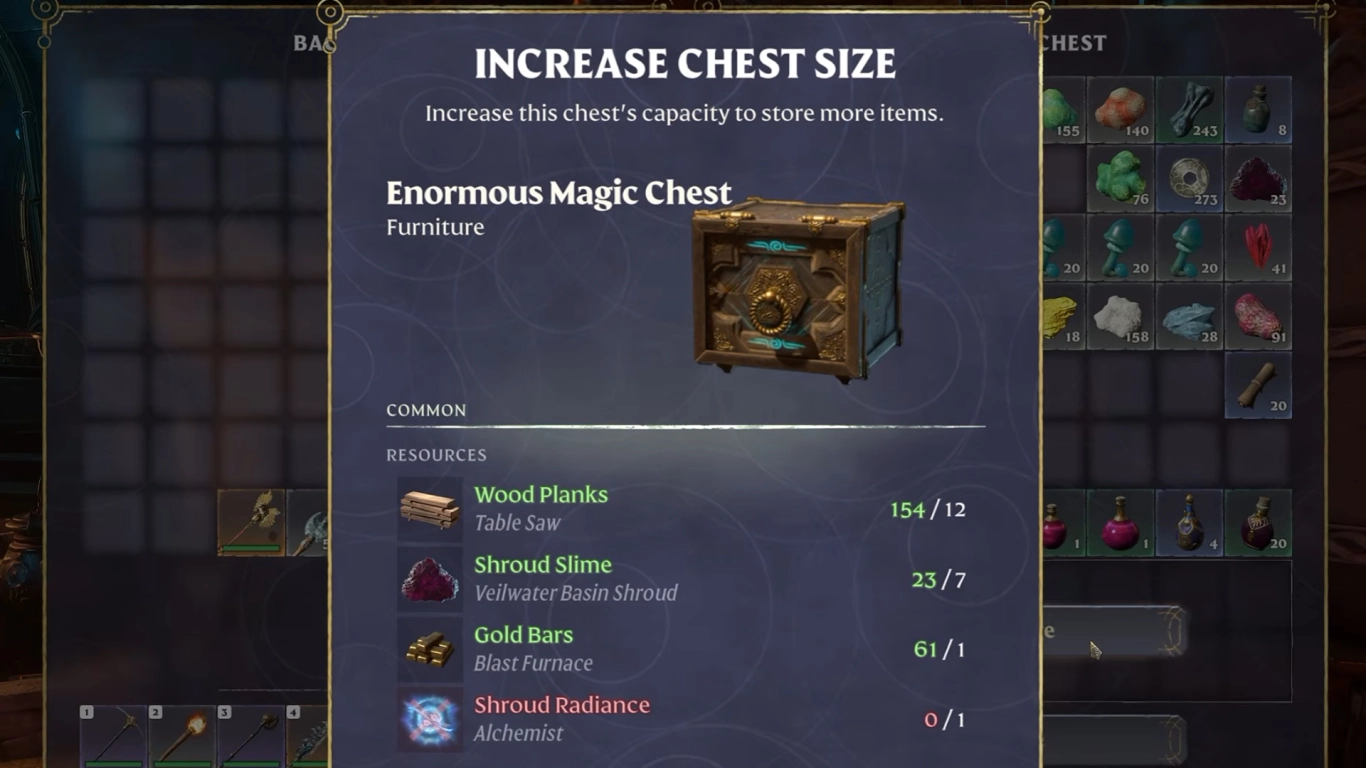
An improvement most players probably wanted is a direct upgrade for your chests. Previously, you had to craft new ones and transfer the entire contents into them. That cost a lot of time and was especially annoying during big renovations.
Now you can upgrade an existing chest on the spot if you have the required materials in your inventory. No more back-and-forth hauling, and you can choose individually which chests to expand. This applies to both regular and magic chests. Even better: you can tidy up your storage system and give every chest a name.
Build in the Shroud: Flame Altar level 11 to push back the fog
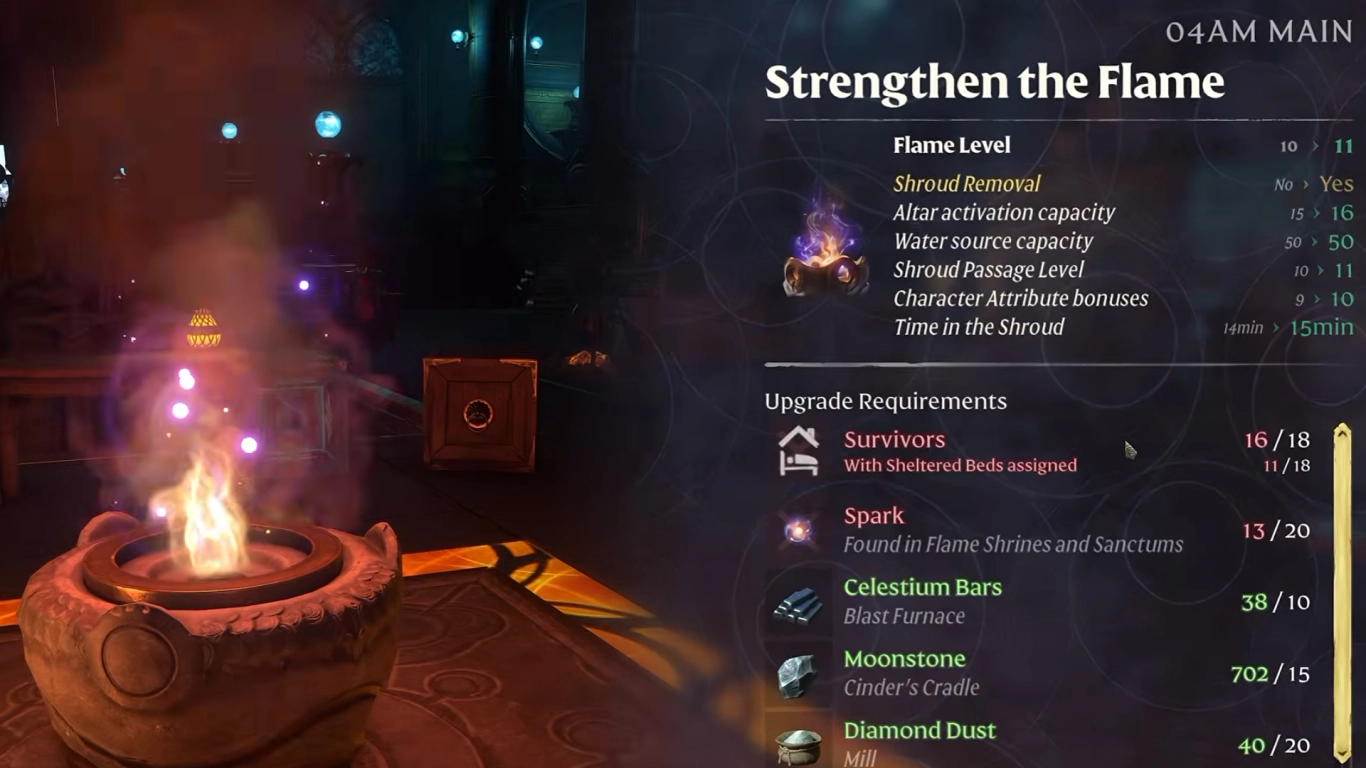
For advanced players, this feature is a welcome addition. With version 1.0 there are two new Flame Altar levels, giving you more power in the Shroud and unlocking another ability. At max level 11, you can push back the fog with a single altar and build inside the Shroud. It’s a great feature for anyone looking for new building locations. It’s more of an endgame option once you’ve gathered all the resources for your altar. Still, it opens up many new building ideas and helps you navigate the Shroud more easily.
Adjust character size: Realistic proportions instead of a Hobbit look
Your character model in Enshrouded hasn’t exactly had realistic proportions. The head was too large, which many players found amusing. Now you can give your character a makeover so you no longer look like a Hobbit. You can do this during character creation, and it also applies to existing saves. Just visit barber Elio Ricci and he’ll give you better proportions. You don’t have to change it—you can choose between both styles.
Lore to listen to: Documents with voiceover as a playlist
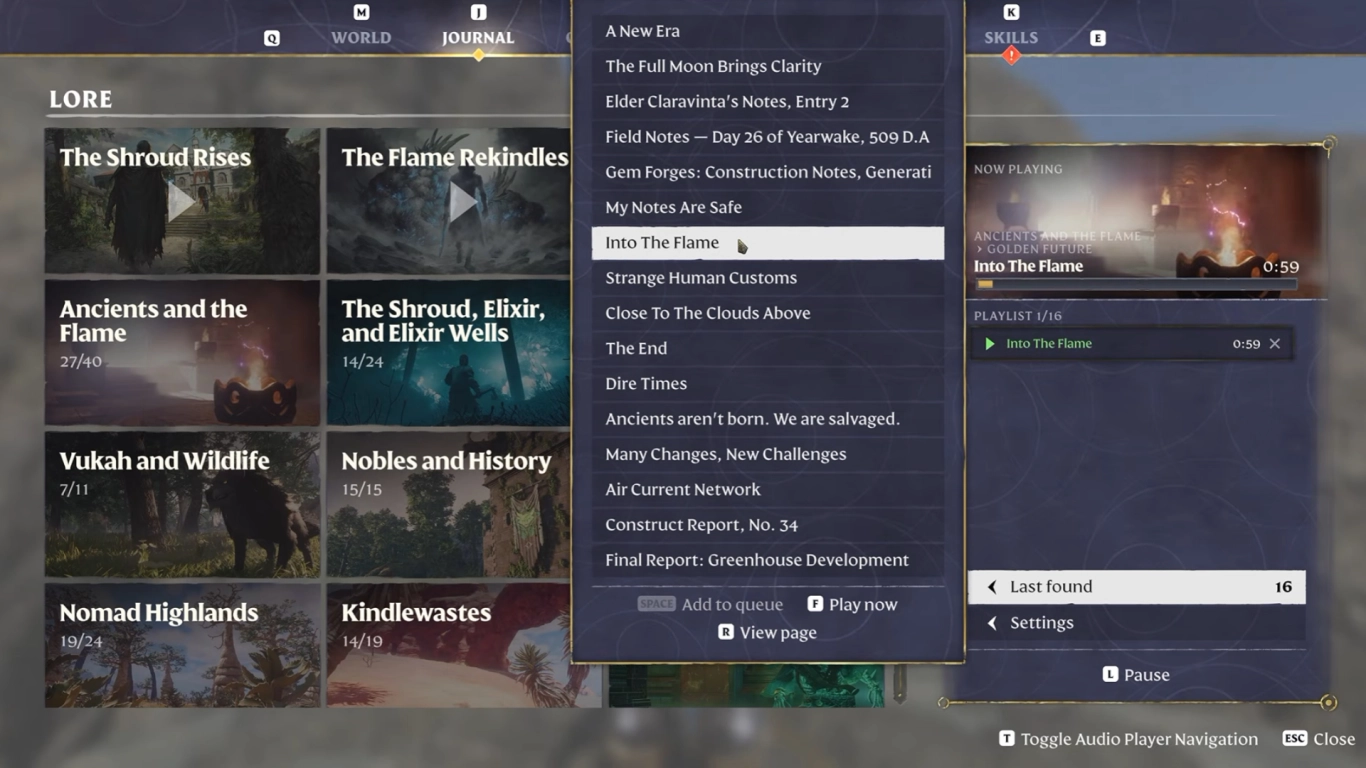
Finally, we want to highlight the new feature that lets you have every document in the game read aloud. Whether in German or English, every note now has a voiceover, further enriching Embervale’s atmosphere.
This feature gets even better if you want to listen to multiple documents at once. You can add them to a playlist and let it play in the background while you explore. It pauses during combat so you can focus, then resumes afterward. A great QoL feature that makes getting into Enshrouded’s lore much easier.
Conclusion: Enshrouded 1.0 QoL improvements at a glance
With Enshrouded’s full release, the developers have integrated many features the community has been requesting for a long time—sometimes going even further and significantly expanding systems. Document voiceover and the matching playlist are extremely cool, for example. Building in flight mode is practically essential in a building system as complex as Enshrouded’s. And overall, many of the small and large changes are things that will surely delight fans.