
Vanilla starter
50% off in the 1st month
2 GB RAM
✔️Vanilla & small plugins
AUD
9.00
4.49
BRL 32.38
16.16
CAD 8.64
4.31
CHF 4.96
2.47
CNY 42.76
21.34
CZK 132.13
65.94
DKK 40.28
20.10
EUR 5.39
2.69
GBP 4.68
2.34
HUF 2,074.50
1,035.33
INR 581.47
290.19
MXN 111.63
55.71
NOK 60.44
30.16
PLN 23.12
11.54
RON 27.48
13.72
SEK 58.98
29.44
SGD 7.98
3.98
TRY 275.66
137.58
USD 6.20
3.09
/ month
4.49
BRL 32.38
16.16
CAD 8.64
4.31
CHF 4.96
2.47
CNY 42.76
21.34
CZK 132.13
65.94
DKK 40.28
20.10
EUR 5.39
2.69
GBP 4.68
2.34
HUF 2,074.50
1,035.33
INR 581.47
290.19
MXN 111.63
55.71
NOK 60.44
30.16
PLN 23.12
11.54
RON 27.48
13.72
SEK 58.98
29.44
SGD 7.98
3.98
TRY 275.66
137.58
USD 6.20
3.09
/ month
Server location:
Recommended for mods & friends
50% off in the 1st month
4 GB RAM
✔️450+ modpacks
✔️For friends & community
AUD
13.99
6.99
BRL 50.33
25.17
CAD 13.43
6.71
CHF 7.70
3.85
CNY 66.49
33.24
CZK 205.43
102.71
DKK 62.62
31.31
EUR 8.38
4.19
GBP 7.28
3.64
HUF 3,225.29
1,612.65
INR 904.03
452.01
MXN 173.55
86.78
NOK 93.96
46.98
PLN 35.94
17.97
RON 42.73
21.37
SEK 91.70
45.85
SGD 12.41
6.21
TRY 428.58
214.29
USD 9.64
4.82
/ month
6.99
BRL 50.33
25.17
CAD 13.43
6.71
CHF 7.70
3.85
CNY 66.49
33.24
CZK 205.43
102.71
DKK 62.62
31.31
EUR 8.38
4.19
GBP 7.28
3.64
HUF 3,225.29
1,612.65
INR 904.03
452.01
MXN 173.55
86.78
NOK 93.96
46.98
PLN 35.94
17.97
RON 42.73
21.37
SEK 91.70
45.85
SGD 12.41
6.21
TRY 428.58
214.29
USD 9.64
4.82
/ month
Server location:
Large modpacks
50% off in the 1st month
10 GB RAM
✔️750+ modpacks
✔️Supports many players
AUD
29.75
14.87
BRL 107.04
53.52
CAD 28.55
14.28
CHF 16.38
8.19
CNY 141.39
70.69
CZK 436.84
218.42
DKK 133.17
66.58
EUR 17.82
8.91
GBP 15.47
7.74
HUF 6,858.56
3,429.28
INR 1,922.40
961.20
MXN 369.05
184.53
NOK 199.81
99.90
PLN 76.43
38.21
RON 90.87
45.43
SEK 195.00
97.50
SGD 26.39
13.20
TRY 911.37
455.69
USD 20.49
10.24
/ month
14.87
BRL 107.04
53.52
CAD 28.55
14.28
CHF 16.38
8.19
CNY 141.39
70.69
CZK 436.84
218.42
DKK 133.17
66.58
EUR 17.82
8.91
GBP 15.47
7.74
HUF 6,858.56
3,429.28
INR 1,922.40
961.20
MXN 369.05
184.53
NOK 199.81
99.90
PLN 76.43
38.21
RON 90.87
45.43
SEK 195.00
97.50
SGD 26.39
13.20
TRY 911.37
455.69
USD 20.49
10.24
/ month
Server location:
Individual configuration
Create your own configuration and customize options flexibly
Our 5-Star Reviews on Trustpilot
Mods & Modpacks for your Minecraft server
Get started right away with popular modpacks or find the right setup by searching. The RAM recommendation shows you what server performance level makes sense for each modpack.

![Cisco's Fantasy Medieval RPG [Ultimate]](/images/minecraft/modpacks/957753.webp)
![Prominence I [FORGE]](/images/minecraft/modpacks/860195.webp)


Minecraft Costs
How much does a Minecraft server cost?
The cost of a Minecraft server depends primarily on player count, RAM, and setup. A small vanilla world for a few friends needs significantly less performance than a server with many plugins, large farms, or extensive Forge and Fabric modpacks.
As a rough guideline, small vanilla servers often need 2 to 4 GB RAM. For Paper, Spigot, Bukkit, or multiple plugins, 4 to 6 GB is usually sensible. Large modpacks often require 6 to 10 GB RAM or more, depending on scope.
Typical cost drivers for Minecraft servers:
- Number of concurrent players
- Vanilla, plugins, or modpacks
- Chunks, entities, farms, and dimensions
- Desired duration and billing cycle
- Location, ping, and performance headroom
Pay securely and flexibly for Minecraft servers



Intuitive web interface for your Minecraft server
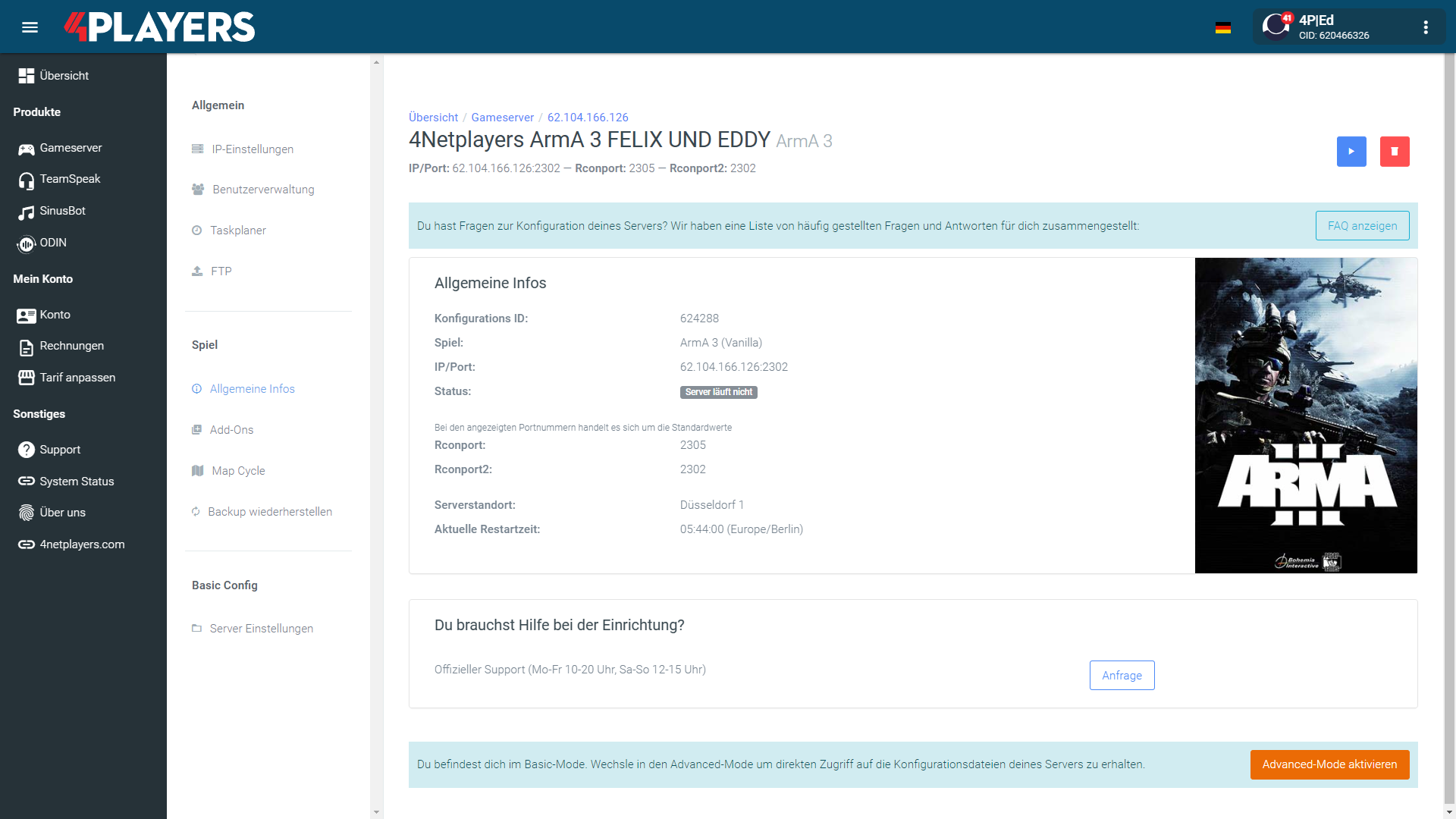
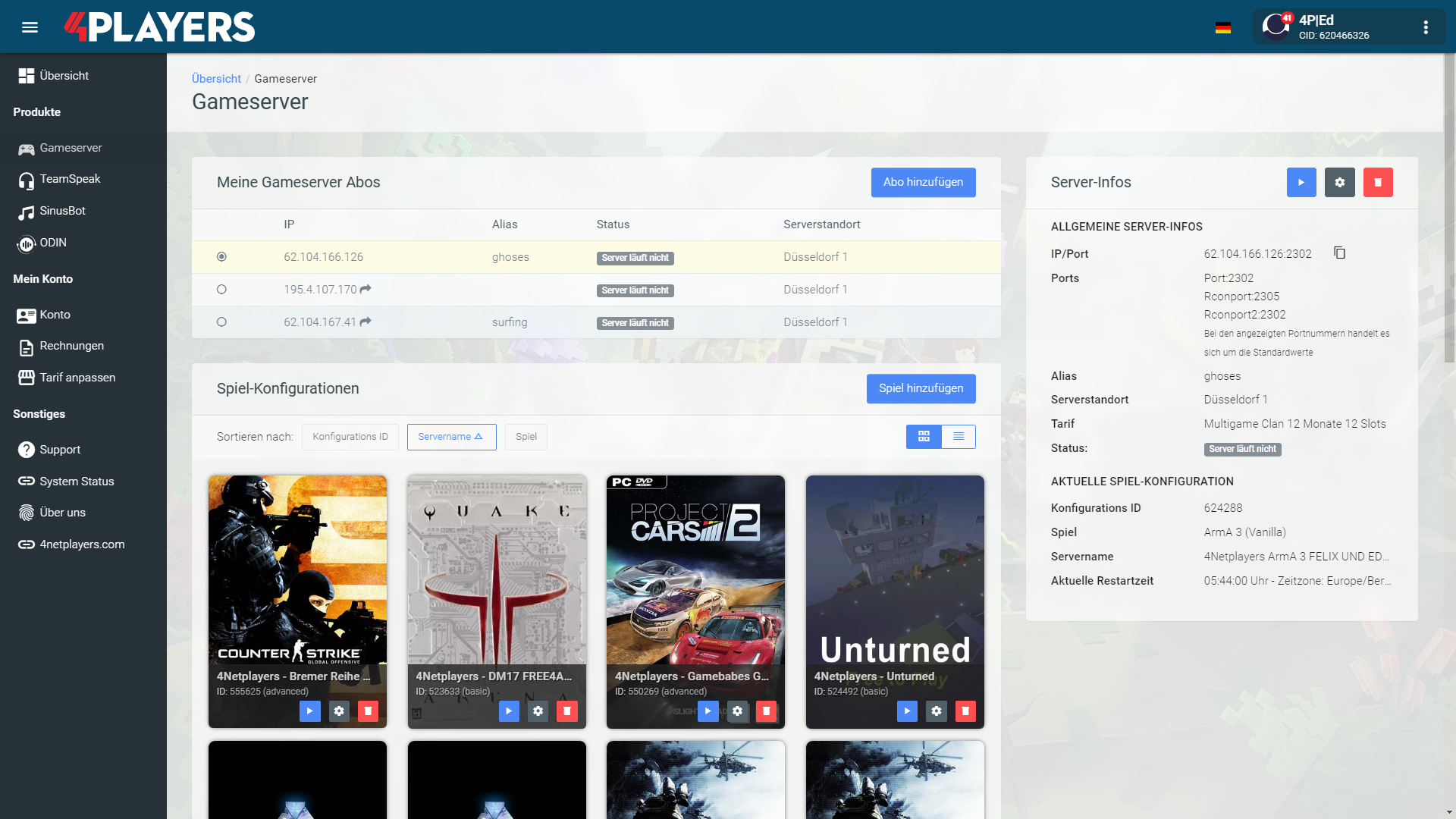
Manage your Minecraft server easily through our web interface. Start, stop, configure your server or manage backups – all in just a few clicks, no prior knowledge required.
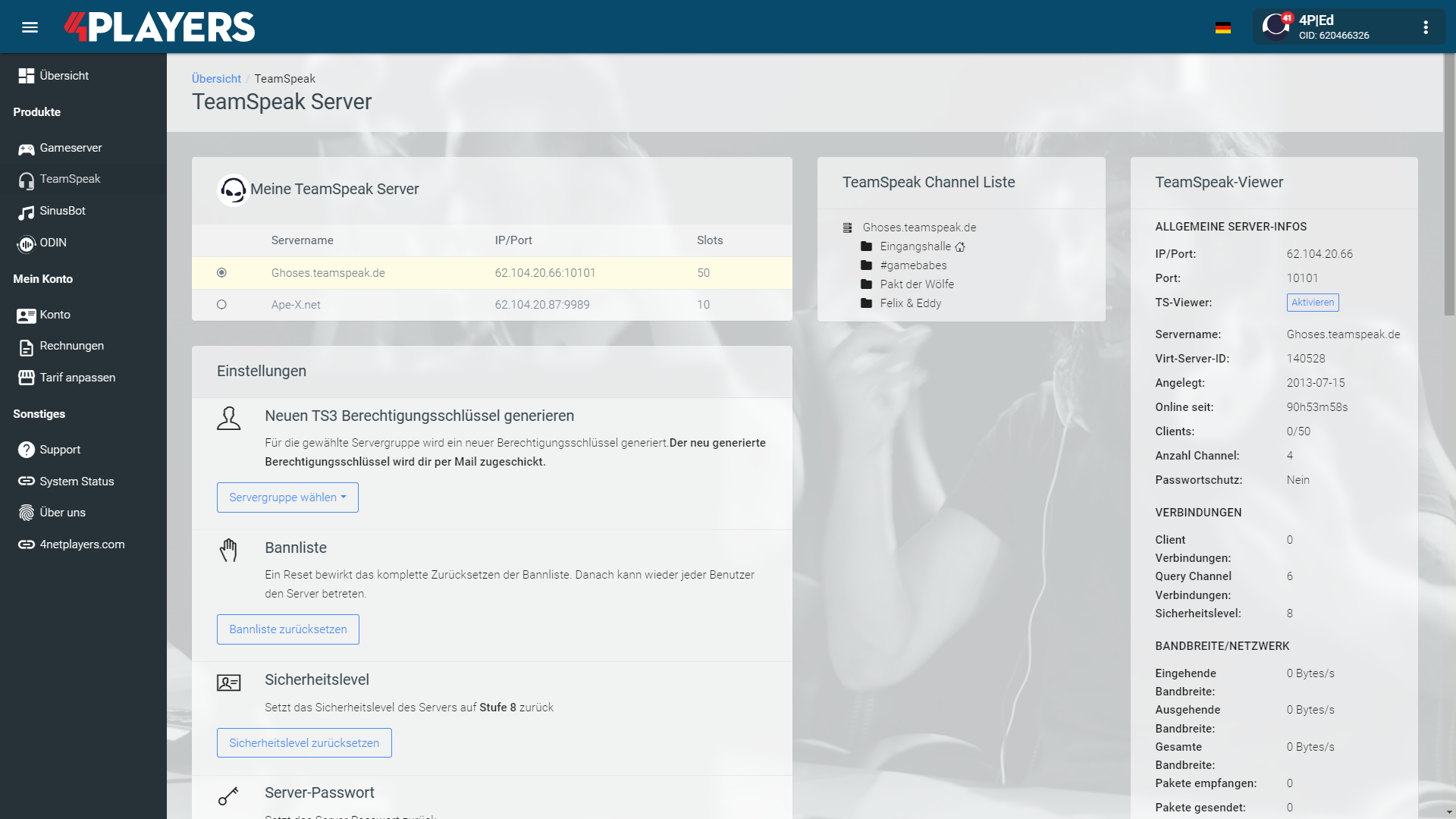
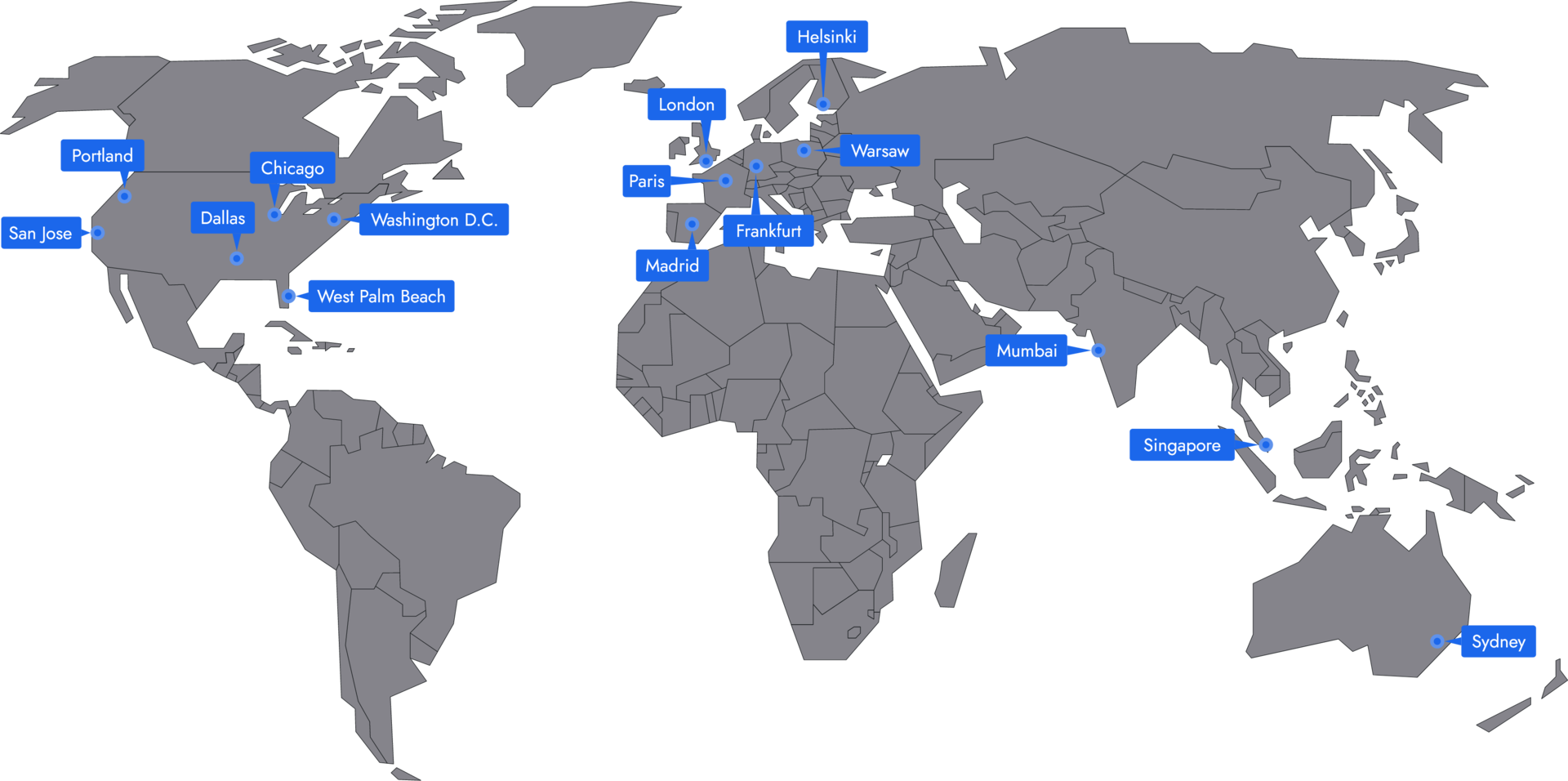
Minecraft Low-Latency Server Locations
In 20 locations worldwide, we offer unmatched connectivity with the lowest pings. New locations are being added continuously, guaranteeing breathtaking gameplay in every game with the lowest latency.
Frequently asked questions about the Minecraft server
Monthly costs primarily depend on RAM, term length, and configuration. A small vanilla world for a few friends is cheaper than a large modpack or community server.
- Small vanilla servers start with low RAM
- Plugins and larger worlds require more resources
- Large modpacks often need significantly more resources
- You can start small and scale up later
RAM requirements depend on player count, mods, plugins, view distance, and world size. For small vanilla servers, 2 to 4 GB of RAM is often enough. With plugins or modpacks, plan for more.
- 2 to 4 GB RAM for small vanilla worlds
- 4 to 6 GB RAM for plugins, Paper, Spigot, or Bukkit
- 6 to 10 GB RAM or more for large modpacks
- More players, farms, and entities increase requirements
Java is usually the best choice for mods, plugins, Paper, Spigot, Bukkit, Forge, and Fabric. Bedrock is a good option when players want to join via console, smartphone, or tablet.
- Java for mods, plugins, and technical servers
- Bedrock for console, smartphone, and tablet
- Crossplay can be helpful for mixed groups
- The right edition depends on your group
Yes, you can transfer an existing Minecraft world to your server. This is useful if you want to continue playing an existing world with friends or don’t want to lose a build project.
- Upload world files via FTP
- Choose a server version that matches the world
- Create a backup before making changes
- Then start the server and check the world
Depending on your setup, you can select mods and modpacks directly or upload them manually. It’s important that the server version, mod loader, and modpack match.
- Forge or Fabric for mods and modpacks
- Paper, Spigot, or Bukkit for plugins
- Upload your own mods via FTP
- Budget enough RAM for large modpacks
After purchase, your Minecraft server will be ready in a few minutes. Then select the version, settings, and mods or plugins if needed.
- Log in to the web interface
- Select version and configuration
- Review whitelist, difficulty, and game rules
- Start the server and connect using the server address
The best location is as close to the players as possible. For groups in Germany or Central Europe, Frankfurt is usually a good choice. International groups should choose a location that provides a stable connection for all players.
- Shorter distance to the server lowers ping
- Lower ping helps with PvP and fast interactions
- Frankfurt is often a good option for German players
- International groups should choose the location together
Yes, you can change the server favicon yourself. The icon will then be displayed next to your server in the Minecraft server browser.
- Prepare your own icon
- Upload the file via FTP to the server directory
- Follow the requirements for filename and format
- Restart the server and check the display
Your Minecraft server is usually ready to use within a few minutes.
- Automatic setup immediately after ordering
- Immediate access to the IP address and console
- No manual activation required
- Assistance from support if needed
A rented Minecraft server gives you full control and a stable gaming environment.
- Server runs 24/7
- Custom settings
- Flexible resource allocation
- Protection against outages and attacks
You can rent your Minecraft server flexibly from as little as one month.
The Minecraft servers run on professional hosting infrastructure.
- High-performance hardware
- Fast network connectivity
- Regular maintenance and updates
- Continuous system monitoring
- Protection against DDoS attacks
Yes, you can try your Minecraft server risk-free.
- 14-day right of withdrawal
- Full functionality during the trial period
- No hidden costs
Yes, your Minecraft server is fully configurable.
Yes, you’ll receive support for technical questions and issues.
- Help with setup and operation
- Contact via email or chat
- Comprehensive guides in the help section
Yes, you can switch to another game at any time.
- Switch directly via the web interface
- No extra charge for changing games
- Automatic switch within a few minutes
- Switch back at any time
Minecraft server hosting in India for Java, Bedrock, mods and private worlds
For Indian Minecraft players, a dedicated server is a practical step up from hosting a world on someone’s PC. Your world can stay available, friends can join without waiting for the host to come online, and you decide how the server is run.
With 4Netplayers, you can set up a Minecraft server for a small friends-only survival world, a modded Java setup, a Bedrock group, or a growing community. The important choices are simple: edition, player count, RAM, mods or plugins, savegame handling, and the server location that suits your players best.
Useful for Indian groups
A dedicated Minecraft server makes sense when your group plays regularly and wants one stable world instead of many local saves. It is especially useful for school friends, college groups, Discord communities, clans, families, and private SMP-style worlds.
You can decide who joins, how the world is played, and whether the experience stays close to vanilla or becomes more customised with plugins, mods, or modpacks. For long-running builds, farms, roleplay areas, or community projects, having one central server keeps everything organised.
Mumbai first for lower ping
For most players in India, the Mumbai server location is the natural first choice. A nearby location usually means shorter network routes, which can make movement, block breaking, combat, Elytra flying, and minigames feel more responsive.
If your community is spread outside India, you can plan the location around the majority of players. Singapore can suit groups with many players in Southeast Asia, Hong Kong may work for East Asia-focused groups, and Sydney is available for communities with players closer to Australia. For an India-first server, start by considering Mumbai.
Choose Java, Bedrock or both
Before ordering, check which edition your players actually use. Java Edition is usually the choice for plugin-heavy servers, technical setups, Forge or Fabric mods, and larger modpacks. Many popular server options such as Paper, Spigot, Bukkit, Forge, and Fabric are Java-focused.
Bedrock matters if players want to join from console, mobile, tablet, or Windows Bedrock. For mixed groups, decide the edition strategy early so that your setup, mods, access rules, and expectations are clear from the start.
Mods and modpacks made easier
Minecraft becomes very different once you move beyond a plain vanilla world. 4Netplayers supports Java and Bedrock servers, and many modpacks can be installed with 1-click, which helps if you do not want to manage every file manually.
Common setups include:
- Vanilla for a simple survival or creative world
- Paper, Spigot or Bukkit for plugins and community features
- Forge or Fabric for modded gameplay
- Modpacks for technology, magic, quests, biomes, automation or extra content
The more complex the setup, the more carefully you should plan RAM and server resources.
Match RAM to real usage
Player count is only one part of Minecraft performance planning. View distance, loaded chunks, farms, entities, redstone machines, plugins, and mods can all increase resource use. A small vanilla world needs far less than a large modpack with many active players.
A practical way to think about it:
- 2 GB RAM for a basic vanilla start or very small group
- 4 GB RAM for friends, plugins, and many modded setups
- 10 GB RAM or more for large modpacks or more demanding projects
Start with the configuration that fits your current world instead of oversizing blindly. If the server grows, you can plan a stronger setup later.
Admin control that matters
A good Minecraft server setup is not only about hardware. You also need control over the day-to-day settings that keep the world safe and playable. This includes version, game mode, difficulty, whitelist, operators, permissions, world files, mods, plugins, and savegames.
For private Indian communities, useful admin tasks often include adding trusted players, managing OP rights, uploading an existing world, adjusting PvP rules, testing modpacks, and keeping backups before major changes. This is especially important when players have spent weeks building bases, farms, shops, or roleplay areas.
Plan your budget in ₹
Minecraft server costs depend mainly on RAM, selected configuration, runtime, and how demanding your world is. A small friends-only world will usually need less than a public community server or a heavy modpack.
Before choosing a package, ask:
- How many players are usually online at the same time?
- Will the server be vanilla, plugin-based, or modded?
- Do you need Java, Bedrock, or a setup for a mixed group?
- Is Mumbai the right location for most players?
- How important are backups, DDoS protection, and easy administration?
Thinking in ₹ from the beginning helps you balance performance and monthly budget without starting larger than necessary.
Start with the right setup
For most India-based groups, a sensible plan is to choose Mumbai, confirm the edition, estimate the active player count, and then select RAM based on vanilla, plugins, or modpacks. Keep room for growth, but do not pay for resources your world does not yet need.
Whether you are building a private survival world, running a modded server with friends, or preparing a community project, a well-chosen Minecraft server gives you persistent access, admin control, and a clear path to expand later.
Helpful Minecraft server guides
Selected guides for choosing, setting up and managing your own Minecraft server.