

Farming Simulator 2022 server hosting
For PC, PlayStation 4/5 and Xbox One/Series – all on one server
Official GIANTS Software Partner

4 slots
✔️Crossplay PC/Xbox/PS
✔️Savegame upload
Server location:
8 slots
✔️Crossplay PC/Xbox/PS
✔️Savegame upload
✔️For big farms & mods
Server location:
Create your own setup and customize every option.





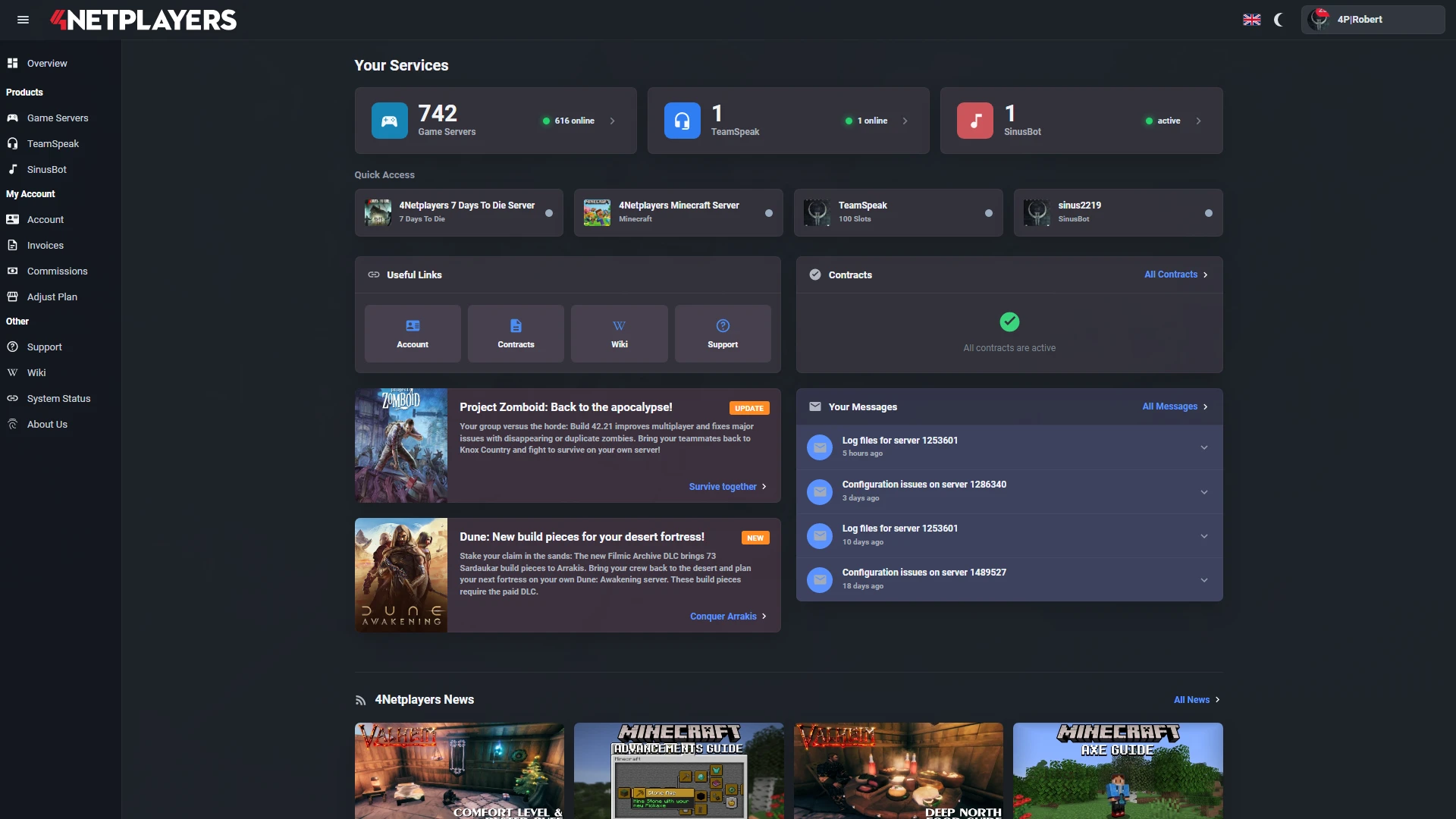
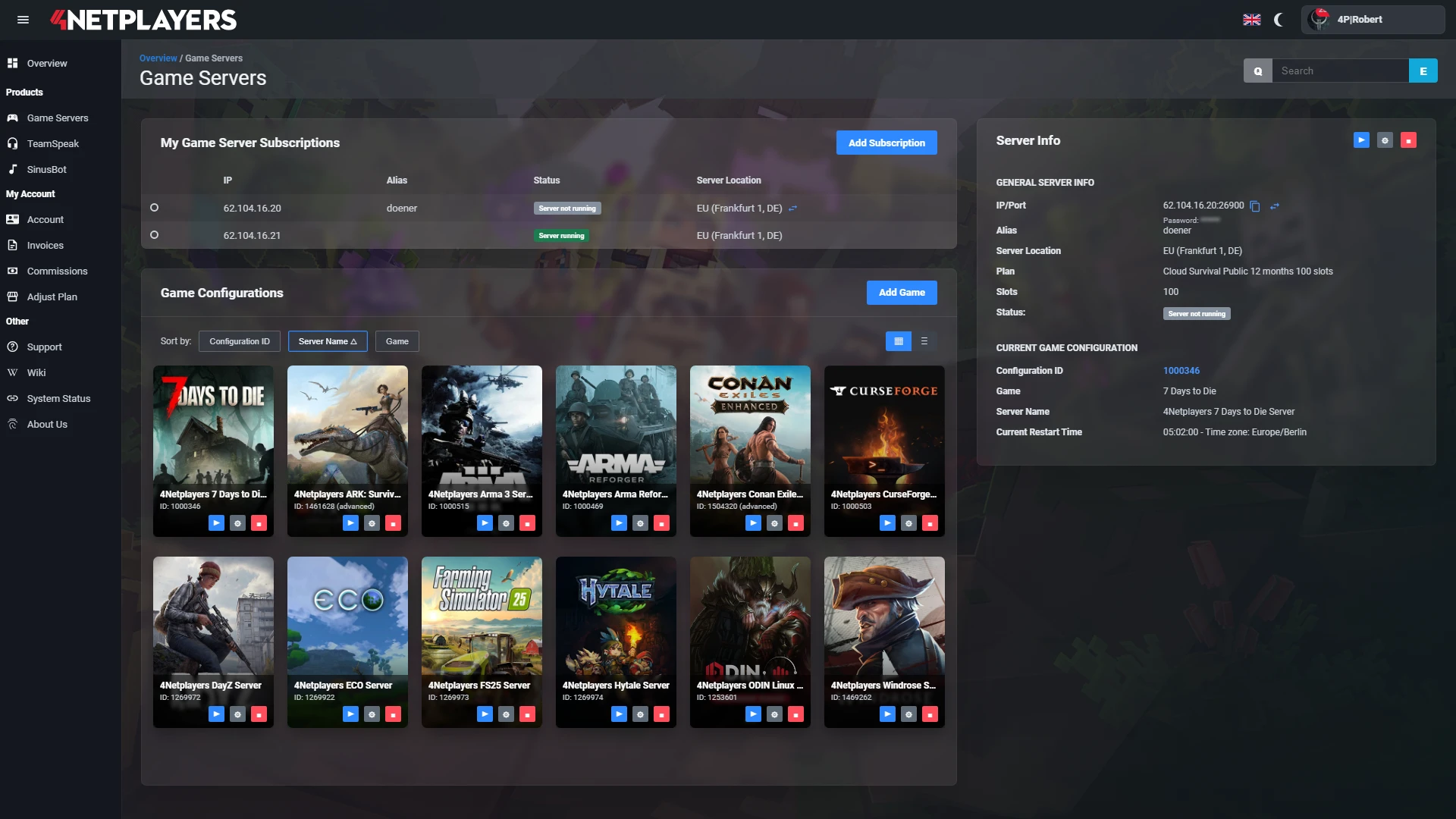
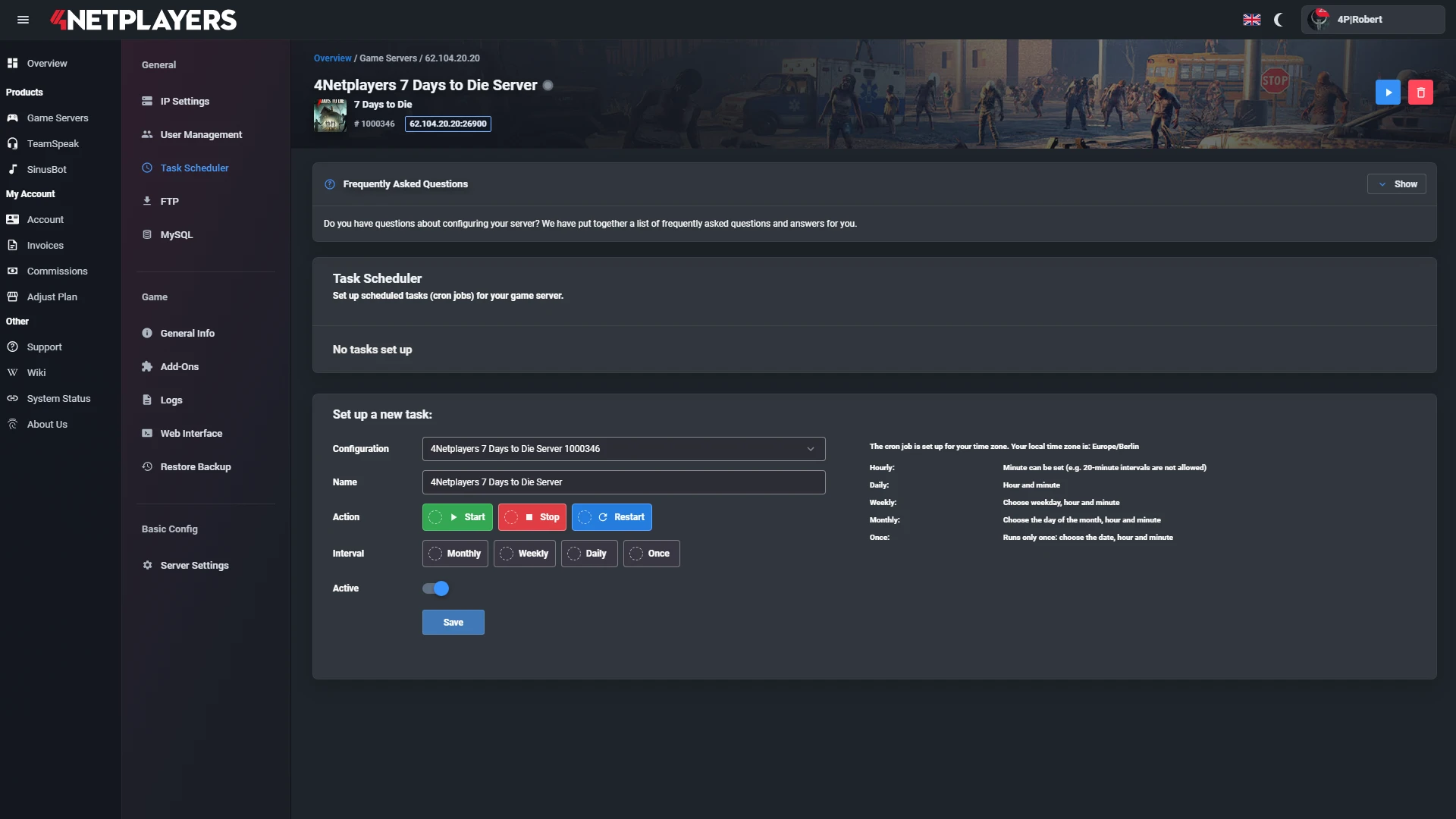
Manage your Farming Simulator 2022 server easily through our web interface. Start, stop, configure your server, or manage backups - all in just a few clicks, with no prior experience required.
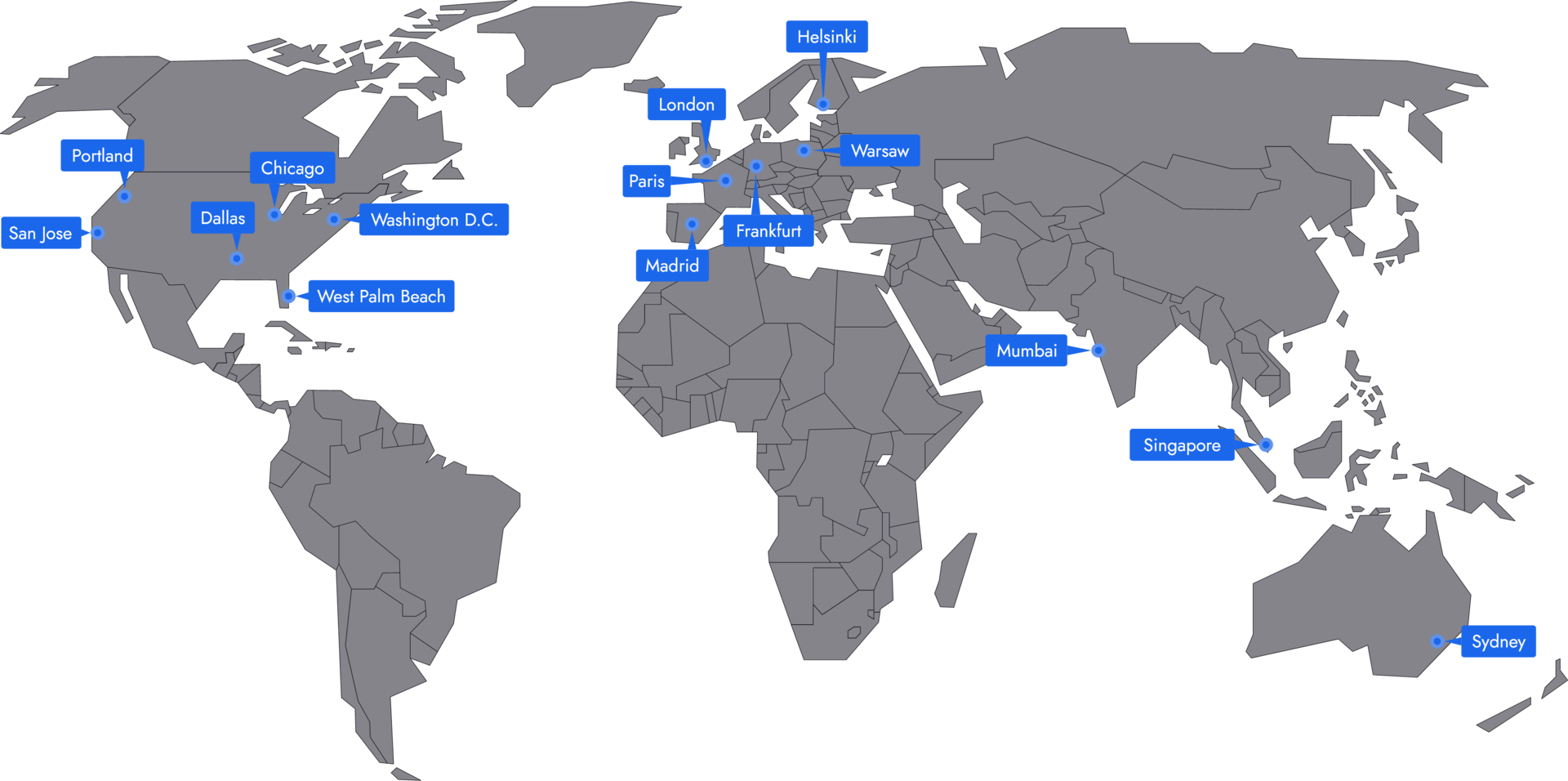
In 14 locations worldwide we offer unmatched connectivity with the lowest pings. Additional locations are continually being added and guarantee breathtaking gameplay in every game at the lowest latency.
Yes. Farming Simulator 22 supports crossplay between PC, PlayStation 4, PlayStation 5, Xbox One and Xbox Series X|S. Everyone joins the same server through the multiplayer menu, whatever device they play on. For mixed sessions with console players, pick mods from the official ModHub that are also available on console. How to find your server: find your server in-game.
No. The server licence is included in the rental price, as we are an official GIANTS Software partner. Each player only needs their own copy of the game on PC, PlayStation or Xbox.
Yes. Upload your savegame from your PC or from your previous server and carry on with your farm right away. The guide upload a savegame shows you how.
Yes. You upload maps, vehicles, productions and scripts to your server through the web interface, with up to 30 GB of mod space. That gives you access to the huge mod library the community has built for FS22 over the years. Step by step: install mods.
Yes. When your group moves to FS25, you switch your server to the new game for free in the web interface. You don’t need a new server for that.
Yes. You choose the map and career mode, set growth, economy and game speed, and log in as admin in-game. Guides: change the map, change career mode and become admin.
Your Farming Simulator 22 server is usually ready to use within a few minutes.
A rented Farming Simulator 22 server gives you full control and a stable gaming environment.
You can rent your Farming Simulator 22 server flexibly from as little as one month.
The Farming Simulator 22 servers run on professional hosting infrastructure.
Yes, you can try your Farming Simulator 22 server risk-free.
Yes, your Farming Simulator 22 server is fully configurable.
Yes, you’ll receive support for technical questions and issues.
Yes, you can switch to another game at any time.
Farming Simulator 22 isn’t a quick pick-up-and-play game. You build fields, care for animals, plan production chains, and work your way through seasons, fleets of machinery, and economic decisions. If you want to rent a Farming Simulator 22 server, it’s not just about tech, but about a shared game world that keeps running reliably.
In multiplayer, that matters even more: Instead of relying on random public lobbies, you and your team decide who plays, when work gets done, and what goals your farm pursues. Your own Farming Simulator 22 server ensures progress isn’t tied to a host’s PC. Your teammates can go online at any time, prep fields, care for animals, or advance productions without someone having to start the session first.
Yes, especially for two groups. If you play on PlayStation 4 or Xbox One, Farming Simulator 22 is the latest entry for your console. With crossplay, PS4 and Xbox One owners play on the same server as friends on PC, PS5 or Xbox Series.
Then there are groups with a farm that has grown over a long time: your savegame, your favourite map and your mod collection simply move onto the server. After years of community work, FS22 has a huge selection of maps, machines and productions. And if you want to move to FS25 at some point, you switch the game on your server for free.
Public sessions can work, but they rarely suit long-term farm projects. Sometimes permissions are missing, sometimes strangers change settings, and sometimes the lobby disappears right when the farm is gaining momentum. With a Farming Simulator 22 multiplayer server, you create a fixed meeting place for friends, regulars, or a small community.
The advantage shows in everyday play: Everyone knows the map, roles are clear, and the slots fit your group. One person handles harvesting, someone takes care of livestock, another optimizes production or brings new machines online. This creates a shared game world that develops over days, weeks, and entire seasons. It feels more committed than a spontaneous lobby and makes multiplayer noticeably more relaxed.
Straight to the guides: find your server in the game, change the server name and change the server language.
A Farming Simulator 22 game server takes the host role off your gaming PC. That’s important when multiple players, many vehicles, mods, and large farms come together. On a dedicated server, the world runs separately from your local connection. Reliable hardware, low ping, and stable performance ensure fieldwork isn’t slowed by stutter or connection problems.
You also get safeguards you often don’t appreciate in private sessions until something goes wrong. DDoS protection keeps disruptive attacks at bay, backups protect your progress, and automatic updates reduce the workload after patches. If your group is spread out, worldwide locations help with the right server region. A good server for Farming Simulator 22 isn’t just online, but stays reliably reachable.
A Farming Simulator 22 dedicated server gives you more control than an open lobby. With admin rights, you decide who gets access, which map runs, how challenging the economy, traffic, or helpers are set, and which rules apply. You can configure the server, test your own settings, and tailor the experience to your playstyle instead of compromising with other hosts.
Mods in particular make Farming Simulator 22 shine. New machines, maps, production chains, or quality-of-life features change your farm’s rhythm and keep the server fresh. With Farming Simulator 22 hosting, this becomes a clean framework: You define which mods are allowed, which versions are used, and when something changes. That keeps savegames more stable, helps new players find their footing more easily, and lets your community grow on a reliable foundation.
Straight to the guides: install mods, sign in as an admin and change the map.
A dedicated server is also a great tool for groups that want more than just some after-work harvesting. You can schedule regular events, have clans face off, or set up PvP as a farm competition where teams play for yields, production goals, or efficient workflows. Such objectives give multiplayer structure without breaking the game’s laid-back core.
Server management stays straightforward when hosting, updates, backups, and permissions are handled cleanly. You don’t have to explain each time who’s hosting or why the world is offline. If you want to rent a Farming Simulator 22 server now, you’ll start with your own world, your own rules, and a game server that’s online at all times. Invite friends, choose slots, configure the server, and play together: this lets you jump right in without first searching for a suitable lobby.
Straight to the guides: log in to the web interface, upload a savegame and choose the career mode. Video walkthroughs are here: server guides and video tutorials.
Selected guides for choosing, setting up and managing your own Farming Simulator 2022 server.