American Truck Simulator server hosting


8 Slots
✔️Mods & map DLCs
🎁 + Free game server
Server location:
16 Slots
✔️Mods & map DLCs
🎁 + Free game server
Server location:
Create your own setup and customize every option.





Manage your American Truck Simulator server easily through our web interface. Start, stop, configure your server, or manage backups - all in just a few clicks, with no prior experience required.
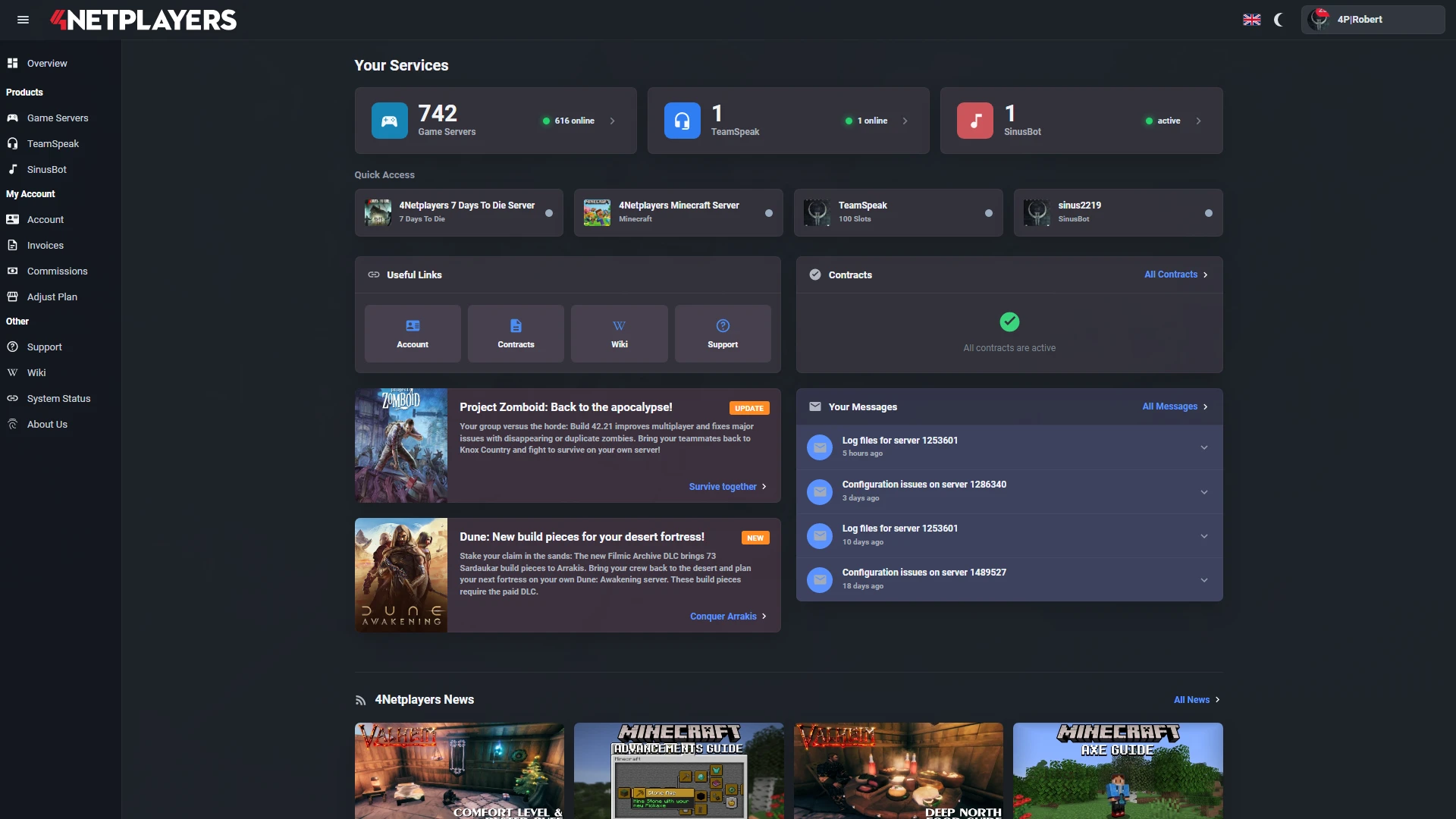
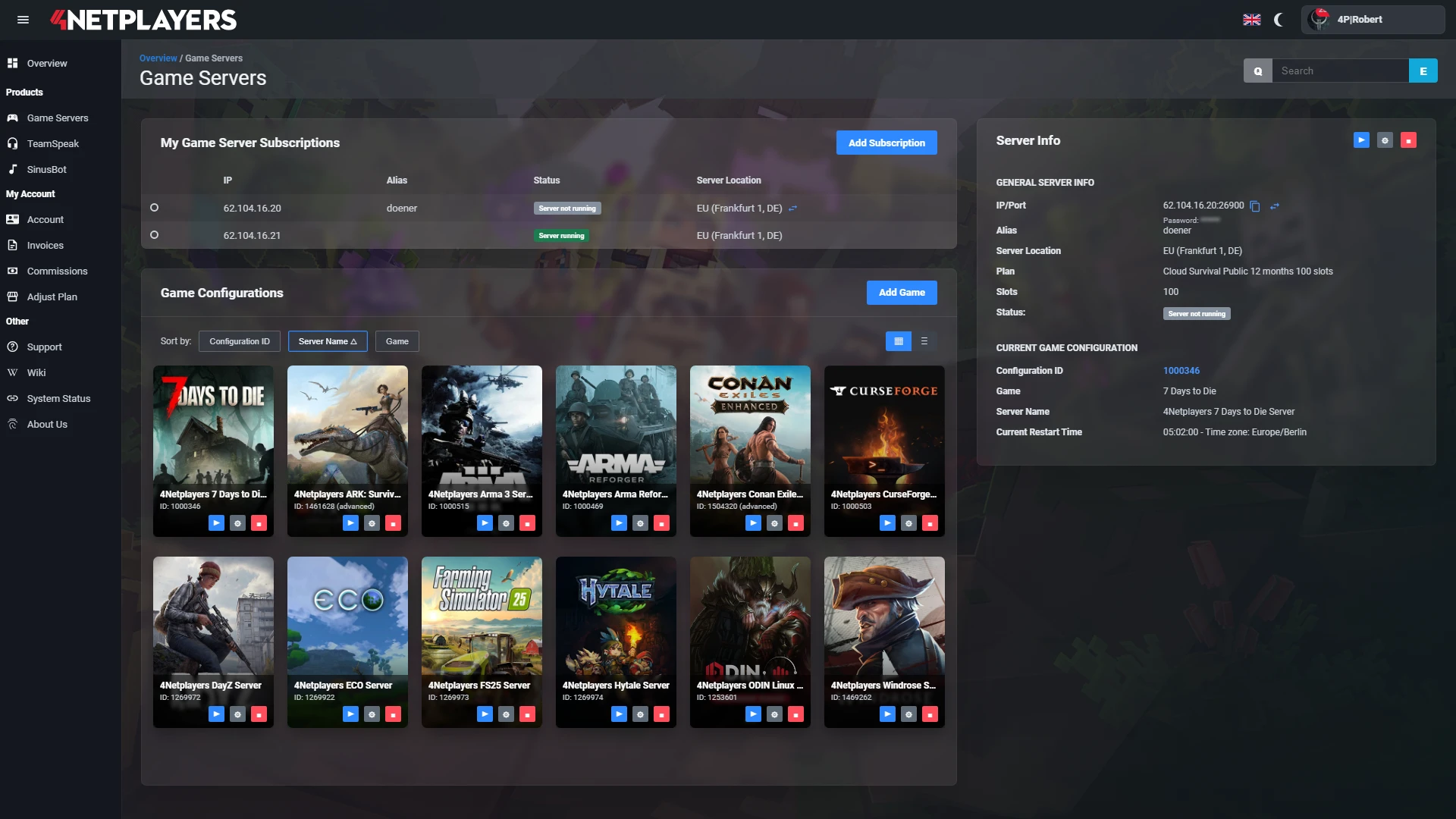
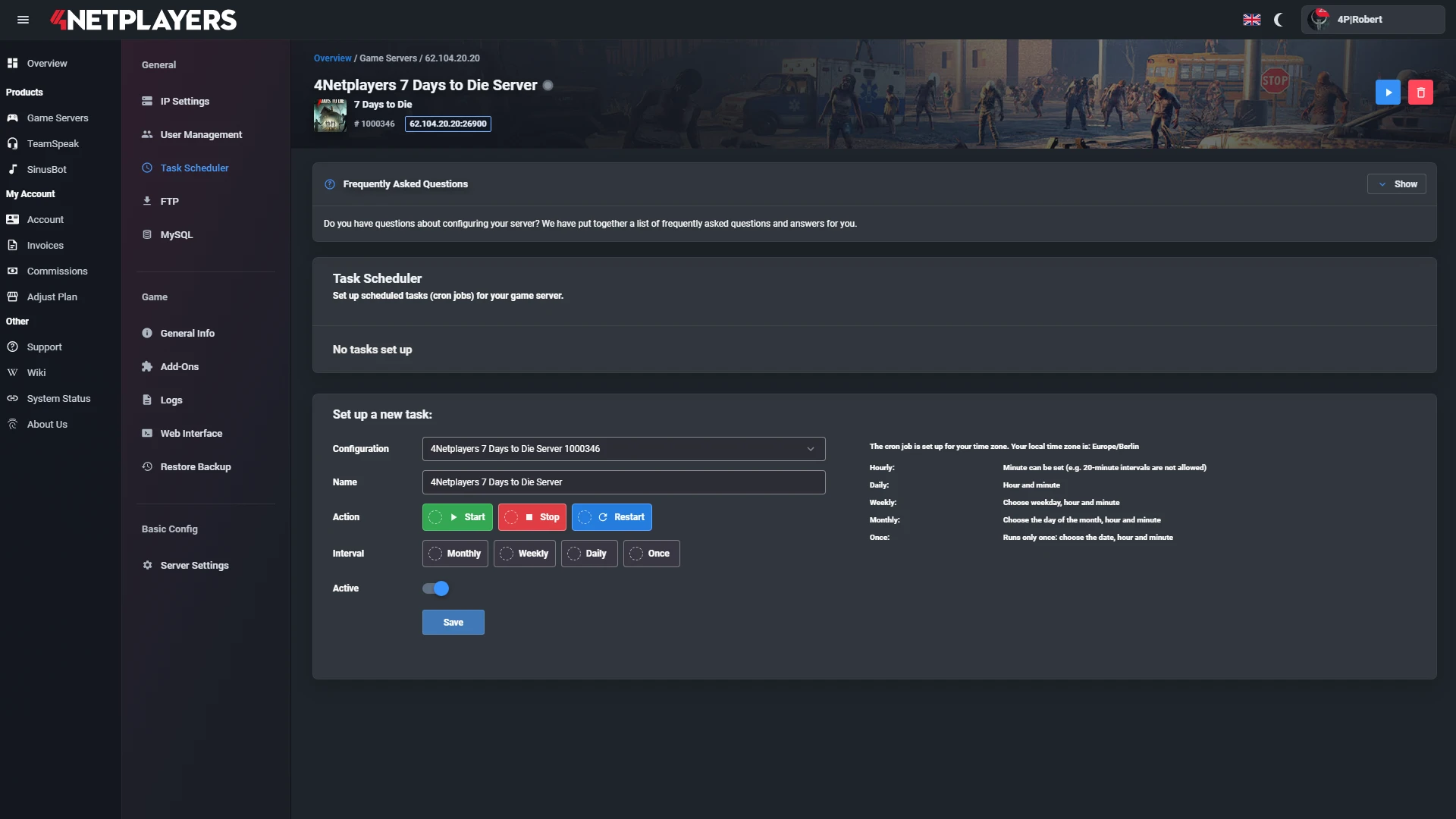
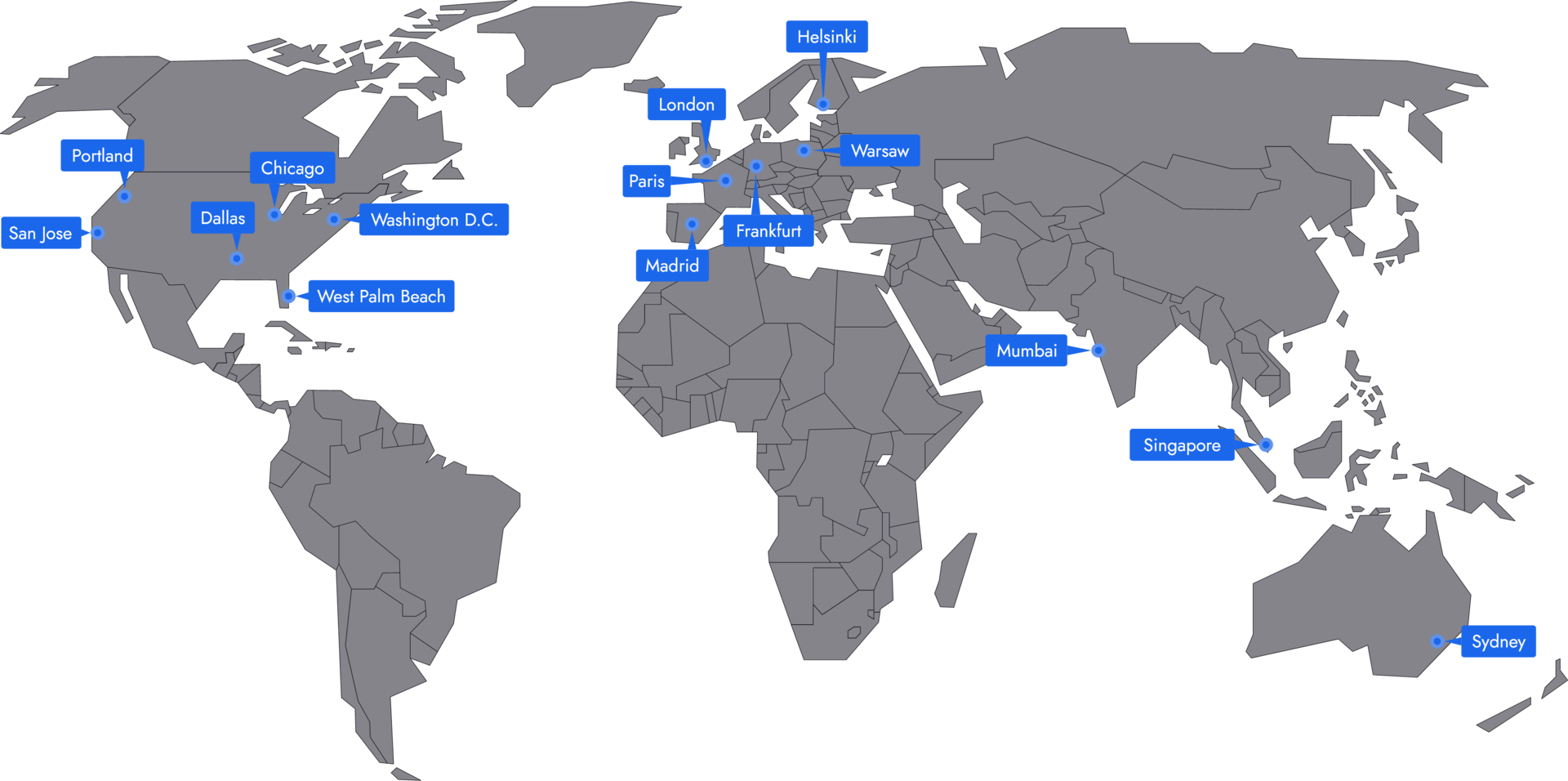
In 14 locations worldwide we offer unmatched connectivity with the lowest pings. Additional locations are continually being added and guarantee breathtaking gameplay in every game at the lowest latency.
Yes, you can install mods on your American Truck Simulator server. Mods allow you to enhance the gaming experience with new vehicles, maps, or gameplay features. An FTP program is required for the upload of the mods.
Your American Truck Simulator server is usually ready to use within a few minutes.
A rented American Truck Simulator server gives you full control and a stable gaming environment.
You can rent your American Truck Simulator server flexibly from as little as one month.
The American Truck Simulator servers run on professional hosting infrastructure.
Yes, you can try your American Truck Simulator server risk-free.
Yes, your American Truck Simulator server is fully configurable.
Yes, you’ll receive support for technical questions and issues.
Yes, you can switch to another game at any time.
With American Truck Simulator server hosting at 4Netplayers, you get a dedicated Convoy server that is online in minutes and keeps your session open 24/7, even when nobody is hosting in-game. Your VTC or group of friends always finds the same server with the same rules and the same mod set.
You start with 8 or 16 slots, can pick more slots for larger convoys in the configurator, and manage the server in the web interface: Steam token, mods and map DLCs, admins, and server settings. DDoS protection, automatic updates, and backups are included.
A dedicated American Truck Simulator server provides your Convoy session independently of a player’s game client, so drivers can join at any time without waiting for a host. AI traffic, weather, and time of day stay synchronized for everyone on the server.
Career progress and your fleet are still stored in each player’s own profile; the server keeps the shared Convoy session with fixed rules, a recognizable server name, and a consistent mod set.
Convoy started with eight drivers, but an American Truck Simulator dedicated server now supports larger sessions of up to 128 players. At 4Netplayers, you start with 8 or 16 slots and pick more slots in the configurator when your VTC or public convoy grows.
Players who want to see servers with more than 8 slots in the server list have to change g_max_convoy_size in their config.cfg once. How it works: find servers with more than 8 players.
Yes. An American Truck Simulator server needs a Steam Game Server Login Token (GSLT). You create it on Steam with the App ID 270880 and enter it in the web interface under Server Settings; the server then keeps a consistent identity after every restart.
Tokens expire over time and can be renewed on the same Steam page. Step by step: create a Game Server Login Token.
Mods and map DLCs are added to an American Truck Simulator server with the export_server_packages console command in your game. It creates the files server_packages.sii and server_packages.dat, which you upload to the server; every driver then needs the same mods and DLCs to join.
config.cfg and load a save with your mods active.export_server_packages in the console.server_packages.sii and mods_info.sii in the web interface and upload server_packages.dat via FTP.The full guide: install mods on your ATS server.
Admins on an American Truck Simulator server are added with their SteamID64 in the moderator_list of the server_config.sii. That way you and your VTC staff can manage drivers during a convoy.
All steps: become an admin in American Truck Simulator.
The price of an American Truck Simulator server at 4Netplayers depends on the number of slots and the rental term; you can see the current monthly prices in the packages on this page. Longer terms are cheaper: 3 % off for 3 months, 5 % for 6 months, and 10 % for 12 months.
You choose the term yourself: 1, 3, 6, or 12 months. After that, the server renews month by month at the same price until you cancel.


Selected guides for choosing, setting up and managing your own American Truck Simulator server.