
Building your own base is one of the most important mechanics in Palworld. There you can not only interact with your Pals, but also put them to work. That makes it easier to gather resources and push your progress. With the new update Home Sweet Home, several of these systems were reworked so your base not only looks nicer, but also runs more efficiently. We’ll walk through the basics of Palworld’s building system—how to set up a base, expand it, and tailor it to your needs. We’ll also share a list of the best Pals to use.
Building a Palworld base: location, Palbox, and technology
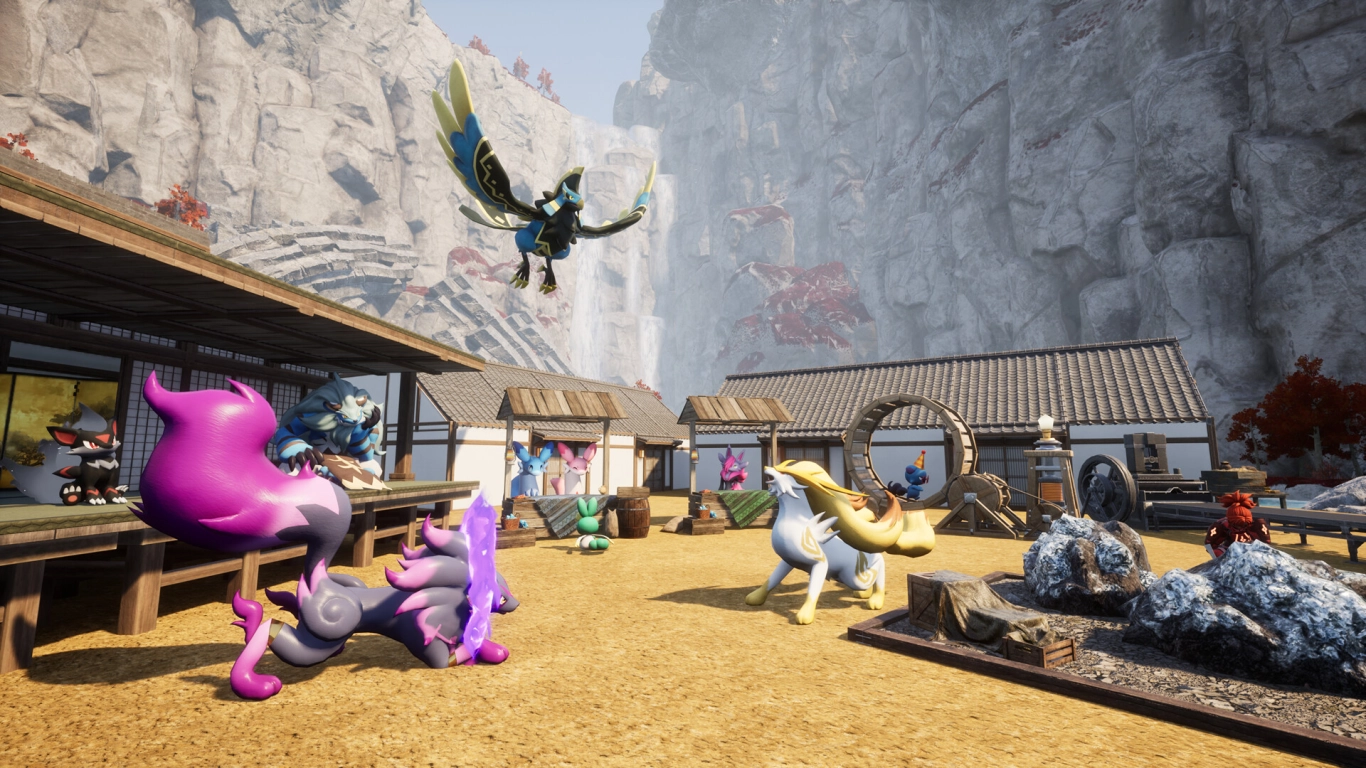
You can start a base as soon as you can craft a Palbox. You unlock it at Technology Level 2. There you can not only store and deposit your Pals, but also begin your first base. The box is always the center of your base, and from there you’ll see a dome showing the range of your base. Everything inside the circle does not lose durability. The box is also a fast travel point.
As you play, you’ll unlock the ability to set up more bases. You should also complete the tasks that appear for base building. Doing so unlocks additional options and lets you expand your base’s capacity.
So where should you build? That depends on your preferences. First consider the purpose of your base. Do you just want to gather resources temporarily, or do you want a permanent base for all your Pals? Your bases should look different accordingly.
In general, look for:
- Flat terrain suitable for building
- Plenty of resources nearby
- Safety from Pals and potential raids
- Natural cover from cliffs and mountains
While you can only build with wood at the start, more structure sets unlock later. Wood isn’t particularly safe, so you should try to reach at least Level 18 to unlock the Stone set.
Use all the space provided by the Palbox so your Pals have enough room to move. That way, you can plan your base better and ensure all workstations are reachable. You should also consider defending against raids and building a wall around your base.
You can decorate your base with furniture and lighting. The new build menu from Update 0.7 is much clearer and lets you pick what to build from a list. It’s far smoother than the previous radial menu.
Palworld technologies for base building: key levels and structure sets
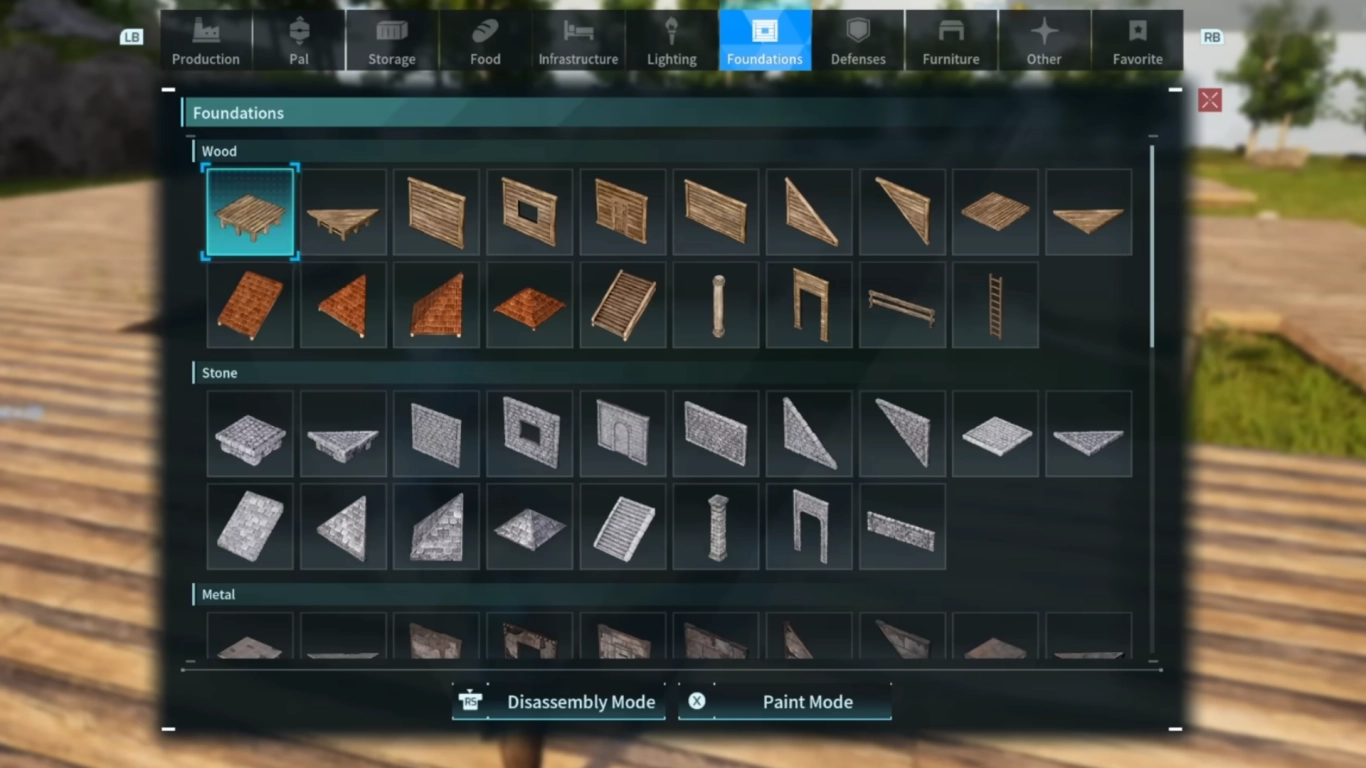
With your levels and the technology points you unlock, you can enable new options for your base. In the first hours, focus on leveling up as quickly as possible to unlock these features.
We recommend upgrading to around Level 16 to unlock all the core basics. This lets you build a wooden base, set up your first fields, give your Pals a cozy place to sleep, and place a few early farms to collect stone and wood. You’ll also unlock some great furniture sets to make your base look nice.
You unlock new structure sets at:
- Lvl. 18: Stone
- Lvl. 30: Metal
- Lvl. 39: Glass
- Lvl. 50: Japanese
- Lvl. 61: Futuristic
Palworld base functions: storage, processing, agriculture, and breeding

Bases handle many functions in Palworld, so it’s important to set up a safe haven early. As you unlock more technologies, you’ll gain more features to integrate into your existing base.
- Storage for everything you gather (with different storage types)
- Processing of materials using machines
- Agriculture to feed you and your Pals
- Ranching your Pals
- Farming important resources
- Rest area for your Pals so they can relax after work
- Breeding your Pals to obtain new and stronger Pals
- Trading with rotating merchants
- Pal Expeditions to collect items
Managing Pals at your base: assigning work, sanity, and the Monitoring Station
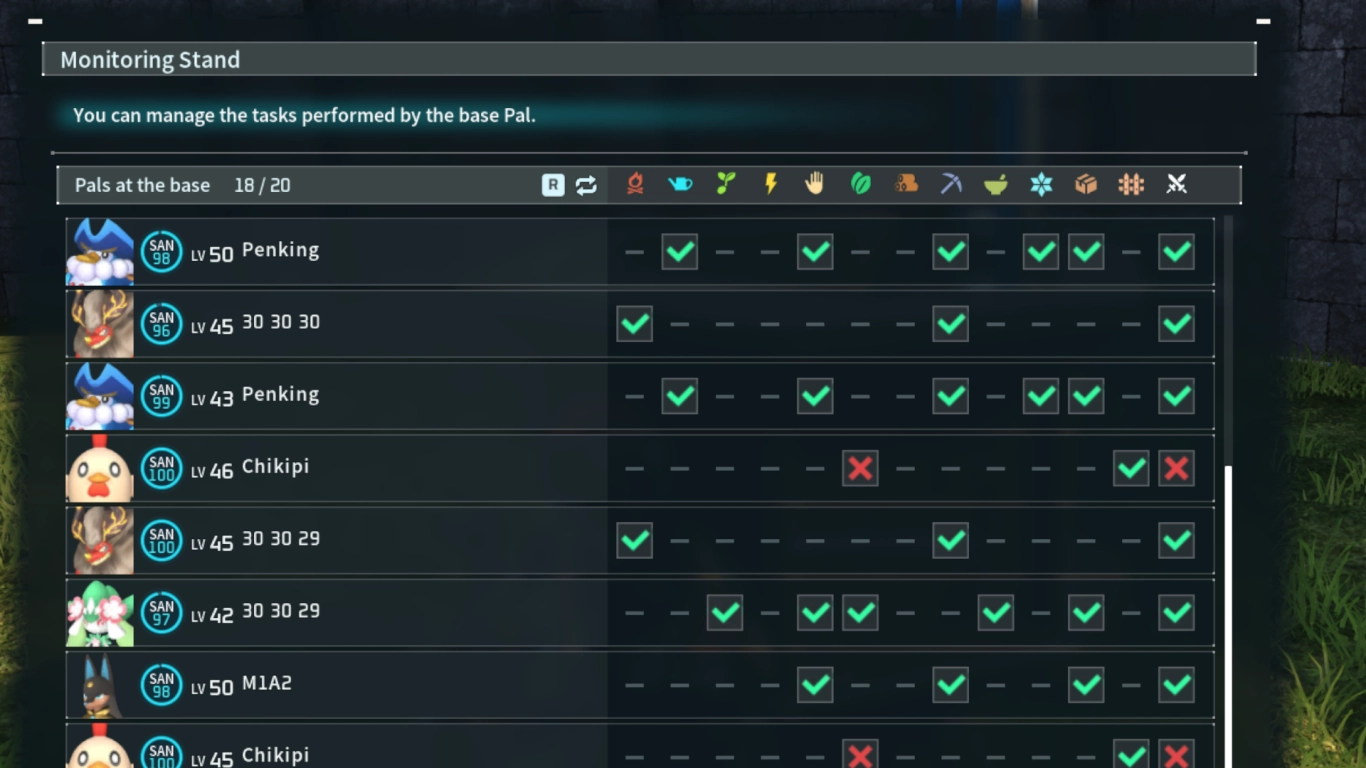
Pals are your friends and helpers when it comes to keeping your base running. They can perform twelve different tasks, each with different stats and capabilities. It’s important to assign Pals correctly so everything keeps operating smoothly.
For more control over your Pals, we recommend the Monitoring Station. You unlock it at Level 14 and it helps you assign Pals to specific tasks in your base more effectively. You can also set their work policy, and exclude Pals from certain jobs to increase efficiency.
Finally, you must manage your Pals’ sanity so they don’t refuse to work. There are several ways to do this. Build enough beds for all Pals, always have enough food ready, and provide hot springs so they can take a break from work and recover. Your Pals are happy to help, but you need to take good care of them.
Best Pals for base building: multi-talents for work and farming

Which Pals are best for your base depends on its purpose. You need to check yourself which tasks currently need doing and which Pals you can assign. The best choices are Pals that can handle multiple roles. While some Pals focus on just one skill, others are true multi-talents. As you progress, you’ll find new and stronger Pals.
We recommend these Pals that can handle multiple tasks:
- Tanzee
- Penking
- Daedream
- Flopie
- Bristla
- Incineram
- Dumud
- Robinquill
- Elizabee
- Anubis
- Tombat
- Bushi
- Verdash
- Petallia
- Quivern
- Grizzbolt
Conclusion: Palworld base building tips for efficient farms
Base building is a key part of Palworld, as you can delegate many different tasks to your Pals. Pals can handle twelve job types—from tending fields to mining ore or crafting medicine. Assign your Pals smartly to get the most out of your base. Unlock new machines, building materials, and features with new technologies.
If you want to build an awesome base with your friends, Rent your own Palworld server from us. You’ll have lots of options, and with the latest Home Sweet Home update, base building has received a fresh coat of paint.