

Farming Simulator 22 server hosting
For PC, PlayStation 4/5 and Xbox One/Series – all on one server
Official GIANTS Software Partner

4 slots
✔️Crossplay PC/Xbox/PS
✔️Savegame upload
Server location:
8 slots
✔️Crossplay PC/Xbox/PS
✔️Savegame upload
✔️For big farms & mods
Server location:
Create your own setup and customize every option.





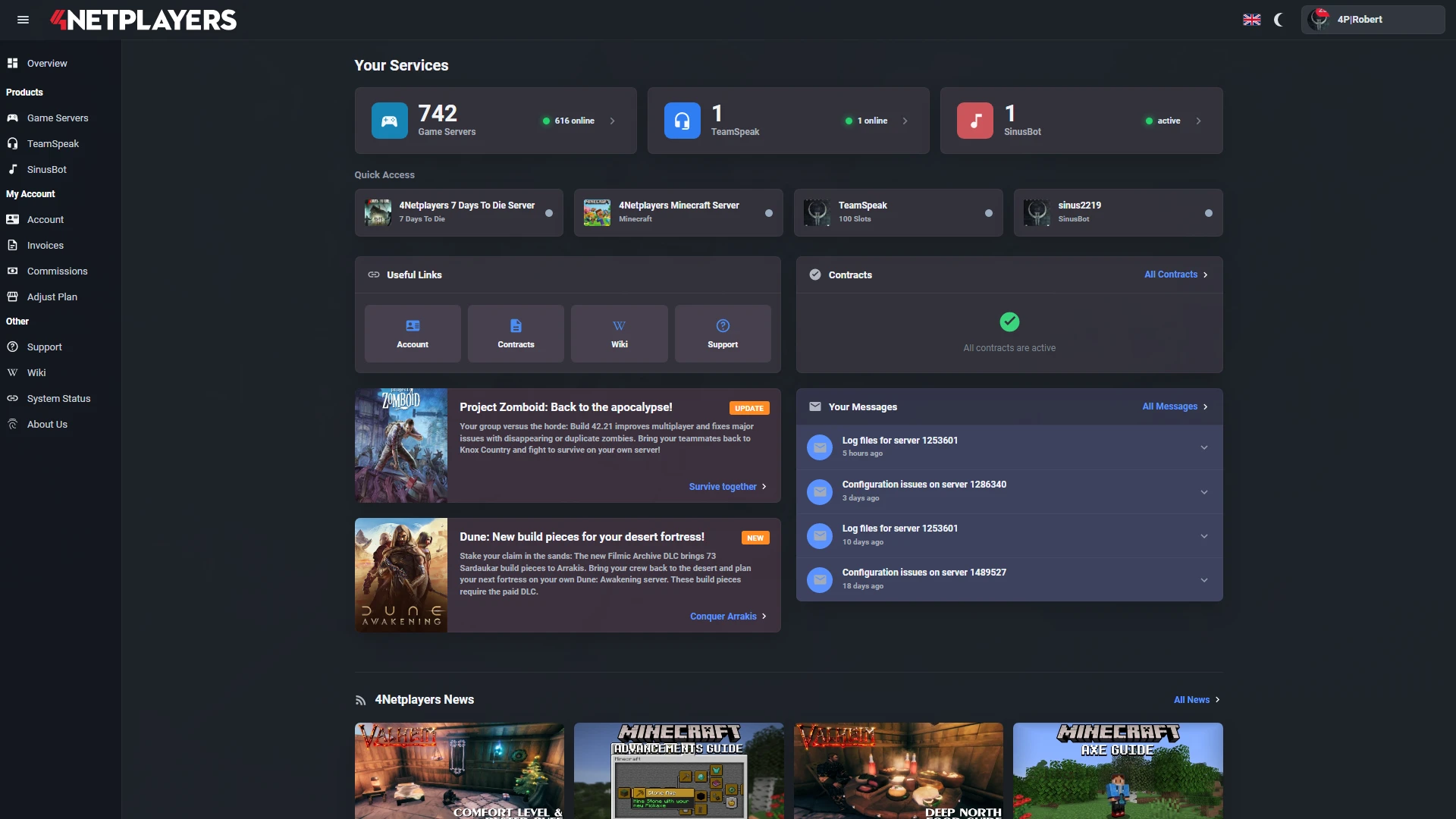
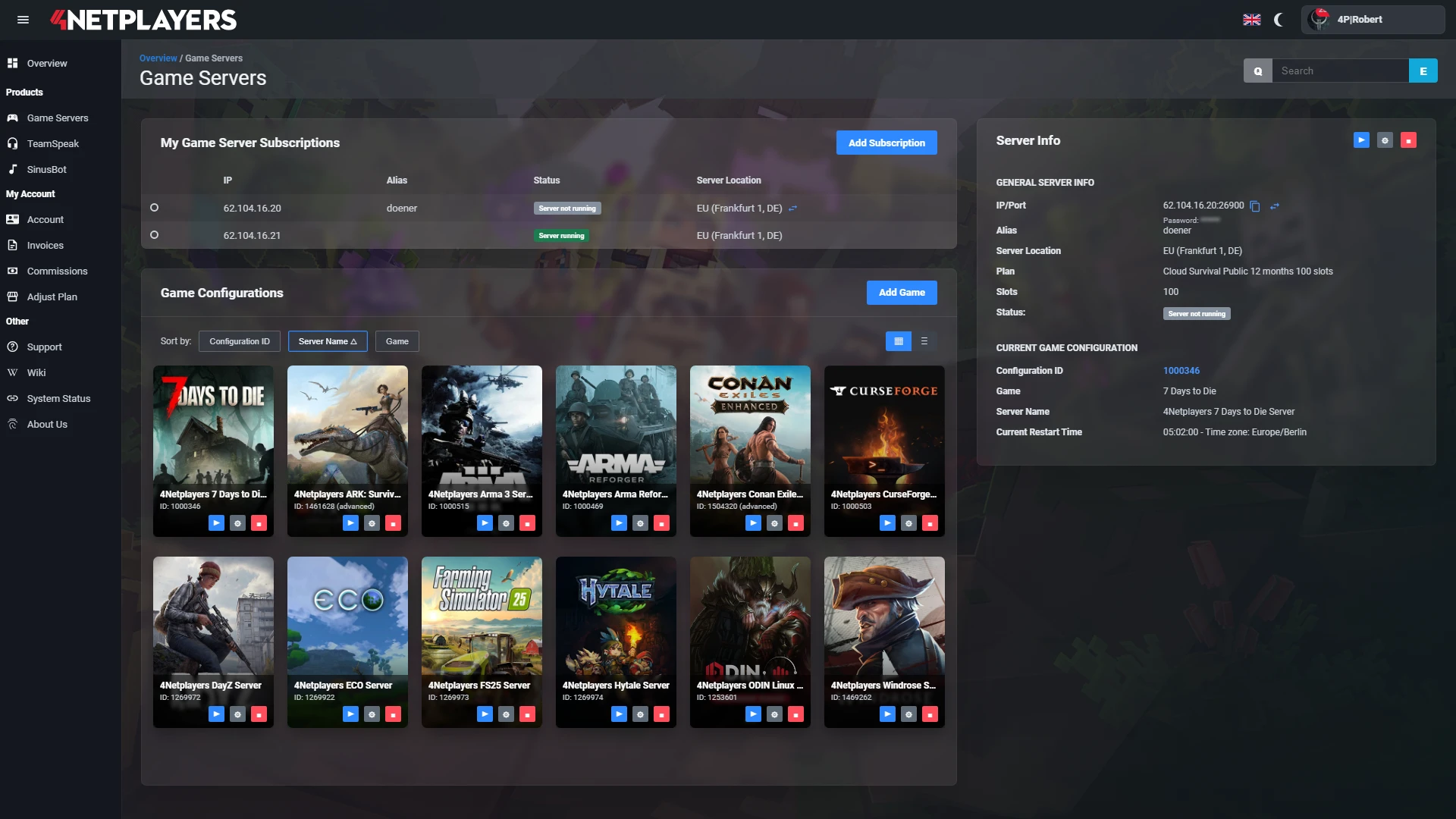
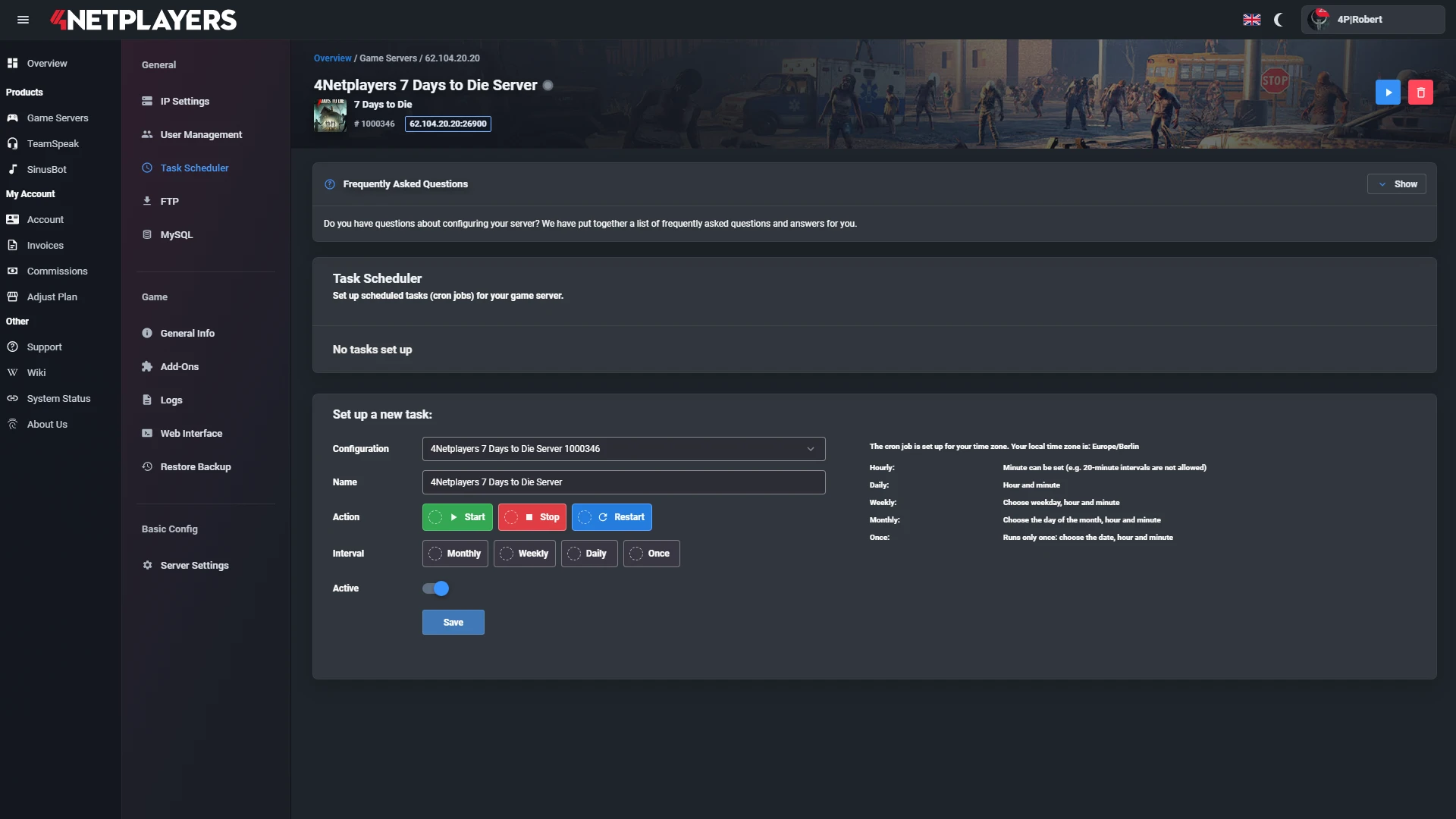
Manage your Farming Simulator 22 server easily through our web interface. Start, stop, configure your server, or manage backups - all in just a few clicks, with no prior experience required.
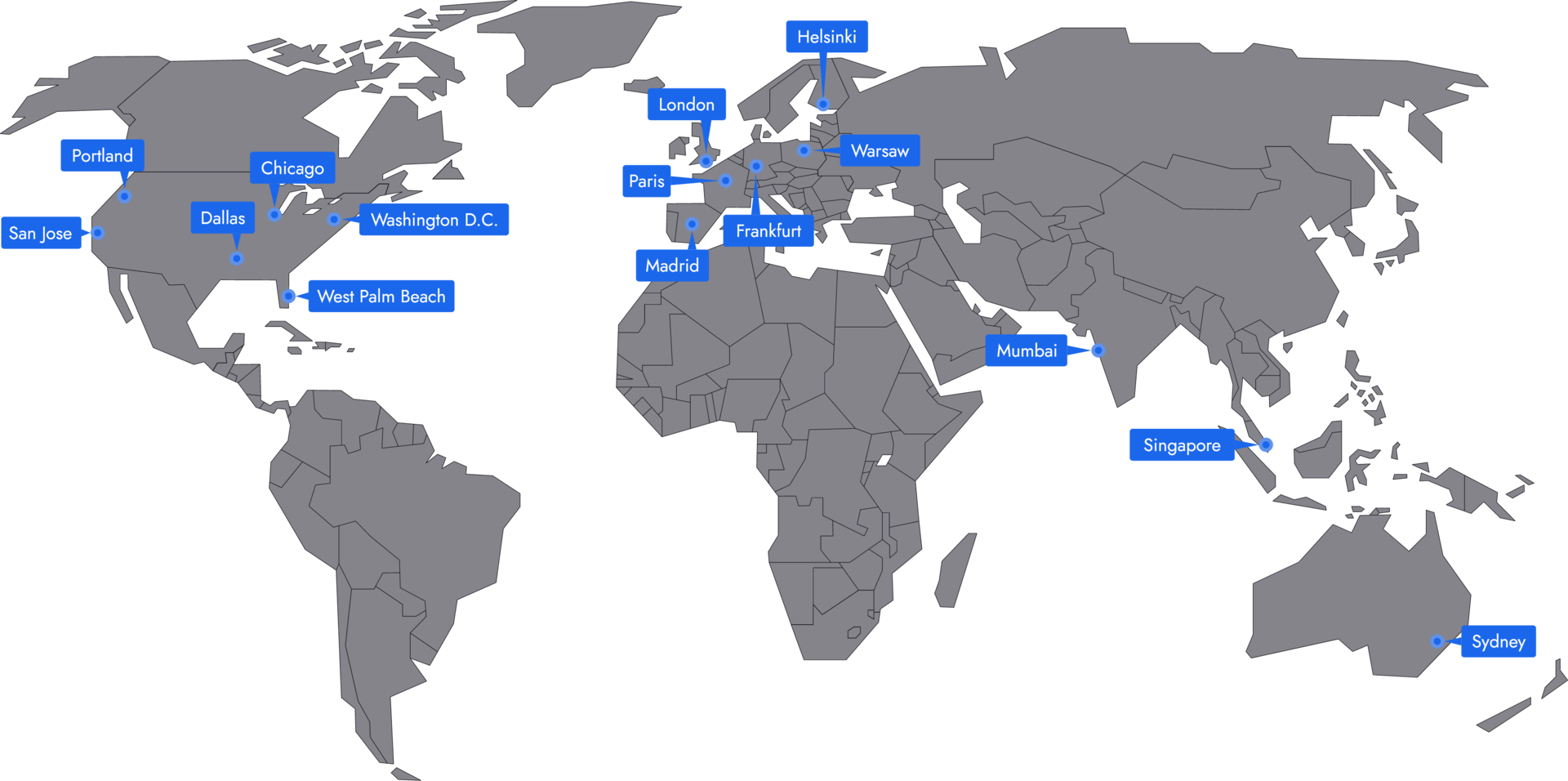
In 14 locations worldwide we offer unmatched connectivity with the lowest pings. Additional locations are continually being added and guarantee breathtaking gameplay in every game at the lowest latency.
Yes. Farming Simulator 22 supports crossplay between PC, PlayStation 4, PlayStation 5, Xbox One and Xbox Series X|S. Everyone joins the same server through the multiplayer menu, whatever device they play on. For a crossplay farm, choose console-ready mods from the official ModHub. How to find your server: find your server in-game.
Yes. The server from 4Netplayers, an official GIANTS Software partner, includes the server license. Players join using their own copy of the game on PC, PlayStation, or Xbox.
Yes. Upload your savegame from your PC or from your previous server and carry on with your farm right away. The guide upload a savegame shows you how.
Yes. You upload maps, vehicles, productions and scripts to your server through the web interface, with up to 30 GB of mod space. That gives you access to the huge mod library the community has built for FS22 over the years. Step by step: install mods.
Yes. When your group moves to FS25, use the web interface to switch your existing server to the new game for free.
Yes. Choose the map and career mode when you set up a new farm. You can adjust growth, economy, and game speed, and sign in as an admin in the in-game Farm Manager. Guides: change the map, change career mode and become admin.
Your Farming Simulator 22 server is usually ready to use within a few minutes.
A rented Farming Simulator 22 server gives you full control and a stable gaming environment.
You can rent your Farming Simulator 22 server flexibly from as little as one month.
The Farming Simulator 22 servers run on professional hosting infrastructure.
Yes, you can try your Farming Simulator 22 server risk-free.
Yes, your Farming Simulator 22 server is fully configurable.
Yes, you’ll receive support for technical questions and issues.
Yes, you can switch to another game at any time.
FS22 server hosting from 4Netplayers gives your group a private farm that stays online around the clock. Friends on PC, PlayStation, and Xbox can join the same world on their own schedules. Start a new farm or bring your existing savegame, favorite map, and mods.
The dedicated server runs the shared world independently of any player’s PC. Your group decides who joins, when to play, and what to work toward. You can prepare fields, care for livestock, or keep a production chain supplied whenever you have time to play. Work through the seasons together, build up a fleet of machinery, and decide where to invest the farm’s income as the business grows.
Yes. A 4Netplayers FS22 server supports crossplay across PC, PlayStation 4 and 5, Xbox One, and Xbox Series X|S. Everyone joins through the game’s multiplayer menu. For a mixed PC and console group, build your shared mod list from official ModHub entries available on consoles.
Farming Simulator 22 is still the newest mainline release for PlayStation 4 and Xbox One. It has an established community library of maps, machines, and productions, so an existing group can keep farming with the add-ons it knows. When your group is ready to play Farming Simulator 25, 4Netplayers lets you switch the game on your server for free in the web interface.
Open Multiplayer in Farming Simulator 22, choose Join Game, and search for the server name shown in your 4Netplayers web interface. Use the filters that match the server settings. Give the server a distinctive name so friends, regulars, and community members can find the same farm each time.
A regular group can share responsibility for the farm, with clear roles and a familiar map. One player might bring in the harvest, another might handle livestock, and someone else can keep the production lines supplied or put new machinery to work. You can agree on rules, grant the appropriate farm permissions, and keep the same projects going over days, weeks, and seasons.
See how to find your server in the game, change the server name, or change the server language.
A dedicated FS22 server at 4Netplayers hosts the world on game server hardware, so your teammates can join even when your gaming PC is off. The server handles the shared world as your farm grows to include more vehicles, mods, and tasks that players carry out at the same time.
The hosting service includes DDoS protection, backups, and automatic server updates. DDoS protection keeps attacks from interrupting your sessions, backups give you a point to recover from, and automatic updates install new patches on your server so your group can keep farming after each game update.
In the Farming Simulator 22 server’s web interface, upload mods on the Mods tab, then choose which ones to activate on the Home tab. With up to 30 GB of mod space at 4Netplayers, your group can build a collection of maps, vehicles, production chains, scripts, and quality-of-life add-ons.
Use Stop in the web interface before uploading mods. On the Home tab, select the mods you want under Enable Mods, click Activate, and start the server again.
Choose the map and career mode when you set up a new farm. The web interface also gives you the password for signing in as an admin in the in-game Farm Manager. Set access and farm permissions for your group and tailor settings such as the economy, traffic, and helpers to your playstyle. Decide together which mods to keep active and when to update them so everyone knows what to use.
Follow the guides to install mods, sign in as an admin, and choose a map.
To move an existing FS22 farm to 4Netplayers, put the files from your savegame into a ZIP archive, upload it on the Savegames tab in the server’s web interface, then select that save on the Home tab and start the server. Your group can pick up the same farm with its map and mods.
Prepare the ZIP with the files at its top level. To continue with a custom map, upload the map and activate the mods your farm uses before starting the imported save.
Backups help protect the progress your team makes between sessions. A persistent world also makes it easy to give players a regular time to meet. Organize an evening harvest or put farm teams up against each other in a friendly competition for crop yields, production targets, or efficient workflows. Agree on access and ground rules, then send everyone the server name so they can find your farm.
See how to log in to the web interface, upload a savegame, or choose the career mode for a new farm. The FS22 server video tutorials cover setup and mod installation.
Selected guides for choosing, setting up and managing your own Farming Simulator 22 server.