In our tutorials on automatic farms, we’ve already showcased many designs, and you’ll notice the same building blocks appear again and again. If you want to dive deeper into Redstone and design your own automatic farms, you should understand the components themselves. It’s important to know how they work so you can troubleshoot without help. And Minecraft’s Redstone is less complicated than it looks. If you need an introduction, we’ve got a guide for that too: (Introduction to Redstone: Understand and Apply the Basics) .
Minecraft Redstone: Hoppers and chests for automatic farms
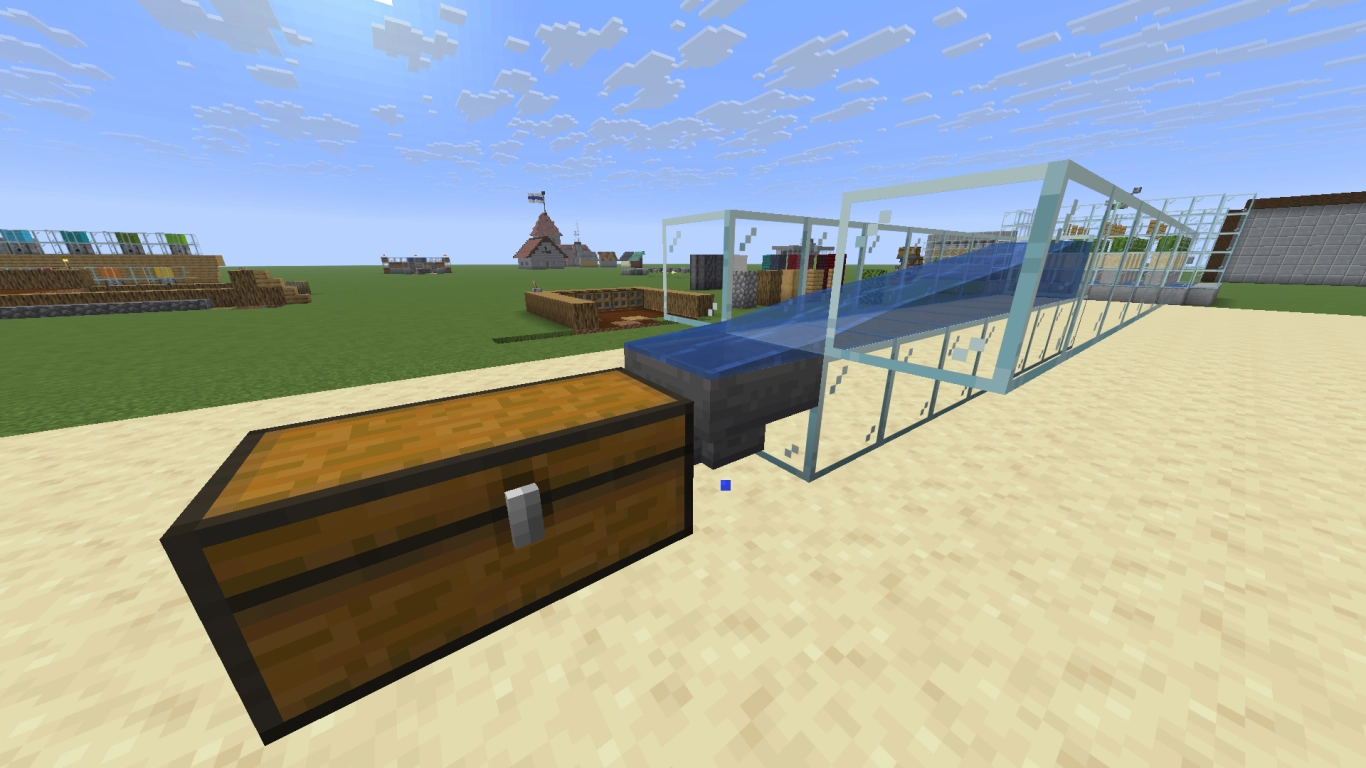
Hoppers were added in the Redstone Update 1.5 and are essential to almost every farm. They can collect items automatically and pass them on to a chest or another container. Before hoppers, items would sit on the ground and disappear if the player didn’t pick them up. Hoppers made fully automatic farms possible!
Nearly every farm uses a hopper to move items into a chest. Sometimes you’ll need several hoppers pointing into each other to transport items over longer distances. But that costs a lot of iron, so it’s often more efficient to use water channels to carry items to a hopper.
Hoppers can do even more: you can build automatic sorting systems with them. Learn more in our article (Minecraft Automatic Storage System: A Guide for Efficient Item Sorting) . With some clever setups, you can block certain items or let them pass through.
An alternative many players like is the hopper minecart, which can loop around to cover a larger area. Its advantage is that it can pull items through a full block. A regular hopper can only do that through a slab. The minecart can stop over a hopper and chest to unload items before moving on.
Observers in Minecraft: Detect block updates and automate farms
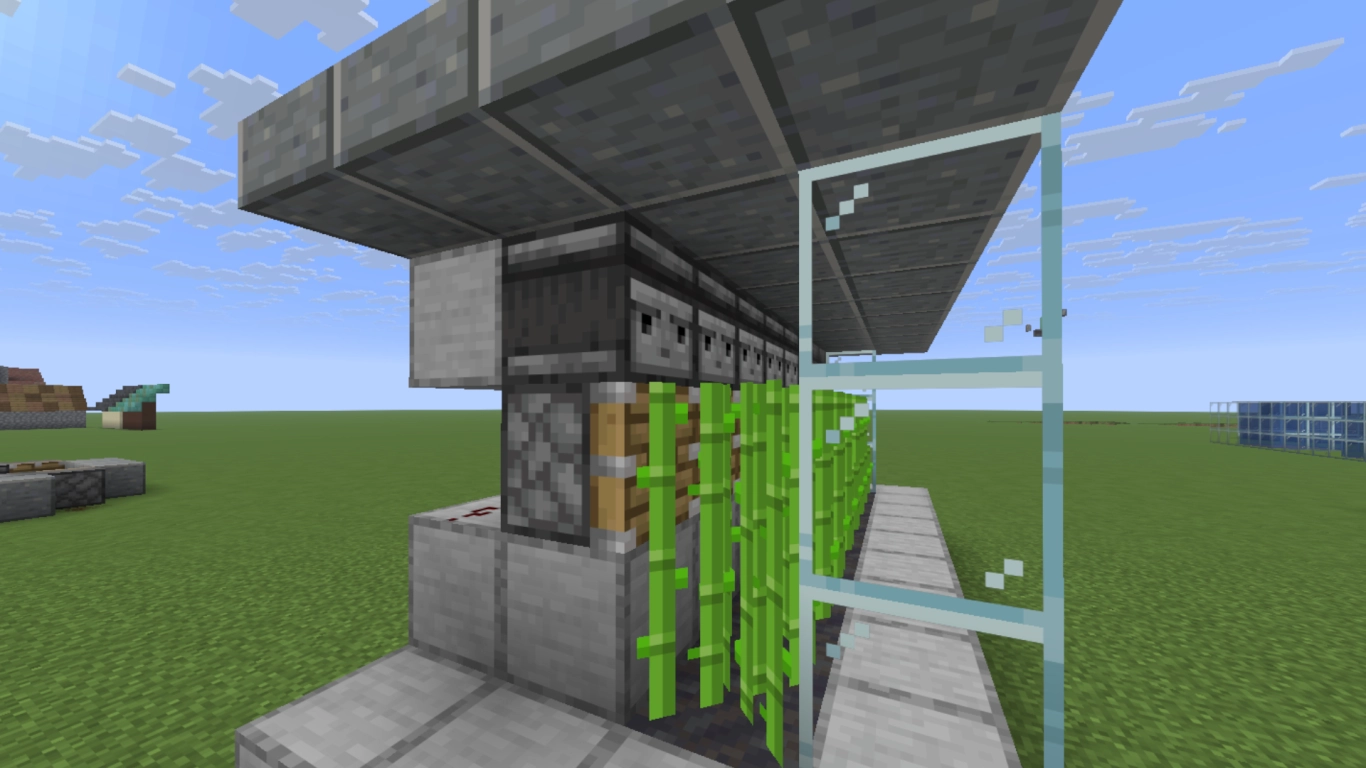
Observers have been in the game since Update 1.11 and took Redstone to a new level. They can automatically output a Redstone signal without the player doing anything directly. The observer’s face watches the block in front and emits a pulse whenever that block changes.
A simple demonstration is a sugar cane farm. Sugar cane can grow up to three blocks tall, so it makes sense to place observers at that height. When the sugar cane grows, the observer detects it and sends a signal to pistons placed one block lower to harvest it. The same principle works for bamboo and for pumpkins and melons.
Observers are also handy for building a kind of automatic clock. If two observers face each other, they pulse at a regular interval. There are a few limitations, though: an observer doesn’t detect movement. It only reacts to changes in the block directly in front of it, such as sugar cane growth or a block being placed.
Dispensers in Minecraft: Use items automatically
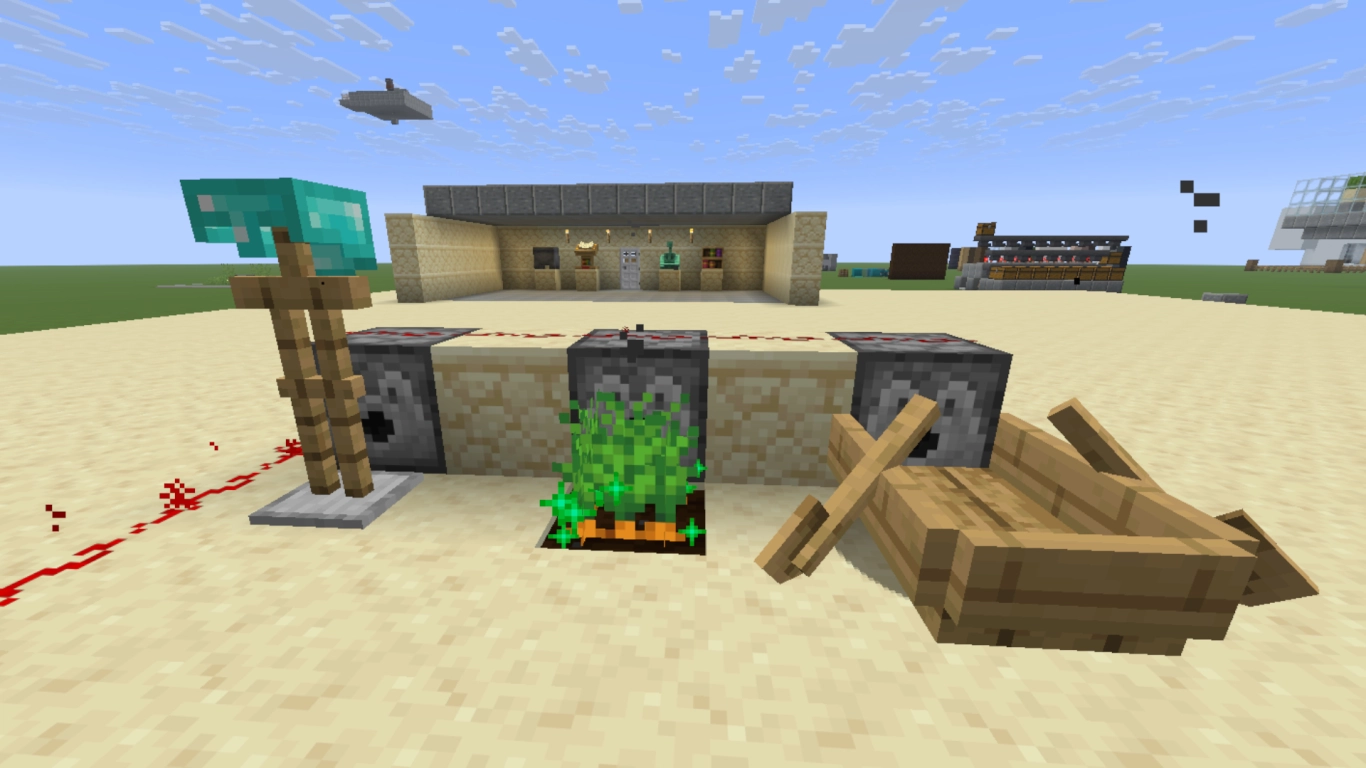
The next two Redstone devices look quite similar. First up is the dispenser, recognizable by its O-shaped mouth. It was added way back in Beta 1.2. A dispenser can hold up to 9 item slots, and when it receives a Redstone signal, it will use those items. It doesn’t just spit them out — it tries to apply or place them.
That doesn’t work for every item or block, but dispensers have some unique uses:
- Armor is equipped automatically
- Projectiles like eggs, snowballs, and arrows are fired
- Bone meal is applied to crops
- Buckets (water or lava) are emptied and can pick fluids back up
- Shears are used, letting you shear sheep (Minecraft Wool Farm Guide: Easily Farm Automatic Wool in All Colors)
- Fireworks are launched
- Entities like boats, minecarts, or armor stands are placed
- Gear for different animals is equipped, such as saddles, chests, or armor
Droppers in Minecraft: Output and forward items
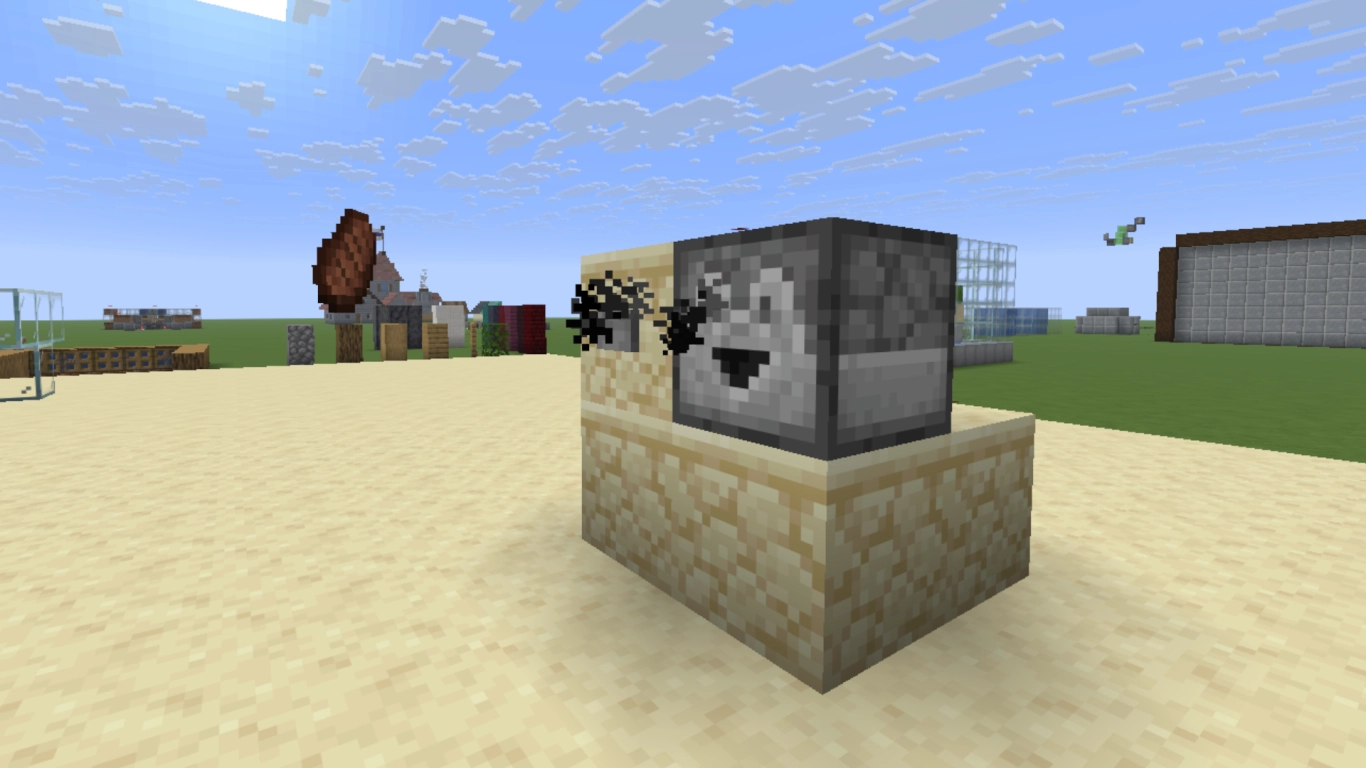
Players often confuse the dispenser with the dropper, but you can tell them apart by the dropper’s D-shaped face. It was added in the same update as the hopper, version 1.5. Unlike a dispenser, a dropper doesn’t use items when it receives a signal. It simply drops them, which still opens up useful possibilities.
Think of a dropper like a vending machine. It gives you items stored in its slots. That can be handy for refilling your food or other supplies.
Even more interesting is its ability to send items into other containers. That doesn’t happen automatically like with a hopper, but it’s still useful. The dropper must receive a signal. With a repeating signal, a dropper can hand items along much like a hopper and deposit them into chests.
Pistons in Minecraft: Move blocks and trigger harvests
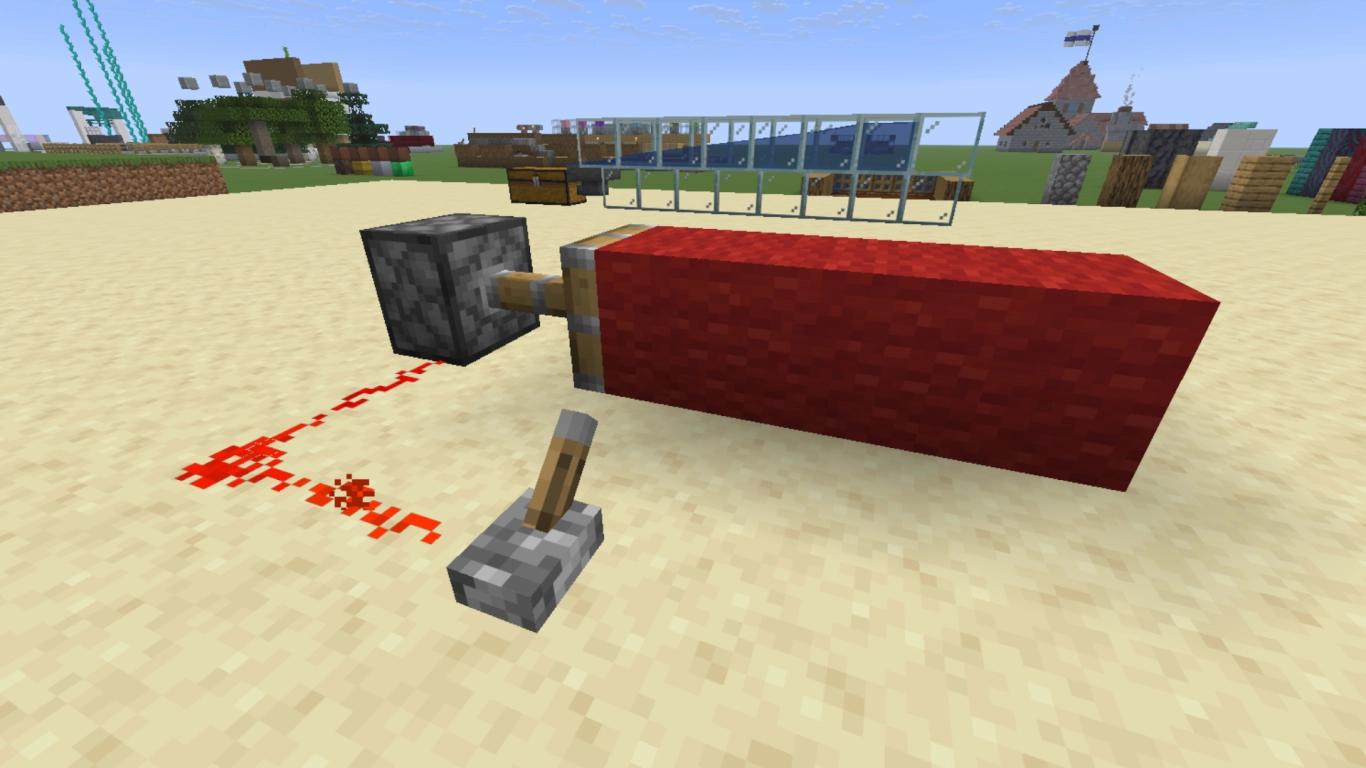
Finally, let’s look at pistons, which can push blocks and, as sticky pistons, pull them back. This feature was introduced in Beta 1.7. The use cases are practically endless, which is why pistons are a staple in automatic farms.
While some blocks like obsidian or workstations such as furnaces can’t be moved, pistons are extremely versatile Redstone components. Beyond pushing and pulling full blocks, they can, with smart designs, trigger harvesting. For example, they can harvest crops. The dropped items can then be collected with water or hoppers. Pistons are also popular for secret doors, since you can hide them neatly.
Conclusion: Understand Redstone components and build your own farms
If you want to experiment with Redstone machines and automatic farms, a basic understanding of each component is crucial. The five blocks covered here are at the heart of many farm designs and help you gather key resources. Redstone isn’t hard once you grasp how it works.
Tinkering with Redstone is even more fun together — rent your own Minecraft server with us and get started! Learn the basics and teach your friends to build large-scale automatic farms in your world.