On March 26, the new Hytale update arrives, packed with changes that make the game even deeper. This includes around 500 new building blocks, major tweaks to workbenches, and new features that improve the multiplayer experience—most notably proximity chat. Update 4 is absolutely loaded, and you’ll likely only notice many of the changes as you play. We’ll walk through the biggest parts of the update so you can find them quickly and fold them into your gameplay. There are also plenty of smaller tweaks and bug fixes.
500 new building blocks in Hytale Update 4: Metals, Dirt, and Cloth
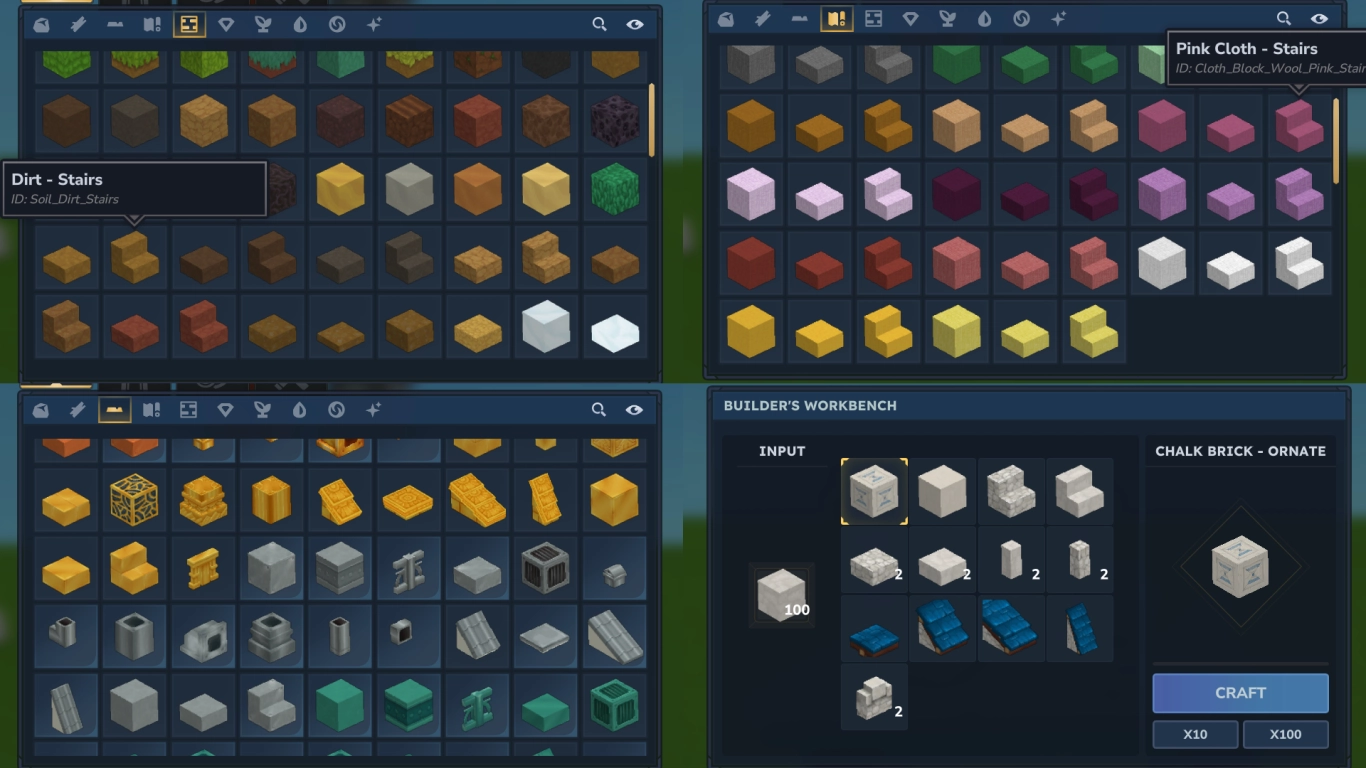
The biggest headline is probably that there are now more than 500 new blocks for building. And yes, that’s no exaggeration. An enormous number of variations have been added that simply didn’t exist before—filling in lots of gaps the game previously had.
But a heads-up: Not all of these are available in the regular Exploration mode—many are currently only in Creative mode. They’ll likely arrive later, some only with Worldgen 2.0. Use the Builder’s Workbench in your world to find some of these variants right now.
These new blocks include:
- Complete block families for: Cooled Magma, Chalk, Slate, and Limestone
- Slabs, stairs, gravel, and struts for all stones
- Slabs and stairs for nearly all dirt types
- Slabs and stairs for Cloth (wool), plus more variants for roofs and tents
- Metals (Iron, Copper, Zinc, Gold, Bronze) with various options: roofs, fences, decorative blocks, and pipes
New gameplay features for items, blocks, and mobs in Hytale
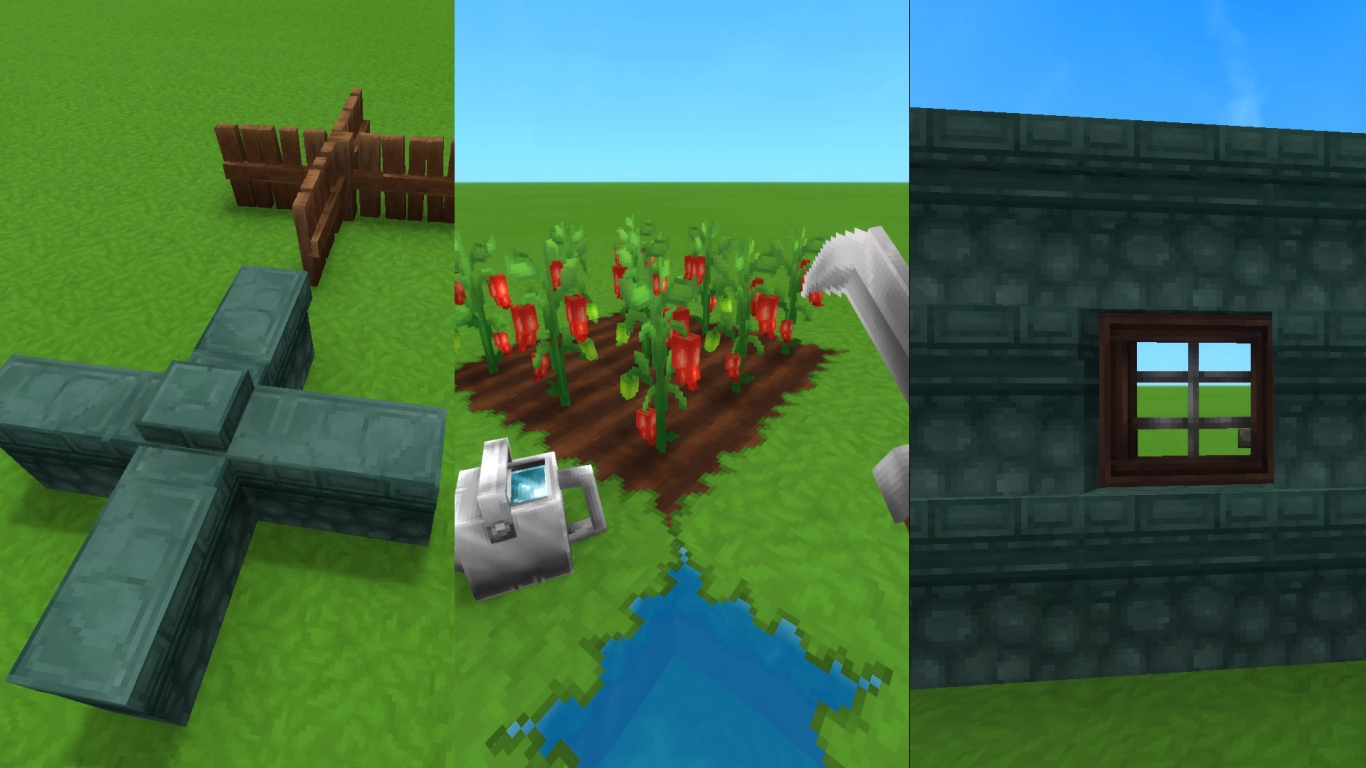
A number of existing features have been fundamentally reworked. Some are small and might not stand out at first, but they can make a big difference—you’ll likely notice them in your gameplay.
- Fish traps can now be placed near the shore in shallow water.
- Windows can now be placed independently of blocks—finally allowing placement between walls and upright slabs.
- The watering can now has 50 capacity instead of 30. You can also charge it to water a 3x3 area. You can place it down while sneaking.
- Workbenches now operate independently of the chunk. Furnaces and tanning racks keep working even while you’re away. They also work through the night and track progress for any time you skip.
- Wolves attack in packs and coordinate their attacks. This behavior will come to other animals later.
- Memories now have sound effects when you collect and when you turn them in.
- Your backpack now shows a number indicating how many slots are occupied.
- You can now craft better sickles with greater reach and more durability.
- Fences and walls can now connect in a plus shape.
Alchemist’s Workbench in Hytale: Potion rework and rare plants
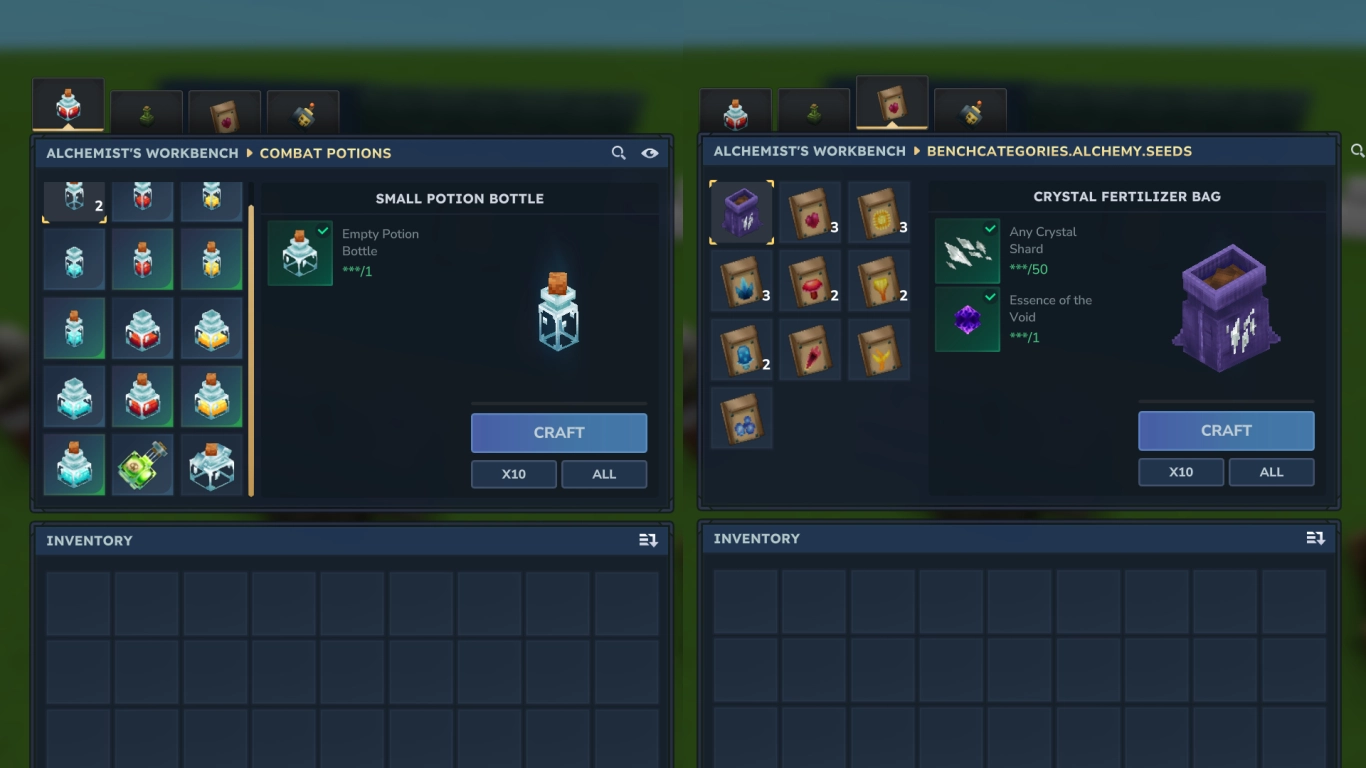
One of the biggest changes is to the Alchemist’s Workbench. Potions have been overhauled, and rare plants have been moved from the Farmer’s to the Alchemist’s Workbench. There are also three new tiers, so you can upgrade the workbench to Tier 5.
A host of new potions has been added, and all recipes and effects have been reworked. The Storm, Azure, and Blood plant families are now essential—and you’ll find them here instead of in the Farmer’s Workbench.
The plants themselves have new mechanics. They now only grow on Crystalized Dirt, which requires the corresponding fertilizer from this tab. It’s crafted from crystal shards and Void Essence. Each plant also has its own growth conditions. Storm saplings, for example, must be planted near a gold block, while Azure kelp only grows near water.
Because these plant families are now found here, they’ve been removed from the Farmer’s Workbench—including tiers 9 and 10, which no longer exist.
Farmer’s Workbench update: new trees and wood types in Hytale
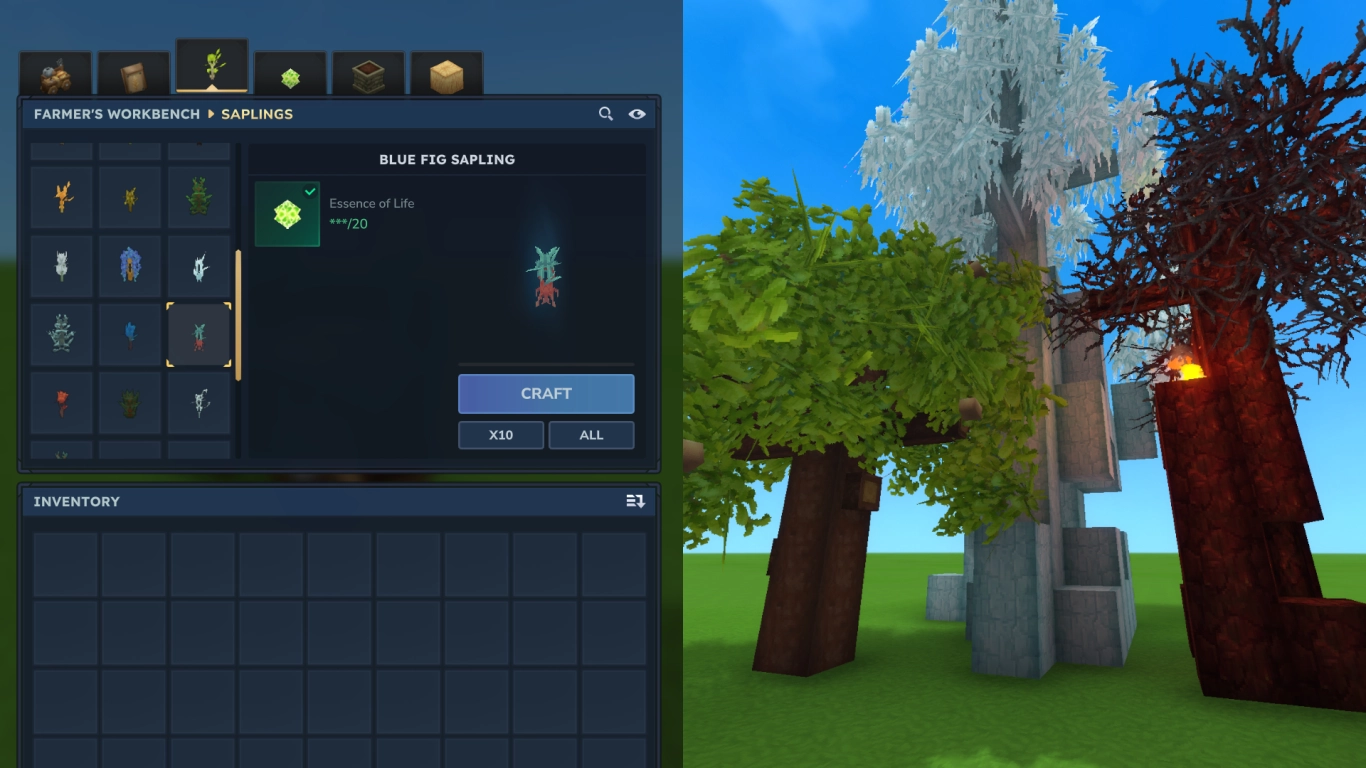
In exchange, the Farmer’s Workbench got a big upgrade for trees. You can now grow saplings for almost every tree type, making all wood types renewable. Previously there were only 10—now there are 31 trees. Apple trees now also have their own wood type, which can be converted into hardwood. And as noted, you can only upgrade the Farmer’s Workbench to Tier 8 now.
Hytale world settings: mods and automatic backups
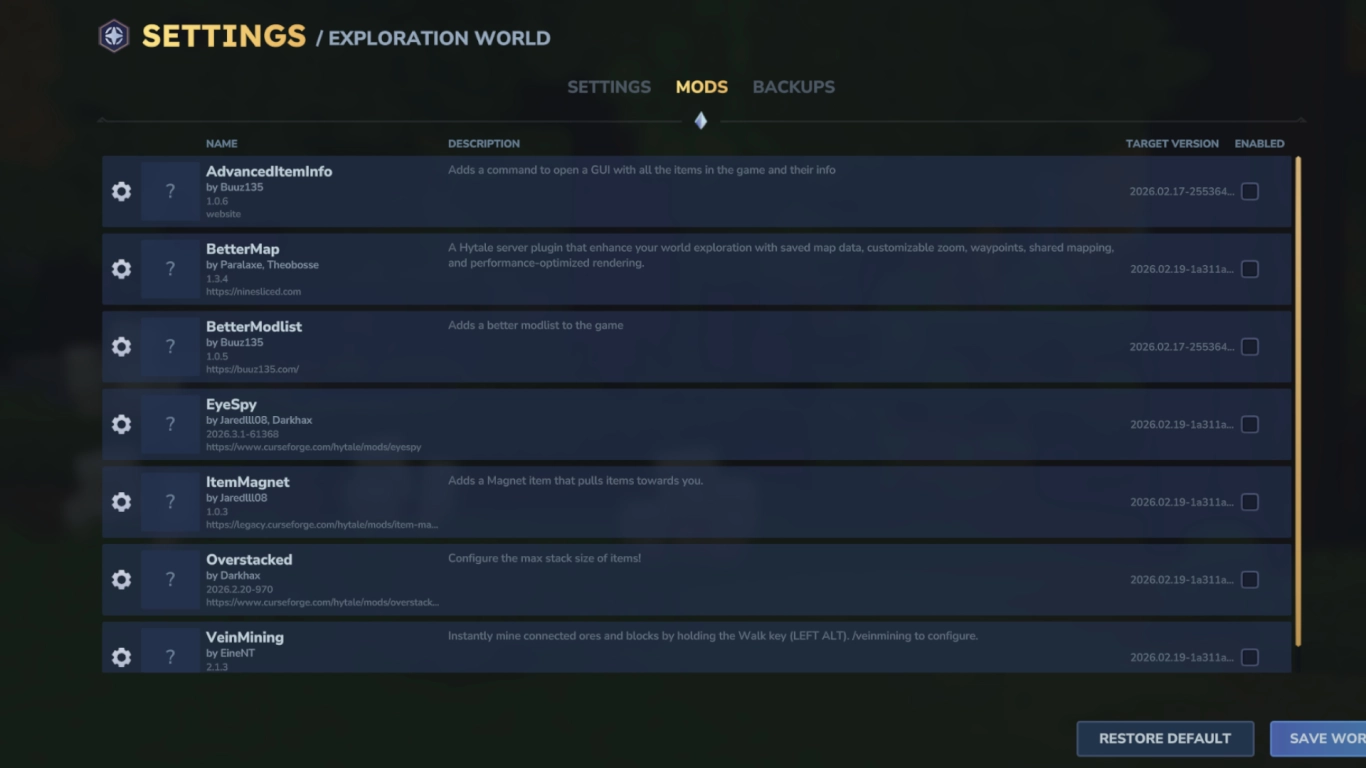
Before jumping into a world, there are several adjustments, especially in your world settings. It’s worth taking a look.
- Mods have been moved to a separate section, where you can now see more information than before: the version, the date of the last update, and the mod developer.
- The second new tab is for your world’s backups, which Hytale creates automatically. The system has been simplified and made clearer, which will hopefully prevent world corruption.
Hytale proximity chat and emotes: better multiplayer communication
Multiplayer fans should especially love Update 4: it’s now built into the game to talk with your friends. Proximity chat has been implemented— the closer you are to another player, the better you can hear them. You can adjust settings under “Audio” when you’re on a server.
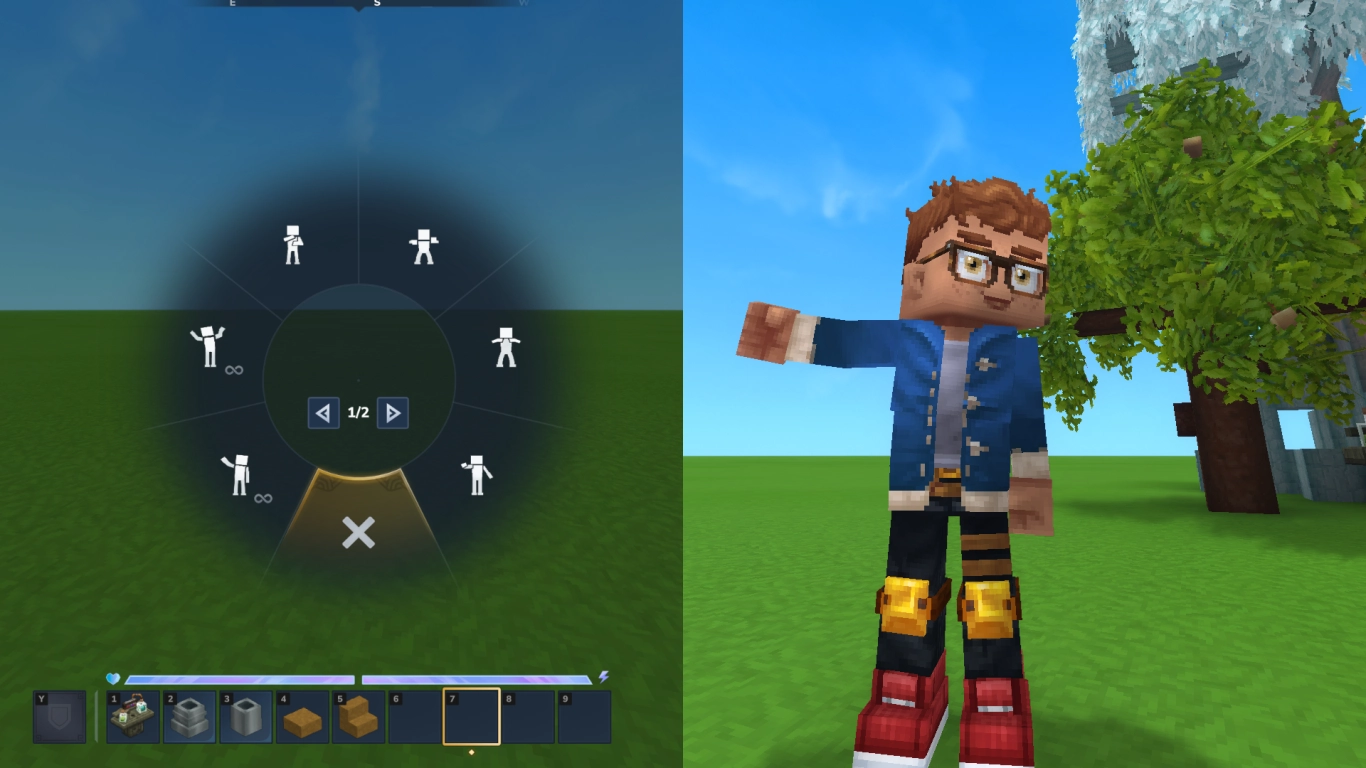
Emotes have also been added, which you can open with X to select. Your character automatically switches to third-person view while the animation plays and you’re not moving. It’s a great way to communicate without words and give your character some personality.
Conclusion on Hytale Update 4: more content and multiplayer improvements
Once again, Hytale’s Update 4 is packed with additions that expand, refine, and improve the game. You now have far more building blocks to choose from, even if many are initially Creative-only. The improvements to older features are exciting too, along with the reworked Alchemist’s Workbench and the new saplings that let you renewably grow every wood type. For multiplayer, proximity chat is a genuine game-changer.
Try the new features right away by renting one of our Hytale servers. The voice chat is perfect for a session and can be tailored to your needs.