Palworld combines classic survival elements with the mechanics of catching different monsters and using them for your own purposes. With such a large map, it can all feel overwhelming, and as a new player you first need to find your bearings. Since its release in early 2024, the game has also received many updates, so returning players will likely appreciate a refresher. Palworld is full of surprises and offers many hours of fun. To make your start easier, let’s look at the best tips for beginners.
Optimize Palworld settings for maximum fun

Even before you jump into the game, you should adjust a few settings. These can either simplify or increase your gameplay challenge, depending on what you want. When creating a new world, select "Custom" and configure everything to your liking. Don’t make it too easy, of course. Keep in mind that these values are multipliers.
These Palworld settings are worth it:
- Slightly increase XP gain
- Slightly increase Pal spawns
- Higher capture rate
- Slower hunger consumption for Pals
- Increase HP and Stamina regeneration for the player
Farming resources in Palworld: wood and stone first
In your first few hours you’ll gather plenty of materials, but you should focus on wood and stone first. These let you craft most of the basic items you unlock via Technologies. Plant Fibers and Cloth will also become important, but you can ignore ores and other high-tier resources for now. That’s mainly because your carry weight is very low. We’ll take care of that in tip number 8.
Catching Pals and farming XP quickly in Palworld
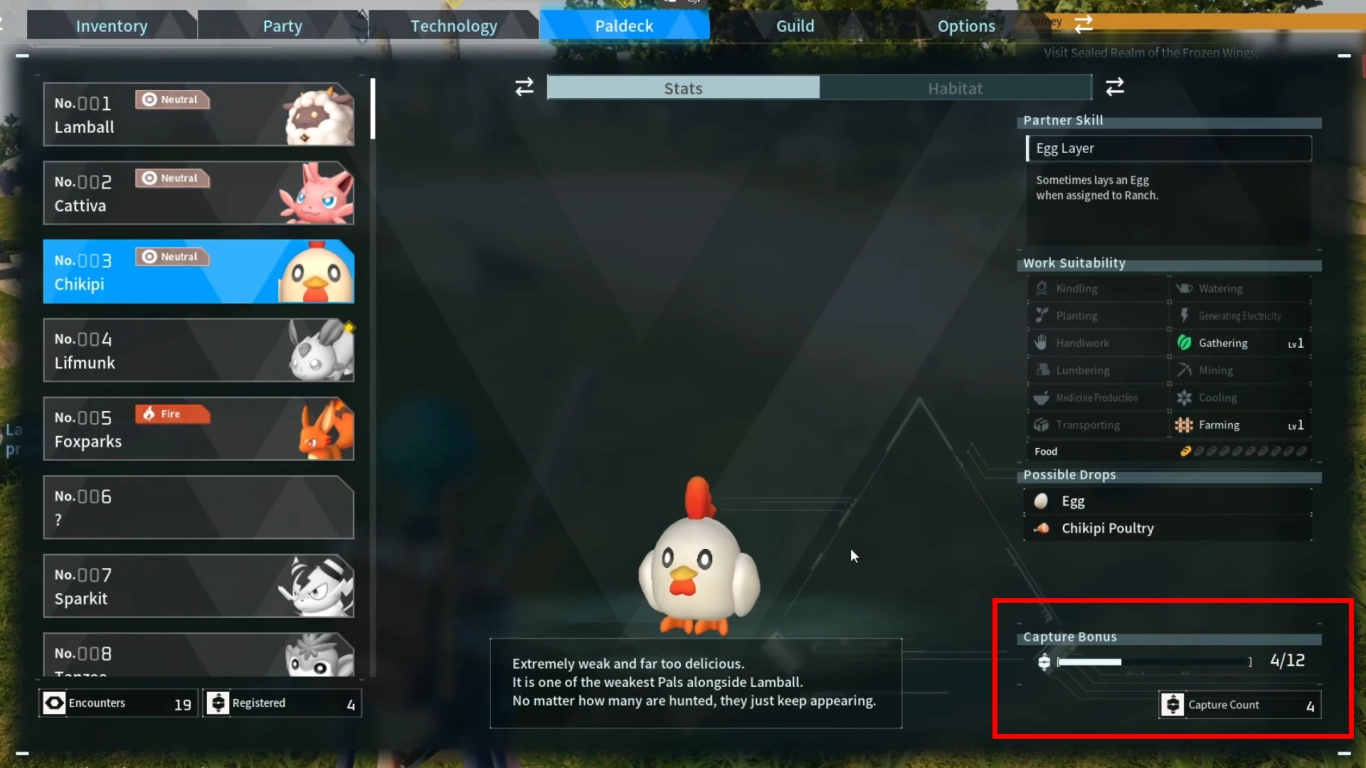
In the second section of your Technologies you unlock Pal Spheres, which let you catch Pals. That should be your early focus, because catching new Pals helps you earn more experience. Check your Paldeck to see how many of each type you’ve already caught. You get a bonus when you’ve caught 12 of a species.
We recommend following this routine for every new Pal, both at the start and throughout the game. Especially in the early hours, this nets you a lot of XP.
Use Pal skills and Partner Skills strategically
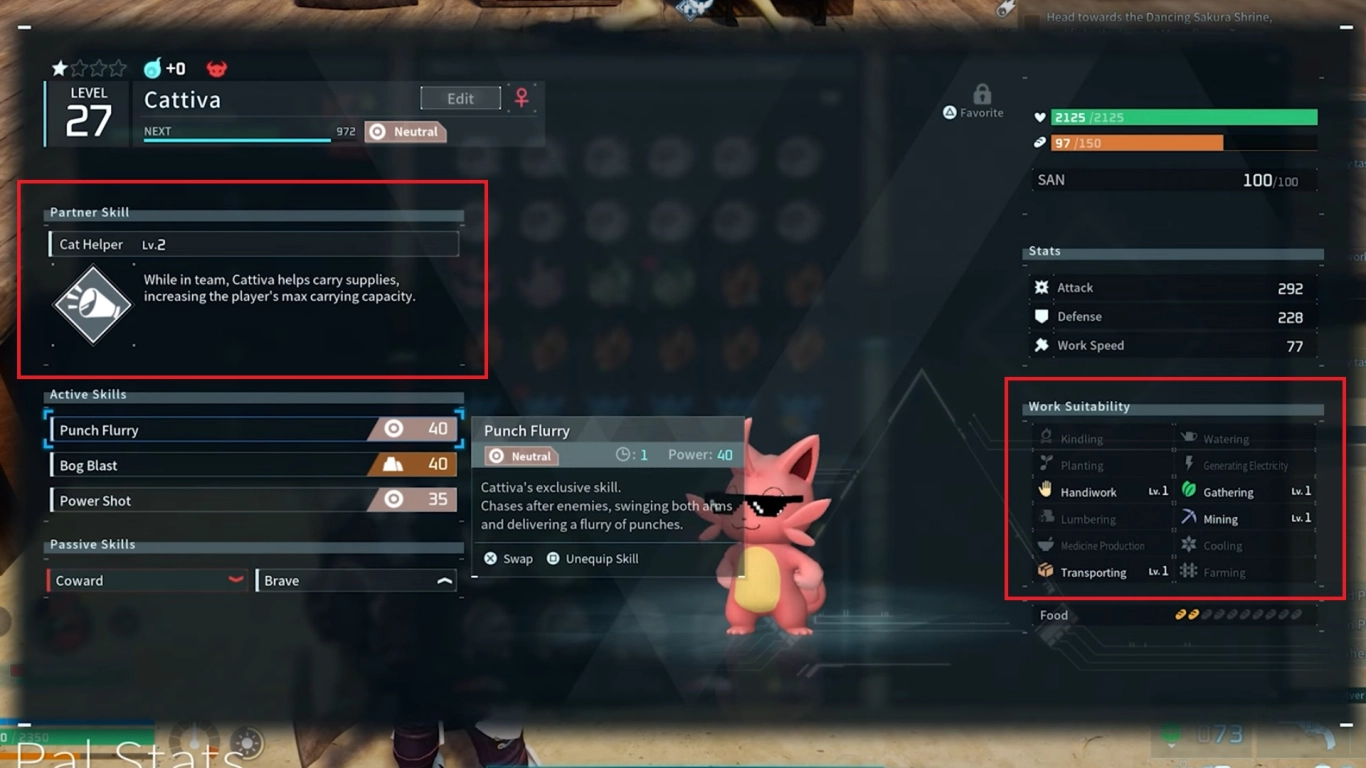
Unlike its biggest inspiration, Palworld lets you do much more with your Pals than just fight. While combat is part of the game, it’s not that important early on. Active and passive skills are mainly for combat, as are the stats.
More important are the other abilities your Pals bring. Chief among these are the Partner Skills, which can grant you various bonuses. For example, they can increase your carry capacity or boost your attacks. Also pay attention to a Pal’s work suitability if you want to use them outside of combat. These ratings range from carrying and mining to watering your fields.
Day-night cycle in Palworld: spawns and tips
A full day lasts 32 minutes, with roughly 27 minutes of day and 5 minutes of night, unless you’ve changed the settings. You’ll probably do most of your work and Pal hunting during the day, but the night holds its own surprises. For example, different Pals spawn then—those that are nocturnal and usually stronger. If you’re missing Paldeck entries, go out at night. Craft a torch for light and warmth.
Spend Technology Points wisely and unlock recipes
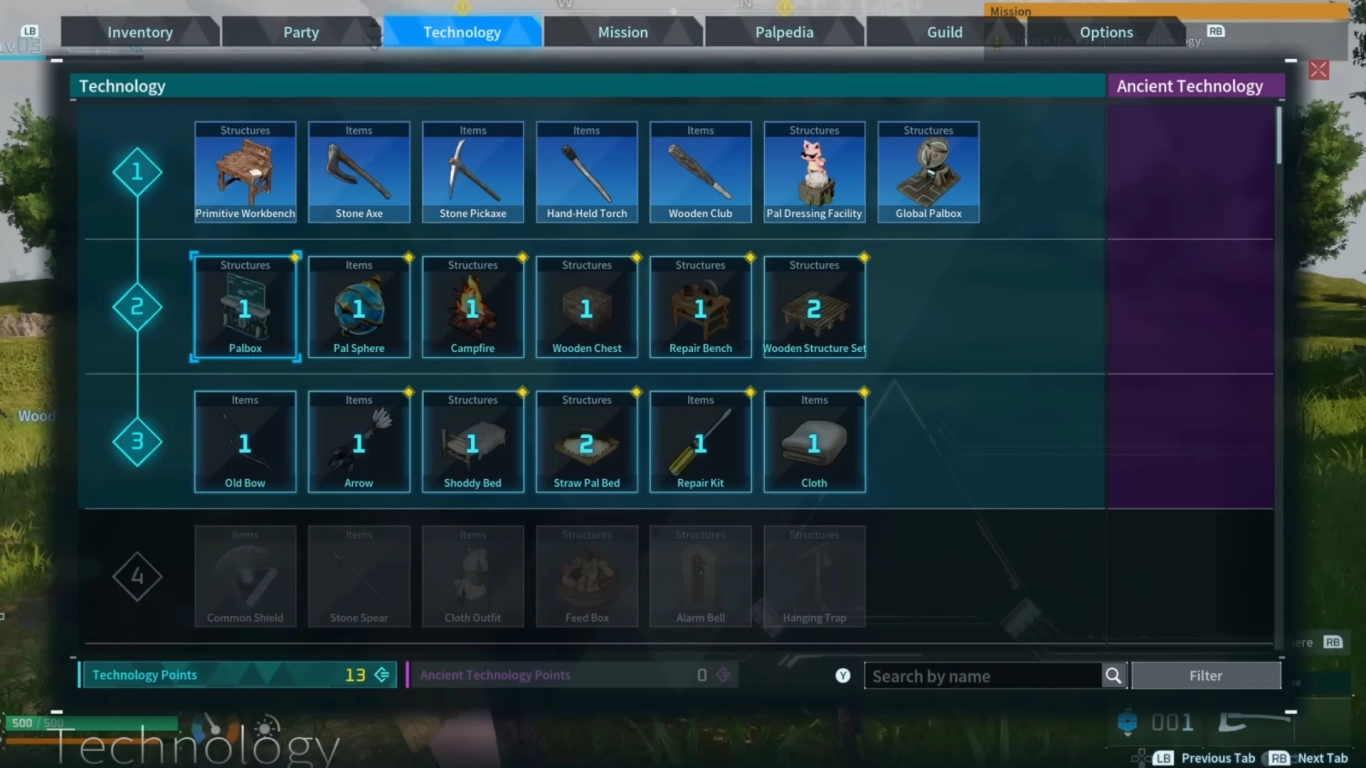
Progress is mainly tied to the Technology tree, where you unlock new blueprints for crafting recipes. Per level-up you receive 6 regular Technology Points, which you can invest in the tree. Most recipes cost 1 to 3 points.
Early on, it’s best to follow the sections and gradually unlock the essentials. Sometimes you can skip things you don’t currently need. Later, you can unlock weapons, decorations, and gear for your Pals as well.
Building a base in Palworld: location and setup
Base building is a key part of Palworld. With a home base, you can explore many more aspects of the game and have your Pals work for you. Choose a flat, safe, and resource-rich area to set up your first camp. Make sure the nearby Pals are peaceful and won’t attack you.
Your base serves primarily as your storage at the start. Over time, you can expand it to produce materials, farm, and breed Pals.
Assigning attribute points: Health, Weight, and Stamina
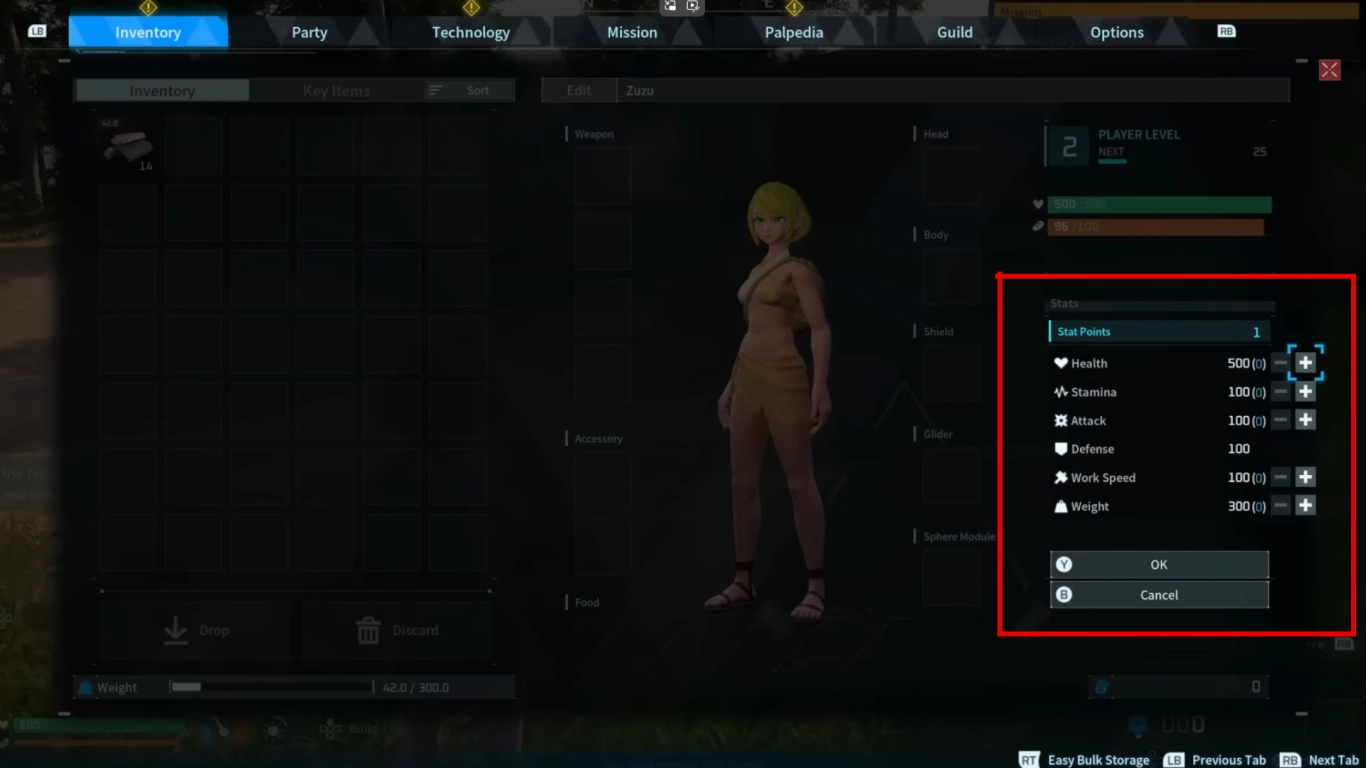
With every level you also get stat points to invest. We recommend focusing first on Stamina, carry weight, and Health. These stats help you move faster, tank more damage, and expand your inventory. Other stats like Attack, Defense, or Work Speed are secondary at the beginning.
Lucky Pals: sparkling rare variants

In Palworld you can find rare Pals that you’ll recognize by their sparkle. They’re not a different colour, but they’re slightly larger than normal. These are Lucky Pals and they have improved stats plus rare traits that normal versions don’t have. It’s definitely worth catching these Pals and using them in combat.
How often they appear is random. Sooner or later you’ll run into them—they aren’t extremely rare, and you’ll notice them immediately when they appear on the map.
Conclusion: the best Palworld beginner tips for 2026
Palworld is still worth playing in 2026, offering varied and engaging gameplay. Catch new Pals, build your base, and begin your adventure on Palpagos Island. In your first hours, focus on levelling up, catching lots of Pals, and setting up your first small base. After that, you’ll be well prepared to explore the vast island.
Rent one of our Palworld servers, and play together with your friends. It’s even more fun and makes it easier to take on the later bosses.
More interesting articles
Palworld Breeding Guide 2026: Breeding Farm, Incubator, and Cake
Palworld Base Guide: Base Building, Farming, Breeding, and Storage
Palworld 2026: Getting Started, Update 0.7, and the 1.0 Release