
Vanilla starter
50% off in the 1st month
2 GB RAM
✔️Vanilla & small plugins
AUD
8.85
4.42
BRL 31.49
15.72
CAD 8.68
4.33
CHF 4.99
2.49
CNY 41.68
20.80
CZK 130.89
65.32
DKK 40.29
20.11
EUR 5.39
2.69
GBP 4.59
2.29
HUF 1,947.57
971.98
INR 591.40
295.15
MXN 107.58
53.69
NOK 59.71
29.80
PLN 23.38
11.67
RON 28.29
14.12
SEK 59.48
29.69
SGD 7.95
3.97
TRY 289.15
144.31
USD 6.15
3.07
/ month
(tax included)
4.42
BRL 31.49
15.72
CAD 8.68
4.33
CHF 4.99
2.49
CNY 41.68
20.80
CZK 130.89
65.32
DKK 40.29
20.11
EUR 5.39
2.69
GBP 4.59
2.29
HUF 1,947.57
971.98
INR 591.40
295.15
MXN 107.58
53.69
NOK 59.71
29.80
PLN 23.38
11.67
RON 28.29
14.12
SEK 59.48
29.69
SGD 7.95
3.97
TRY 289.15
144.31
USD 6.15
3.07
/ month
(tax included)
Server location:
Recommended for mods & friends
50% off in the 1st month
4 GB RAM
✔️450+ modpacks
✔️For friends & community
AUD
13.77
6.88
BRL 48.97
24.48
CAD 13.49
6.74
CHF 7.76
3.88
CNY 64.80
32.40
CZK 203.50
101.75
DKK 62.64
31.32
EUR 8.38
4.19
GBP 7.14
3.57
HUF 3,027.95
1,513.97
INR 919.46
459.73
MXN 167.25
83.63
NOK 92.83
46.41
PLN 36.35
18.18
RON 43.98
21.99
SEK 92.48
46.24
SGD 12.35
6.18
TRY 449.56
224.78
USD 9.56
4.78
/ month
(tax included)
6.88
BRL 48.97
24.48
CAD 13.49
6.74
CHF 7.76
3.88
CNY 64.80
32.40
CZK 203.50
101.75
DKK 62.64
31.32
EUR 8.38
4.19
GBP 7.14
3.57
HUF 3,027.95
1,513.97
INR 919.46
459.73
MXN 167.25
83.63
NOK 92.83
46.41
PLN 36.35
18.18
RON 43.98
21.99
SEK 92.48
46.24
SGD 12.35
6.18
TRY 449.56
224.78
USD 9.56
4.78
/ month
(tax included)
Server location:
Large modpacks
50% off in the 1st month
10 GB RAM
✔️750+ modpacks
✔️Supports many players
AUD
29.27
14.64
BRL 104.12
52.06
CAD 28.68
14.34
CHF 16.50
8.25
CNY 137.80
68.90
CZK 432.74
216.37
DKK 133.21
66.60
EUR 17.82
8.91
GBP 15.19
7.59
HUF 6,438.90
3,219.45
INR 1,955.23
977.61
MXN 355.66
177.83
NOK 197.39
98.70
PLN 77.31
38.65
RON 93.53
46.77
SEK 196.66
98.33
SGD 26.27
13.14
TRY 955.98
477.99
USD 20.32
10.16
/ month
(tax included)
14.64
BRL 104.12
52.06
CAD 28.68
14.34
CHF 16.50
8.25
CNY 137.80
68.90
CZK 432.74
216.37
DKK 133.21
66.60
EUR 17.82
8.91
GBP 15.19
7.59
HUF 6,438.90
3,219.45
INR 1,955.23
977.61
MXN 355.66
177.83
NOK 197.39
98.70
PLN 77.31
38.65
RON 93.53
46.77
SEK 196.66
98.33
SGD 26.27
13.14
TRY 955.98
477.99
USD 20.32
10.16
/ month
(tax included)
Server location:
Custom configuration
Create your own setup and customize every option.
Our 5-star reviews on Trustpilot
Mods & Modpacks for your Minecraft server
Start with popular modpacks right away or search for the setup you want. The RAM recommendation helps you choose the right server performance level for each modpack.

![Cisco's Fantasy Medieval RPG [Ultimate]](/images/minecraft/modpacks/957753.webp)
![Prominence I [FORGE]](/images/minecraft/modpacks/860195.webp)


Minecraft Costs
How much does a Minecraft server cost?
The cost of a Minecraft server depends primarily on player count, RAM, and setup. A small vanilla world for a few friends needs significantly less performance than a server with many plugins, large farms, or extensive Forge and Fabric modpacks.
As a rough guideline, small vanilla servers often need 2 to 4 GB RAM. For Paper, Spigot, Bukkit, or multiple plugins, 4 to 6 GB is usually sensible. Large modpacks often require 6 to 10 GB RAM or more, depending on scope.
Typical cost drivers for Minecraft servers:
- Number of concurrent players
- Vanilla, plugins, or modpacks
- Chunks, entities, farms, and dimensions
- Desired duration and billing cycle
- Location, ping, and performance headroom
Pay securely and flexibly for Minecraft servers



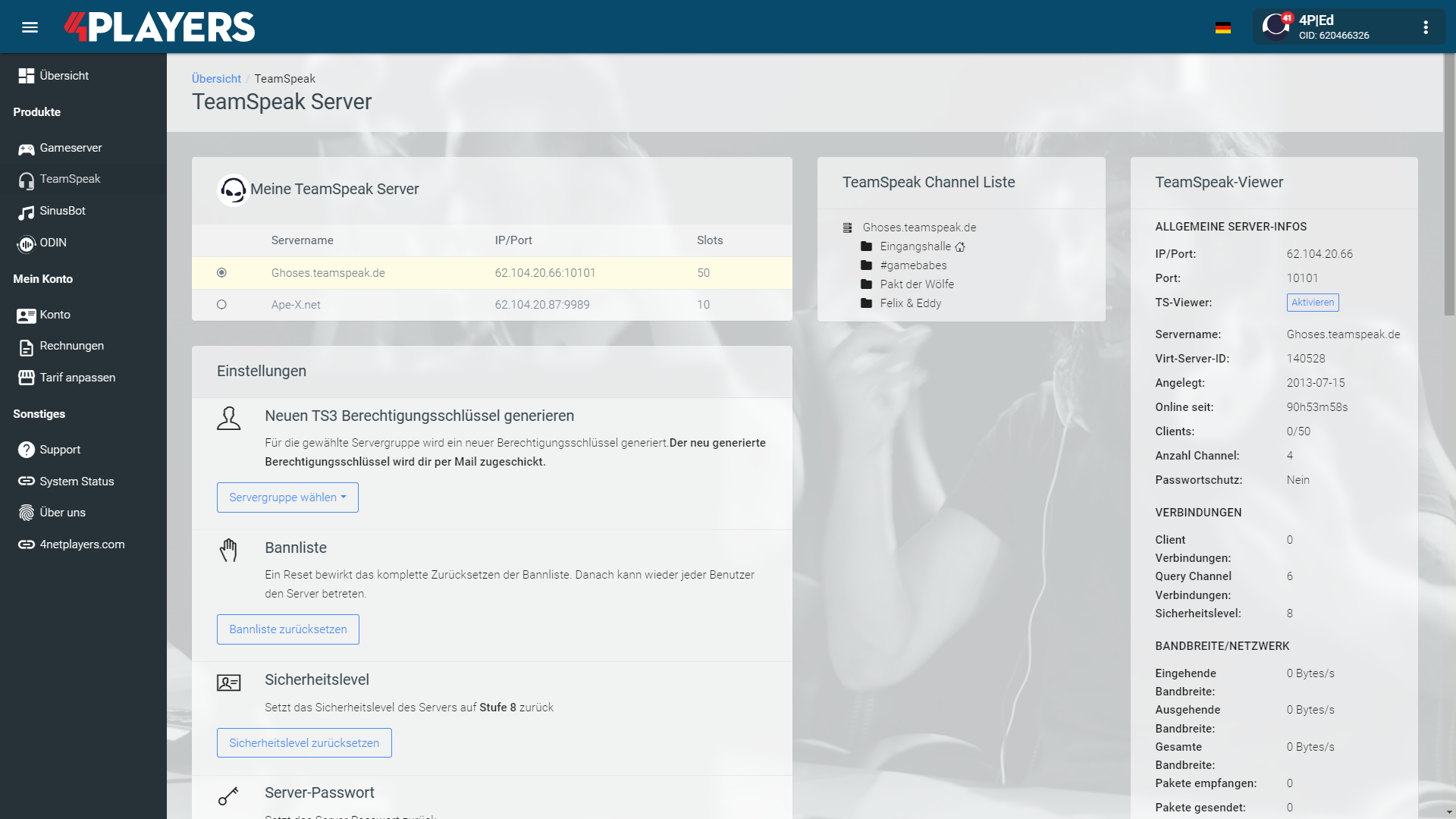
Intuitive web interface for your Minecraft server
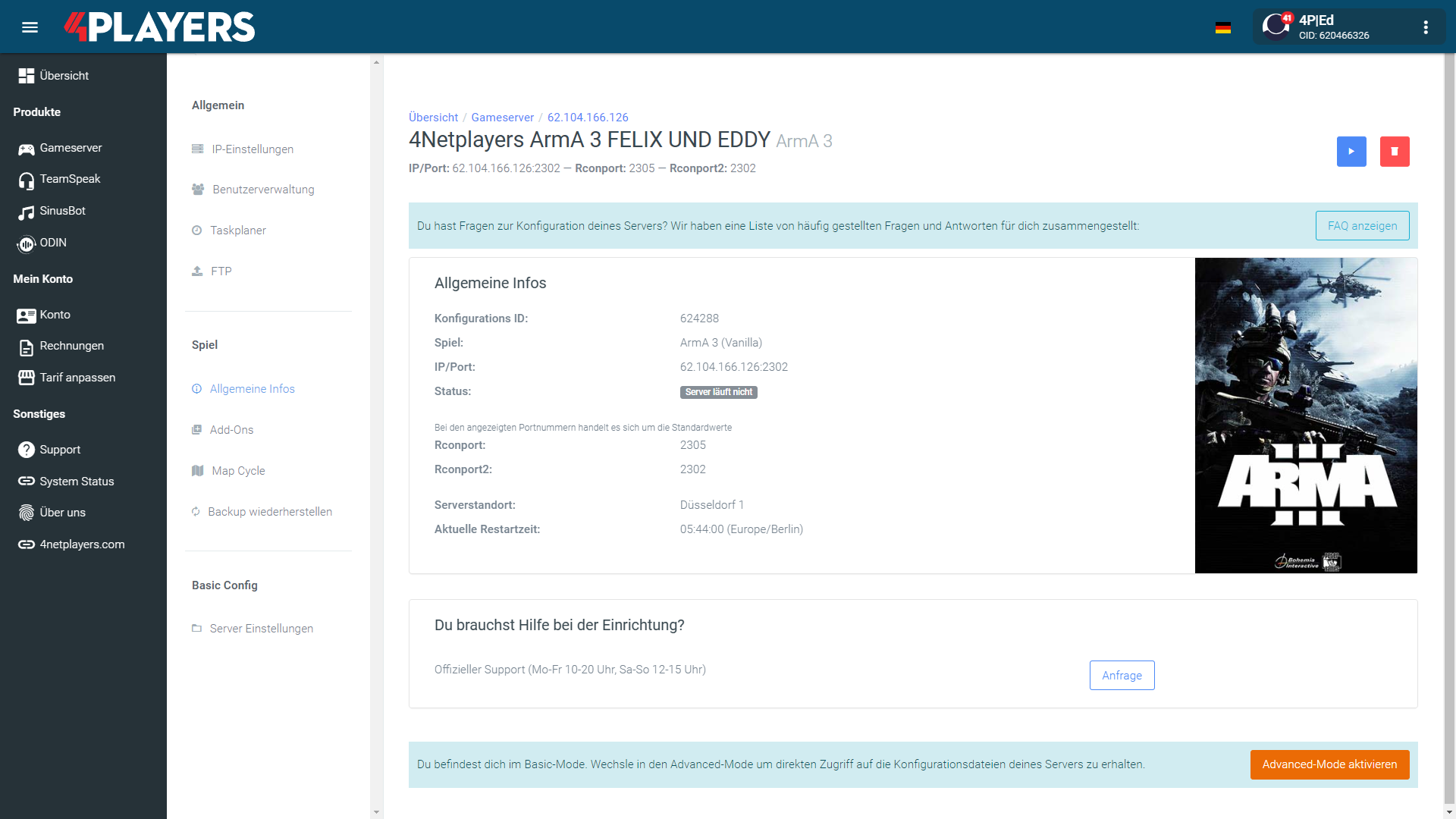
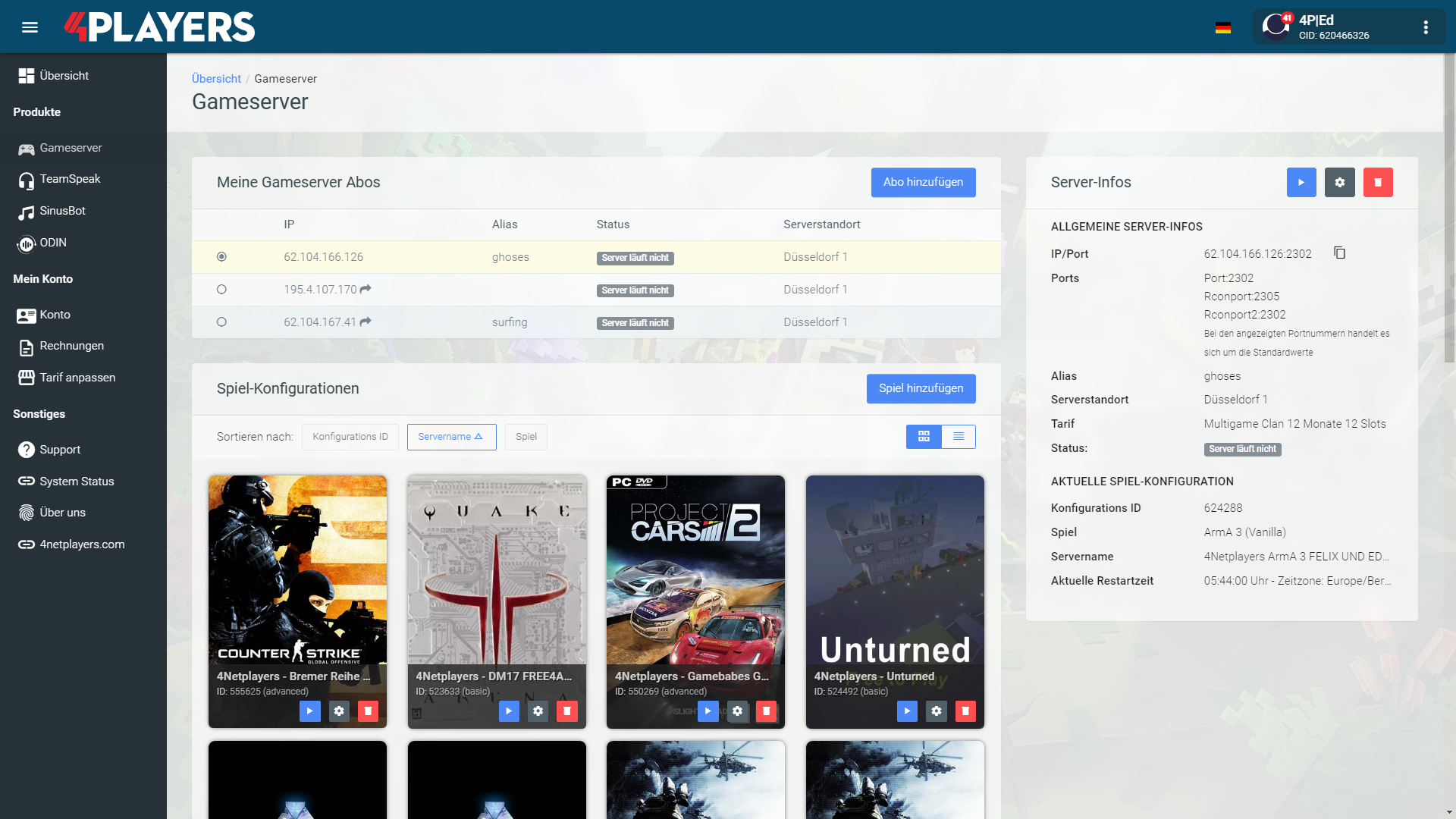
Manage your Minecraft server easily through our web interface. Start, stop, configure your server, or manage backups - all in just a few clicks, with no prior experience required.
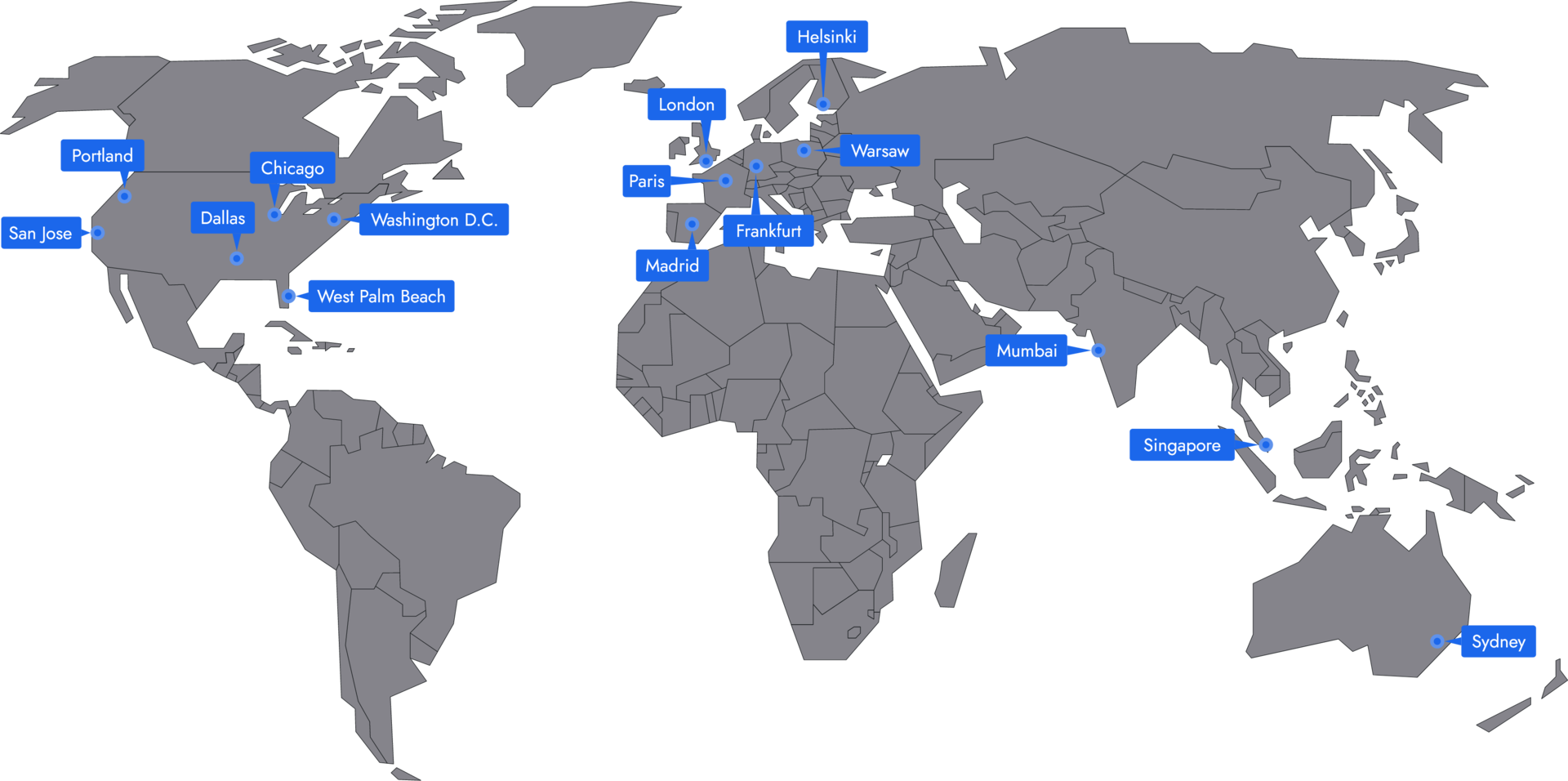
Minecraft low-latency server locations
With 20 locations worldwide, we offer strong connectivity and low ping for your players. New locations are added continuously, helping you deliver smooth gameplay with low latency.

Frequently asked questions about Minecraft servers
Monthly costs primarily depend on RAM, term length, and configuration. A small vanilla world for a few friends is cheaper than a large modpack or community server.
- Small vanilla servers start with low RAM
- Plugins and larger worlds require more resources
- Large modpacks often need significantly more resources
- You can start small and scale up later
RAM requirements depend on player count, mods, plugins, view distance, and world size. For small vanilla servers, 2 to 4 GB of RAM is often enough. With plugins or modpacks, plan for more.
- 2 to 4 GB RAM for small vanilla worlds
- 4 to 6 GB RAM for plugins, Paper, Spigot, or Bukkit
- 6 to 10 GB RAM or more for large modpacks
- More players, farms, and entities increase requirements
Java is usually the best choice for mods, plugins, Paper, Spigot, Bukkit, Forge, and Fabric. Bedrock is a good option when players want to join via console, smartphone, or tablet.
- Java for mods, plugins, and technical servers
- Bedrock for console, smartphone, and tablet
- Crossplay can be helpful for mixed groups
- The right edition depends on your group
Yes, you can transfer an existing Minecraft world to your server. This is useful if you want to continue playing an existing world with friends or don’t want to lose a build project.
- Upload world files via FTP
- Choose a server version that matches the world
- Create a backup before making changes
- Then start the server and check the world
Depending on your setup, you can select mods and modpacks directly or upload them manually. It’s important that the server version, mod loader, and modpack match.
- Forge or Fabric for mods and modpacks
- Paper, Spigot, or Bukkit for plugins
- Upload your own mods via FTP
- Budget enough RAM for large modpacks
After purchase, your Minecraft server will be ready in a few minutes. Then select the version, settings, and mods or plugins if needed.
- Log in to the web interface
- Select version and configuration
- Review whitelist, difficulty, and game rules
- Start the server and connect using the server address
The best location is as close to the players as possible. For groups in Germany or Central Europe, Frankfurt is usually a good choice. International groups should choose a location that provides a stable connection for all players.
- Shorter distance to the server lowers ping
- Lower ping helps with PvP and fast interactions
- Frankfurt is often a good option for German players
- International groups should choose the location together
Yes, you can change the server favicon yourself. The icon will then be displayed next to your server in the Minecraft server browser.
- Prepare your own icon
- Upload the file via FTP to the server directory
- Follow the requirements for filename and format
- Restart the server and check the display
Your Minecraft server is usually ready to use within a few minutes.
- Automatic setup immediately after ordering
- Immediate access to the IP address and console
- No manual activation required
- Assistance from support if needed
A rented Minecraft server gives you full control and a stable gaming environment.
- Server runs 24/7
- Custom settings
- Flexible resource allocation
- Protection against outages and attacks
You can rent your Minecraft server flexibly from as little as one month.
The Minecraft servers run on professional hosting infrastructure.
- High-performance hardware
- Fast network connectivity
- Regular maintenance and updates
- Continuous system monitoring
- Protection against DDoS attacks
Yes, you can try your Minecraft server risk-free.
- 14-day right of withdrawal
- Full functionality during the trial period
- No hidden costs
Yes, your Minecraft server is fully configurable.
Yes, you’ll receive support for technical questions and issues.
- Help with setup and operation
- Contact via email or chat
- Comprehensive guides in the help section
Yes, you can switch to another game at any time.
- Switch directly via the web interface
- No extra charge for changing games
- Automatic switch within a few minutes
- Switch back at any time
Minecraft server hosting for Java, Bedrock, mods and private worlds
A rented Minecraft server is a practical choice when your world should stay online and available for everyone in your group. Instead of depending on one player’s PC or joining a public server with fixed rules, you decide how the world works: edition, version, access, settings, mods, plugins and player roles.
With 4Netplayers, you can start small for a private survival world or plan more resources for modpacks, clans, communities and long-running build projects. The right setup depends on how you play, how many people join at the same time, and how much performance your world needs.
Built for persistent worlds
Minecraft becomes more enjoyable when the server is always reachable. Friends can continue building, farming or exploring without waiting for the host to come online, and your world can develop into a long-term project rather than a temporary session.
A dedicated setup is useful for:
- private survival worlds with friends
- whitelist servers for trusted groups
- community builds and events
- modded Java projects
- Bedrock sessions for players on supported devices
- creative maps, roleplay worlds or shared bases
You keep the world under your control while giving players a stable place to return to.
Choose Java, Bedrock or modded
Before ordering, decide which version your group actually plays. Java is often the preferred option for plugins, technical servers, Forge, Fabric, Paper, Spigot or Bukkit setups. It is also the usual choice for larger modded projects.
Bedrock matters when players want to join from devices that use the Bedrock edition. If your group is mixed, plan the edition and play style first. That helps you avoid choosing a setup that does not match how your players connect or which mods and tools you want to use.
Mods without a slow start
Many Minecraft projects begin as Vanilla worlds and later grow into plugin or modpack servers. 4Netplayers supports Java and Bedrock servers, and many modpacks can be installed with 1-click setup, which saves time compared with uploading every file manually.
Common directions include:
- Vanilla for a clean survival or creative experience
- Paper, Spigot or Bukkit for plugin-based servers
- Forge or Fabric for modded Java gameplay
- Modpacks for technology, magic, exploration, quests or new biomes
The heavier the modpack and the busier the world, the more important RAM and server performance become.
Plan RAM around real usage
Minecraft performance is not only about player count. View distance, loaded chunks, farms, mobs, Redstone, plugins and mods all affect the server. A small Vanilla world needs far less headroom than a large modpack with many active players.
As a simple planning guide:
- 2 GB RAM can suit Vanilla starts and small groups
- 4 GB RAM is a sensible choice for friends, plugins and many modpacks
- 10 GB RAM or more is better for larger modpacks or bigger projects
Starting with a suitable configuration is usually better than oversizing from day one. If the world grows, you can plan more resources later.
Latency for European groups
For Minecraft, latency affects how responsive the game feels when fighting, mining, flying, placing blocks or playing minigames. The best approach is to select an available server location that is close to the majority of your players.
For international groups, choose a balanced location rather than optimising for only one person. A good connection for most players can make the world feel smoother, especially on active servers with movement, combat or many simultaneous actions.
Control, access and safety
A rented server gives you the administration options needed for an organised Minecraft project. You can decide who joins, which settings apply and how the world should develop over time.
Important planning points include:
- whitelist or private access for trusted players
- operator rights and player permissions
- PvP, difficulty and game mode settings
- world uploads or new map generation
- plugin, mod or modpack management
- saving important world files before major changes
This level of control is especially valuable for communities, shared builds and modded worlds where mistakes can cost many hours of progress.
Costs in € and final choice
The cost of a Minecraft server depends mainly on RAM, runtime and the type of project you want to run. A private Vanilla world for a few players usually needs fewer resources than a public community server or a large modpack.
Before choosing, ask yourself:
- How many players are online at the same time?
- Is the server Vanilla, plugin-based or modded?
- Do players use Java, Bedrock or a planned setup?
- How important are low latency, DDoS protection and easy management?
- Should the world stay online permanently?
If you plan these points first, it is easier to choose a package that fits your budget in € without paying for resources you do not need yet.
Helpful Minecraft server guides
Selected guides for choosing, setting up and managing your own Minecraft server.