At first glance, Satisfactory is primarily focused on producing goods and may not seem like it’s made for players who love creative building. But surprisingly, the game offers a wealth of tools and features that let you craft a truly beautiful factory from the ground up! If you usually settle for an open build or a gray block, this guide is for you. We’ll share useful tips and tricks to turn a boring base into a standout factory.
Unlock foundations and decor in the AWESOME Shop
When it comes to building, the AWESOME Shop is your best friend. With the coupons you earn from the AWESOME Sink, you can buy many different building elements you otherwise wouldn’t have access to. We’ve already explained exactly how that works in a separate post: (Satisfactory AWESOME Sink & Shop: How to farm coupons fast) .
You can buy:
- Signs
- Light sources
- Walls
- Foundations
- Beams
- Pillars
- Roofs
- Windows
- Color swatches
- Patterns
Set Satisfactory colors for foundations and walls
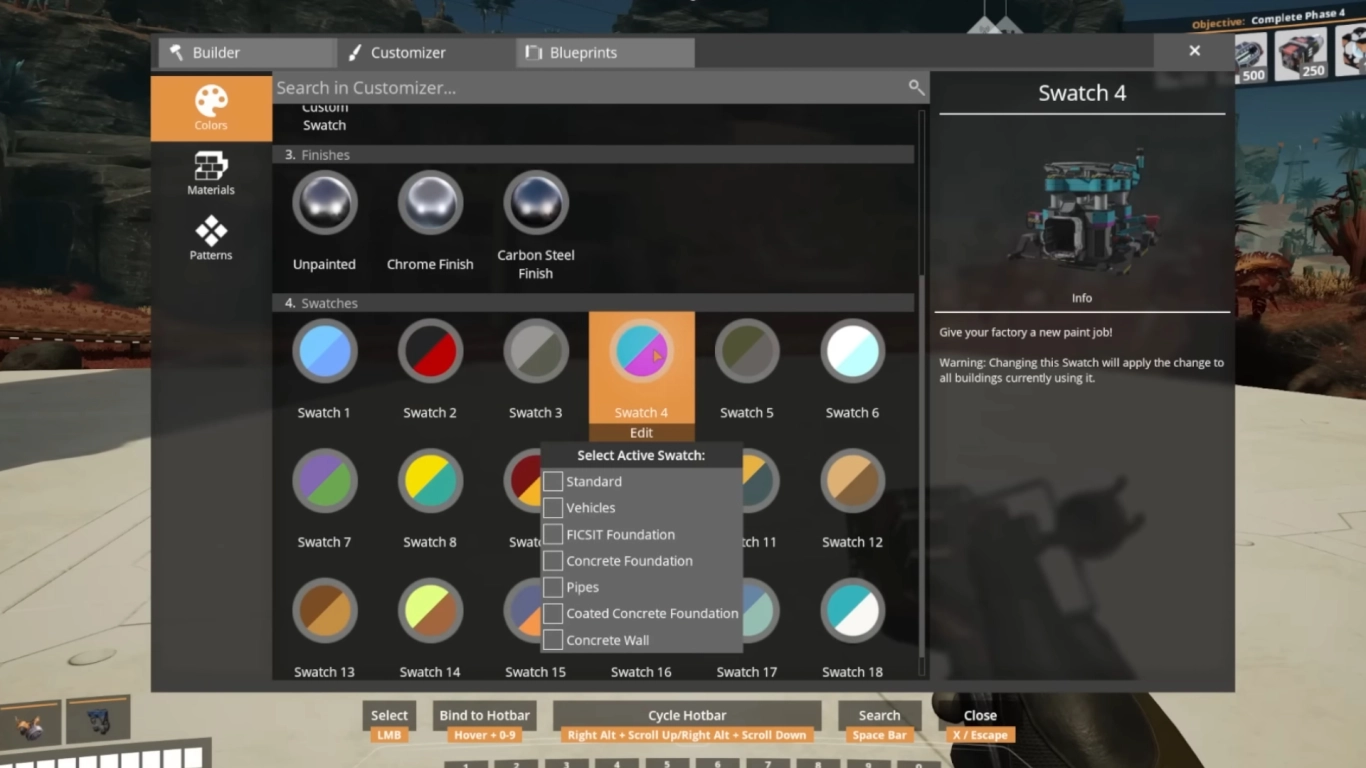
Most foundations and concrete walls are gray by default, but you don’t have to leave them that way. In the shop you can buy color palettes or create your own by choosing custom colors in the build menu. You can not only paint after the fact, but also set in advance which building piece should use which color.
If you work with color, stick to one to three primary colors. A little basic color theory helps to see which tones complement each other. In the end it’s entirely up to you, but colorful factories often look especially striking.
Add depth in Satisfactory: structure and accent your walls
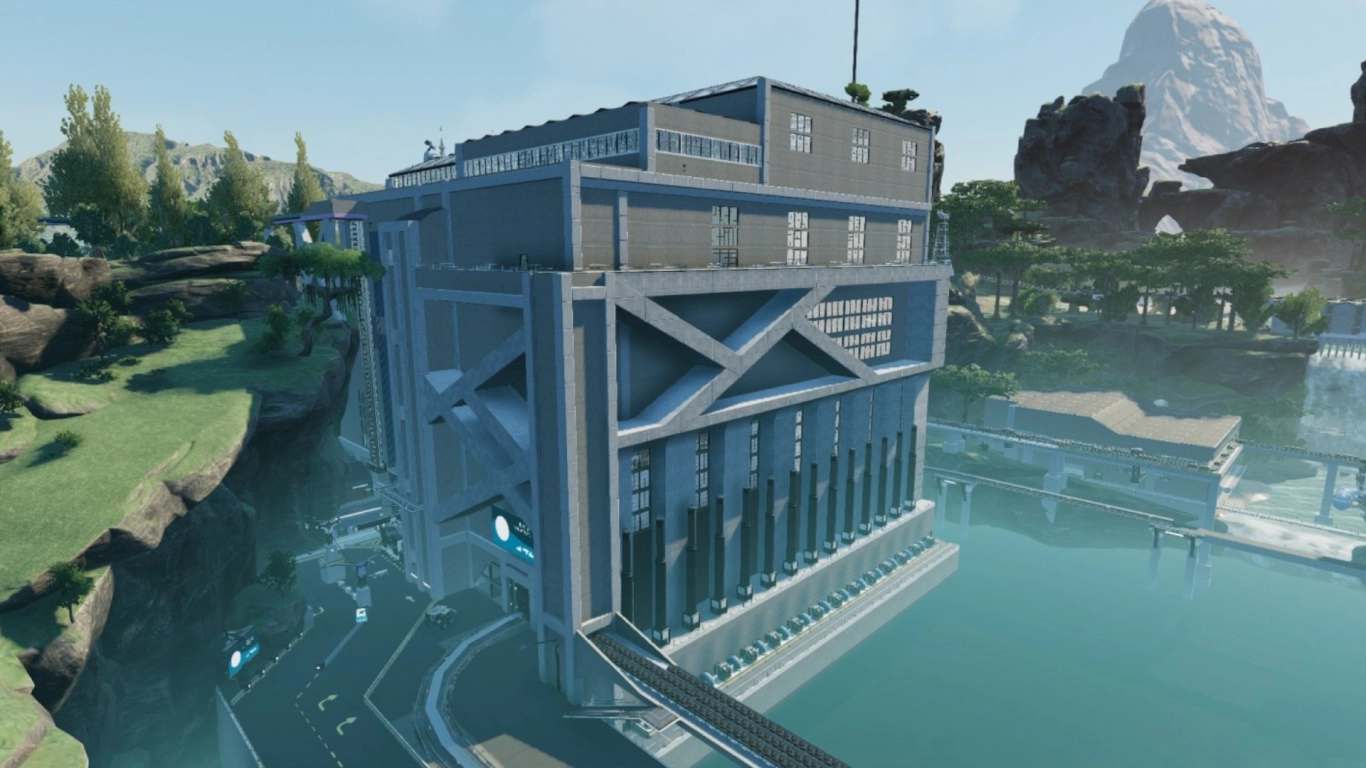
One of the biggest building pitfalls is thinking only in flat planes—treating a wall as just a flat surface. Real buildings stand out through depth.
Avoid building only flat walls; break them up with pillars, protruding foundations, or inset windows. This gives your factory more structure and a more appealing look. Also play with different colors to add accents.
Plan interior and exterior walls separately in Satisfactory
Don’t use your interior walls as exterior walls. Working this way makes you far less flexible and both sides end up compromised. It’s better to start with the interiors: plan your machine layout and conveyor routing first, then outline them with interior walls. If you want a different look outside, build a second wall and decorate it from the outside. This ensures your building looks perfect from both sides.
Textures and materials in Satisfactory: concrete, steel, and more
Browsing the AWESOME Shop, you’ll find different material variants for your building pieces. You can not only play with color, but also with surface finishes.
Currently you can choose between FICSIT walls, concrete, and steel. Within those categories there’s even more variety—different foundations, windows, doors, and surface details. The same applies to other pieces like pillars, roofs, and railings. Combine materials and colors to create contrast and highlights.
Use Nudge in Satisfactory: precise placement and clipping

One of the best building tools is the Nudge feature, which lets you move elements in small increments. Pieces are no longer locked to the global grid and can be positioned much more freely. This is incredibly helpful for cleanly adding fine details. You can enable Nudge by pressing H.
Many players use this to hide pieces inside others or to combine them. That’s called clipping—technically unintended, but it can create very cool effects and opportunities. The tool can be a bit finicky, but it ultimately lets you do far more than the standard build mode.
Satisfactory lighting: daylight, lamps, and signs
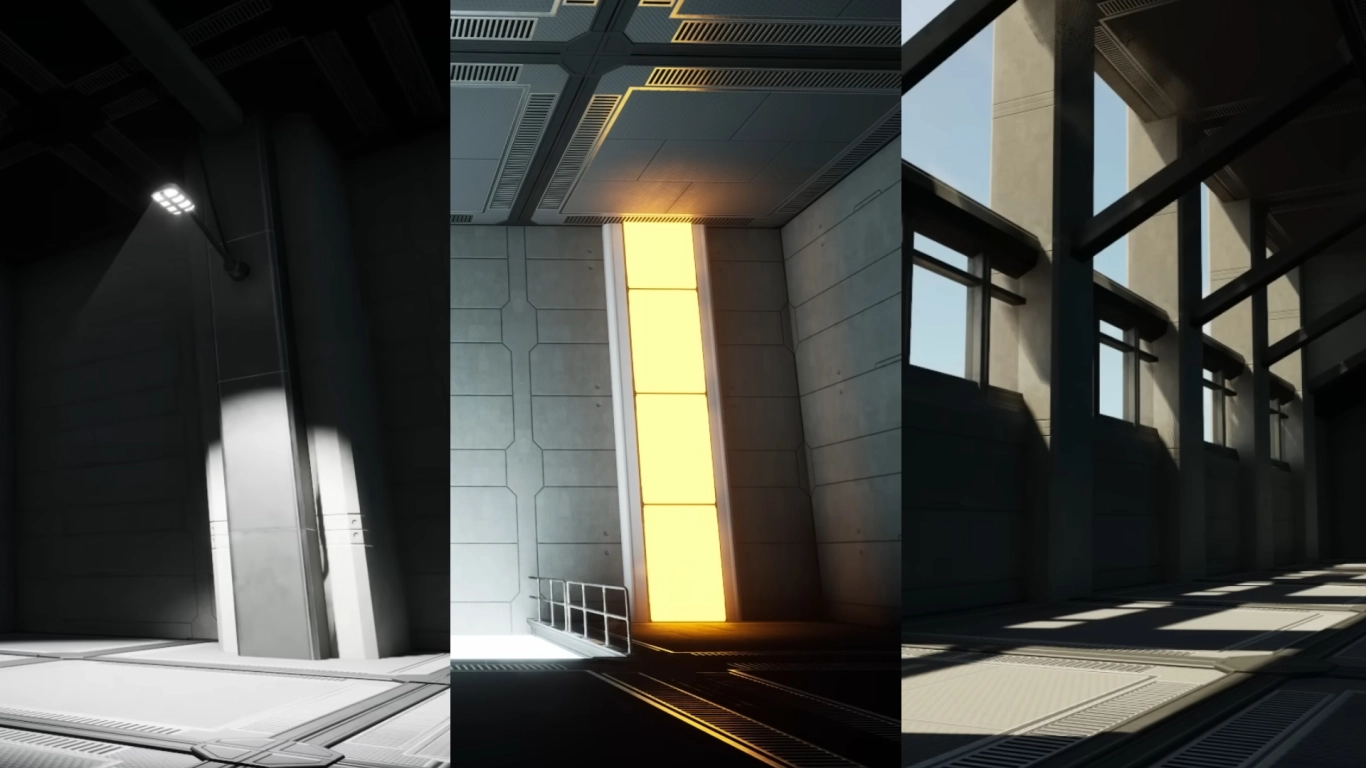
Lighting is one of the last key elements of your factory—nobody wants to work in the dark. You have three ways to light your factory: natural daylight, dedicated lamps, or signs.
Daylight is perfect for open factories lined with windows. There’s plenty to choose from, and you can place them however you like. Different window shapes give your factory a unique look. Pay attention to where the sun rises and how the light falls into the room.
You can also buy lights and lamps in the AWESOME Shop. There are four types:
- Ceiling lights
- Wall lights
- Street lamps
- Floodlights
If you also buy a Light Control Panel, you can combine and centrally manage them. But even without it, you can set each light’s color and intensity individually or enable a night mode. Keep in mind that lights require power and can slightly impact performance.
Your third option is signs, which you can also buy in the shop. They come in different sizes and shapes and are usually meant for labeling. But you can remove the text and background and give signs emission so they cast light. This not only gives you more color choices than regular lamps, it also lets you work more creatively. Signs can be moved more precisely with Nudge and hidden behind walls. Think of them like custom neon lights.
Conclusion: Build an aesthetic Satisfactory factory
To give your factory that final polish and keep it from looking like a bland box, follow a few key design tips. Small details go a long way. Work with depth so your factory stands out. Colored building pieces make great accents. Lighting matters a lot too—glowing signs are a pro tip. In Satisfactory you don’t have to be purely practical; you can build the factory of your dreams.
If you want to try out these building techniques, rent one of our Satisfactory servers and put these tips to use right away! Share them with your friends and get creative together.
More interesting articles
Satisfactory Endgame: Plan Your Mega Factory and Optimal Layout
Satisfactory: Plan the perfect factory – pro tips
Satisfactory Machines & Production: Every recipe at a glance
Satisfactory Guide: Best Starting Area for Beginners and Veterans
Organizing Satisfactory Storage: Containers, Depot & Pro Tips