Even before you create your first world in Minecraft, you can tweak a wide range of settings. These let you tailor the experience to your liking, and some options can significantly affect how the game plays. From world type and difficulty to experimental rules. Not every setting is easy to understand, especially for brand-new or younger players. So today we’ll walk through every option, what it means, and which choices might be best for you.
Create a New Minecraft World: Difficulty, Cheats, and Game Mode
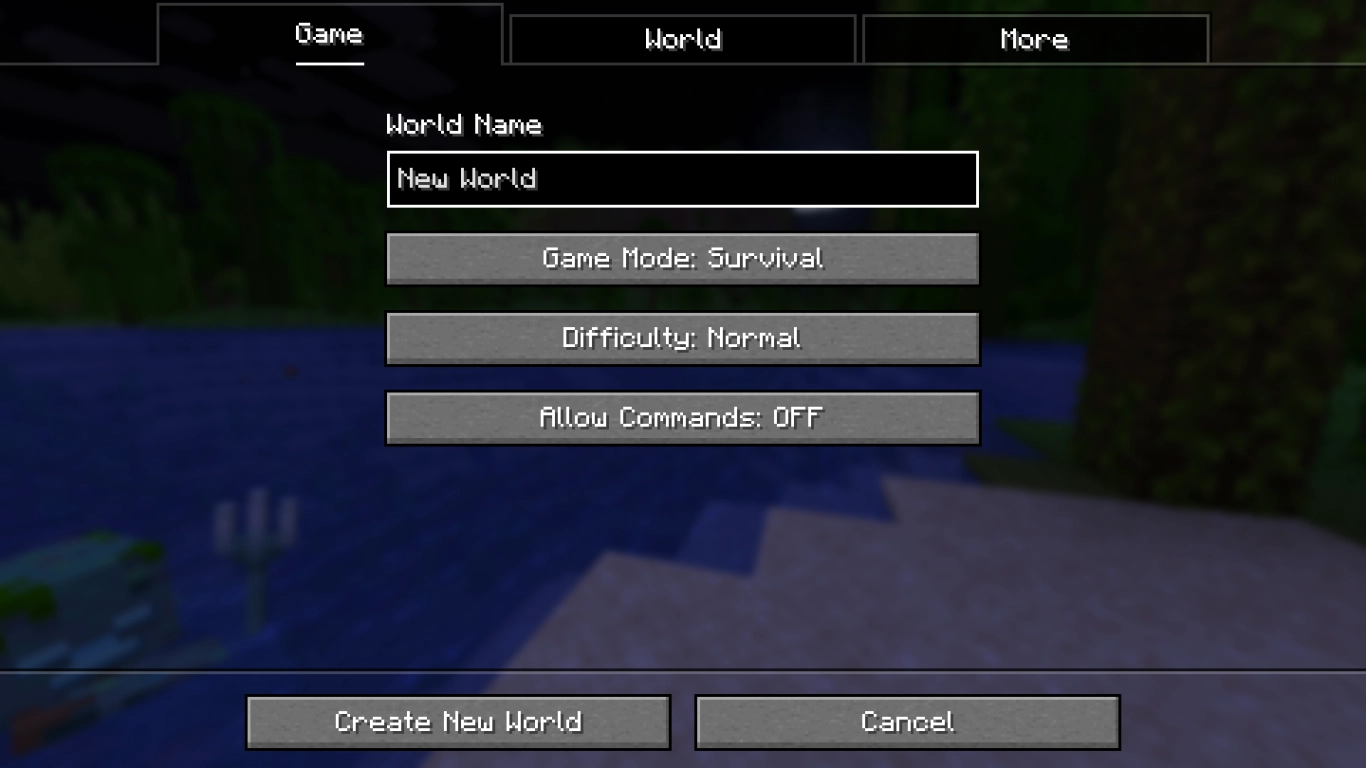
When setting up a new Minecraft world, you’ll see three tabs to switch through. That’s where you’ll find all required settings. Some of these can be changed later, others cannot.
The first menu covers general game settings. You can set almost all of these here and later change them in-game or through other means.
World Name: Give your new world a name. The save folder and the world will use this name. You can adjust it later by editing an existing world. Choose something you’ll recognize at a glance.
Game Mode: Choose your mode: the classic Survival, Creative, or Hardcore. In Creative you can build without constraints (Minecraft Creative Mode: Tips, Commands, and the Best Mods) . In Hardcore, the world is tougher and is lost upon death (Java Edition) .
Difficulty: Choose Peaceful, Easy, Normal, or Hard. This affects mob strength and also mechanics like regeneration, hunger, and other functions. As long as you don’t lock the difficulty (via the lock icon), you can change it anytime.
Allow Cheats: Cheats are commands that can alter gameplay. Enable them to access advanced functions, for example to change your game mode later. For Survival, it’s best to turn them off; for Creative, turn them on.
Minecraft World Settings: World Type, Seed, and Generated Structures
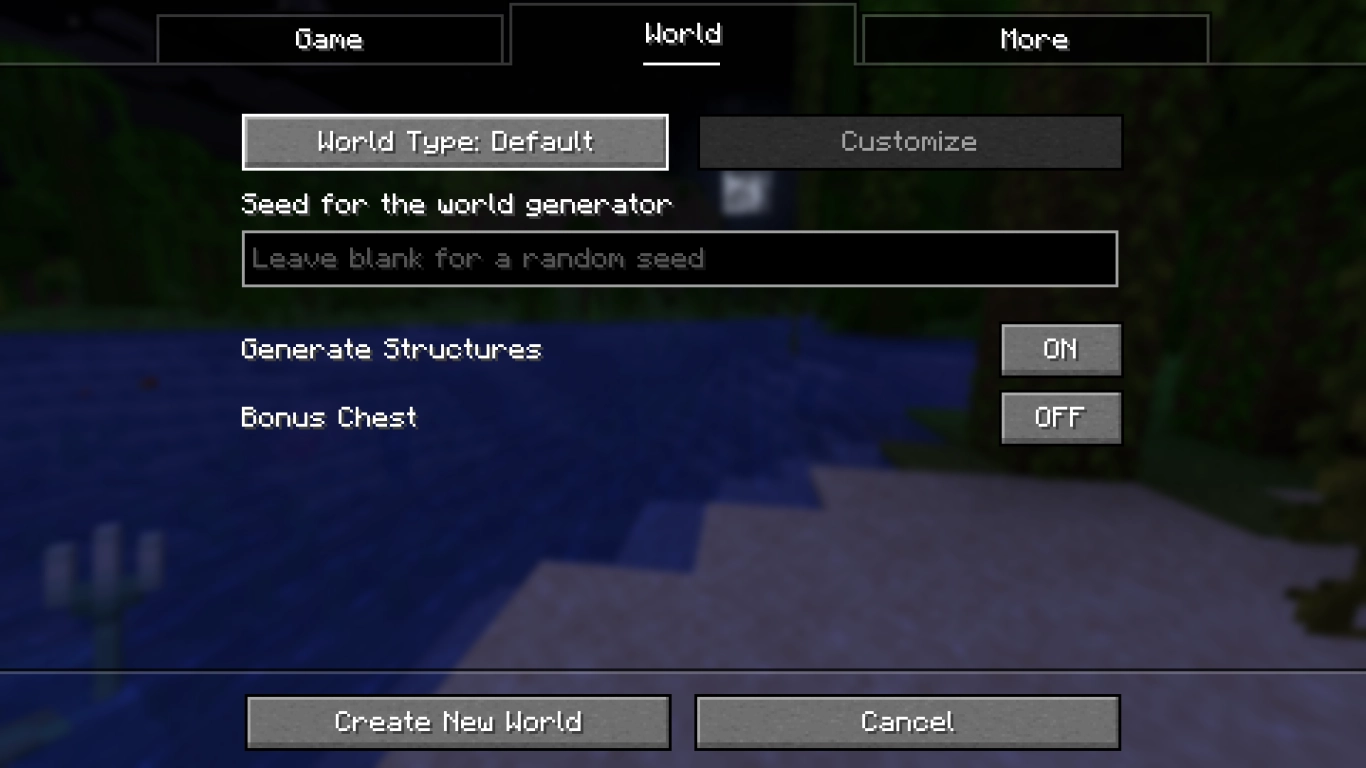
These world settings are likely the ones you’ll care about most. Here you can set key parameters that change how your Minecraft world is generated. None of these can be changed later.
The first button lets you choose a world type. Most players will leave this on Default to generate a normal world. For experienced players, the other options are interesting.
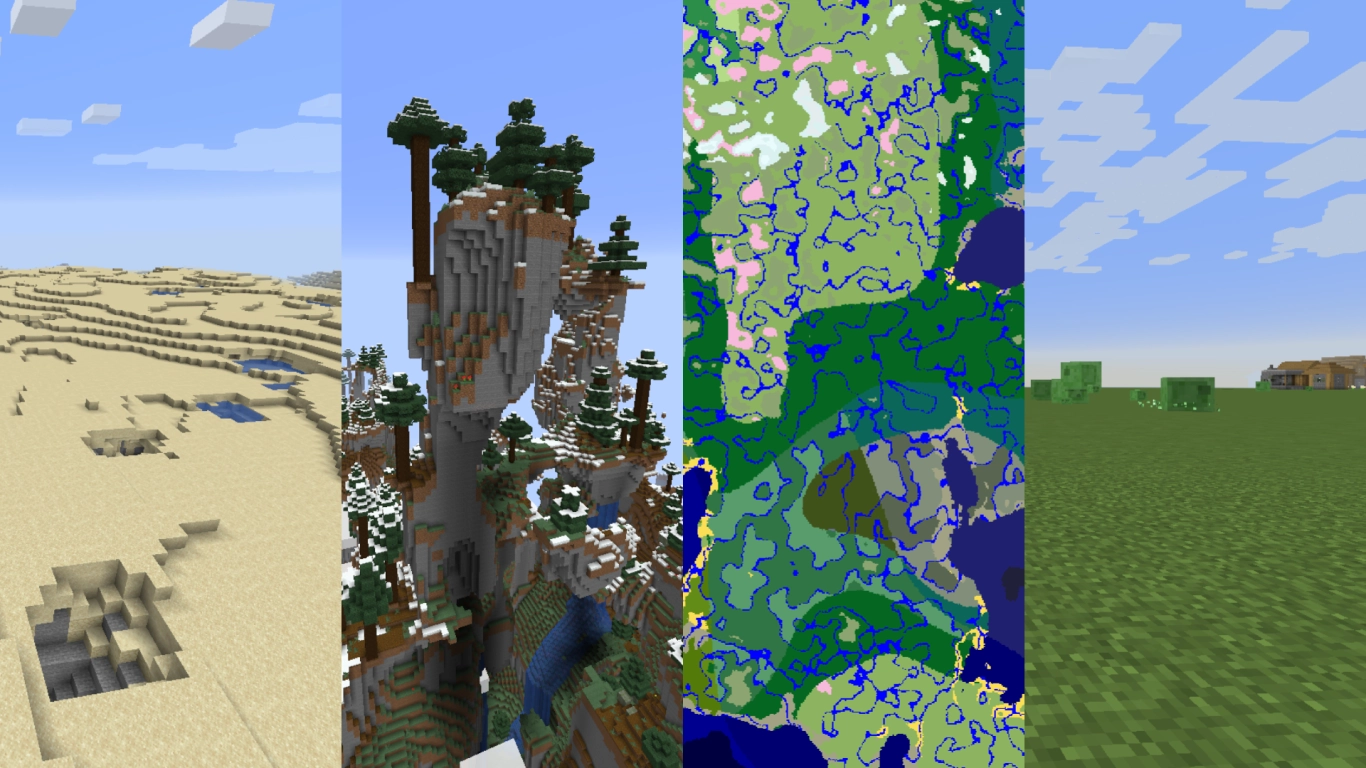
All world types in Minecraft:
Default: The standard Minecraft world generation. Recommended for most players.
Superflat: A flat world, typically used for testing or creative builds, but it can make for a fun challenge too . Offers extra customization with several presets.
Large Biomes: Biomes are roughly four times larger, making regions feel more expansive. It’s a refreshing change, more immersive, and long journeys feel much more adventurous. Landscapes can also feel a bit more realistic.
Amplified: Amplified worlds are a whole different challenge thanks to extremely rugged terrain. Expect tall, steep mountains everywhere—stunning to look at, but more work to traverse. You’ll need a powerful PC; this is only available in Java Edition. Still, Amplified is a great change of pace, and those dramatic peaks are absolutely worth it. We recommend every player try it at least once!
Single Biome: You can create a world that consists of only one biome. The terrain layout of the seed is used, but only a single landscape type generates. This can be hilarious—or very challenging. You can choose any biome, creating 60+ different variants. Everything from regular plains to cave biomes is possible.
Below these options, you can enter your seed. Leave it blank to generate a random one. If you want a specific world layout, enter the seed value here. We’ve already compiled a list of cool seeds if you’re looking for ideas (Top Minecraft Seeds to Start Strong: Survival Islands, Caves & Biomes) .
Finally, you have two more options:
Generate Structures: Choose whether structures like villages, pyramids, and other buildings are generated.
Bonus Chest: The bonus chest gives you some early essentials like tools, wood, and food. Great for new players.
Minecraft Advanced Settings: Game Rules, Experiments, and Data Packs
The settings under More are aimed at advanced players who want to fine-tune their Minecraft experience. Still, we’ll look at them closely—there are a few options many players might find useful once they understand them.
Game Rules: Game rules are parameters for your world. There are many, but a few highlights: keep your inventory on death, disable raids, or turn off certain damage types (e.g., drowning). You can disable PvP, switch off specific mobs (e.g., Phantoms or the Warden), and much more.
Experiments: Enable experimental features that Mojang is currently testing. These are separate from normal snapshots.
Data Packs: You can install data packs here, which function similarly to mods. We have a full guide if you want to learn more (Minecraft Data Packs: Installation, Tips & the Best Packs) .
All of these can be changed later in-game. You’ll need cheats enabled to adjust game rules, but you can add data packs at any time.
Conclusion: Best Settings for Your New Minecraft World
Minecraft’s world creation can feel overwhelming, especially if you’re unfamiliar with the game’s terminology. Hopefully, this helps you build the perfect world. It’s worth trying different options for subsequent worlds—or tweaking things later as you play. World types that deviate from the default generator and unique seeds from the internet are especially fun to experiment with.
If you want to create your own world, you can rent one of our Minecraft servers and customize every option to your liking: https://www.4netplayers.com/en-us/gameserver-hosting/minecraft/ The same rules apply to multiplayer servers, and as the admin you can tailor them however you want.
More interesting articles
Minecraft World Generation: The Best Mods and Datapacks