In Minecraft, good tools make all the difference! You’ll want to keep especially well-enchanted tools forever, since enchanting costs levels and the results are random. The anvil is a fantastic way to repair your gear and add extra enchantments. But it can do more than that, including renaming items and even dealing damage. Some of these mechanics are barely explained and can confuse even veterans—whether it’s how to use it or seeing the dreaded Too Expensive! message. Today we’ll walk you through everything about the anvil and how to repair the right way.
Crafting the Minecraft anvil and understanding wear
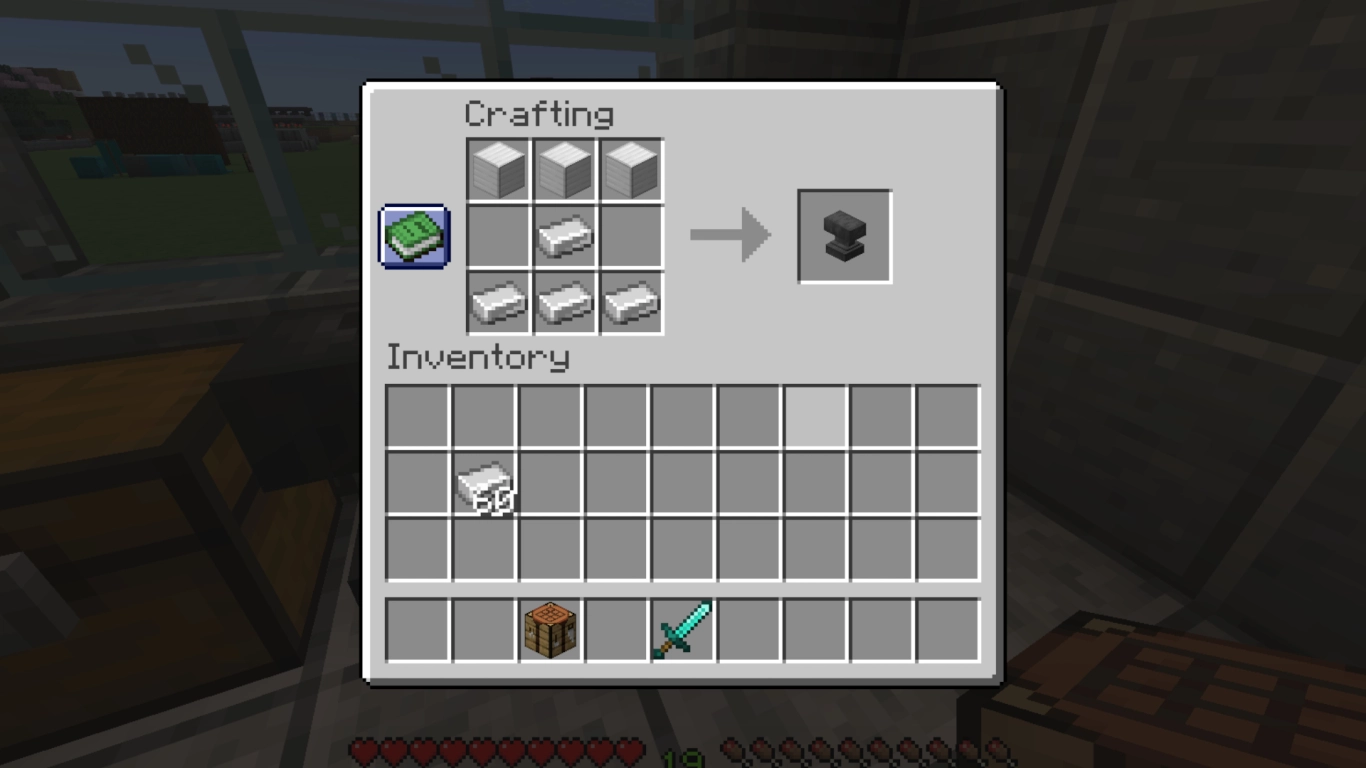
The anvil is made from iron and is a bit pricey. You need four regular iron ingots plus three full iron blocks—that’s 31 iron ingots total—so it’s best crafted in the mid-game once you’ve smelted enough ore. You also have a chance to find an anvil in a Woodland Mansion or in Trial Chambers.
Anvils don’t last forever when you use them. Each time you perform an action, you’ll hear a hammer strike. That signals a 12% chance the anvil takes damage. It goes through four stages: undamaged, chipped, damaged, then it breaks. The anvil shows wear but continues to work normally until it finally breaks. On average it breaks after about 25 uses, though that varies with luck.
Renaming items and blocks on the Minecraft anvil
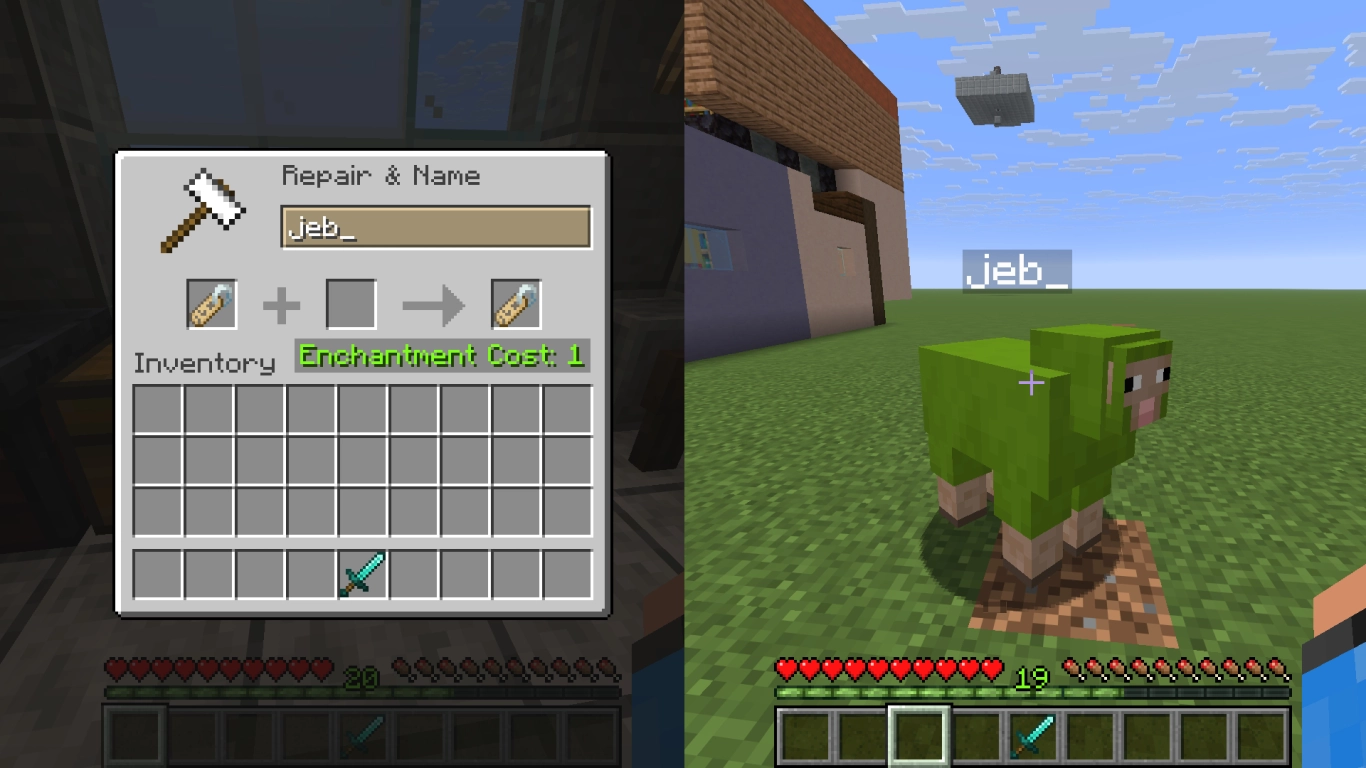
The first function of the anvil is renaming items. There’s more to this than meets the eye. Many players rename their tools to tell them apart more easily, or use Name Tags to name pets. You can rename virtually any item you like, even whole blocks like dirt or cobblestone. You can also rename containers like chests or shulker boxes, and their custom names are displayed.
Renaming costs just one experience level, and in Java Edition you get up to 50 characters. However, already enchanted or previously worked items can cost more to rename due to the anvil’s Prior Work penalty. It’s best to settle on a name and avoid changing it later.
Repairing tools and armor on the Minecraft anvil
The second major use of the anvil is repairing. You can bring worn tools back into shape in several ways.
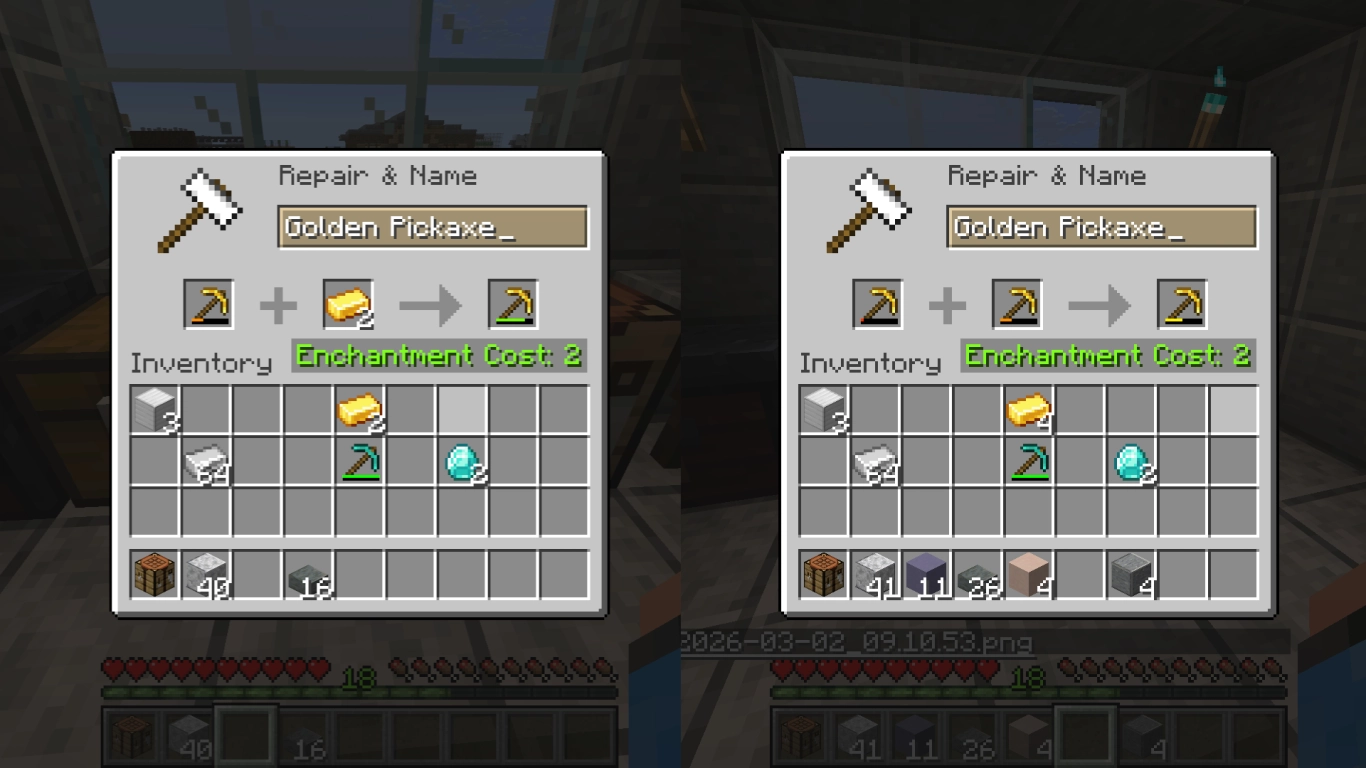
One option is to repair an item using its corresponding material—for example, a golden pickaxe with gold ingots. Each unit costs one experience level (plus any Prior Work penalty from earlier operations) and restores 25% of max durability. This usually only makes sense for enchanted items, since the most material-hungry tools (like a pickaxe using three of its material) are costly to craft from scratch. For armor, though, it’s a perfectly valid option.
You can also combine identical items to repair them and save on raw materials. Unlike combining in the crafting grid or on a grindstone, the anvil combines both durability values and adds another 12% on top. This does cost levels, but it’s more than the 5% bonus the other methods give (and those methods don’t cost XP). This kind of repair is often the better choice—especially for already enchanted gear you want to keep.
Transferring and combining Minecraft enchantments on the anvil, and avoiding Too Expensive
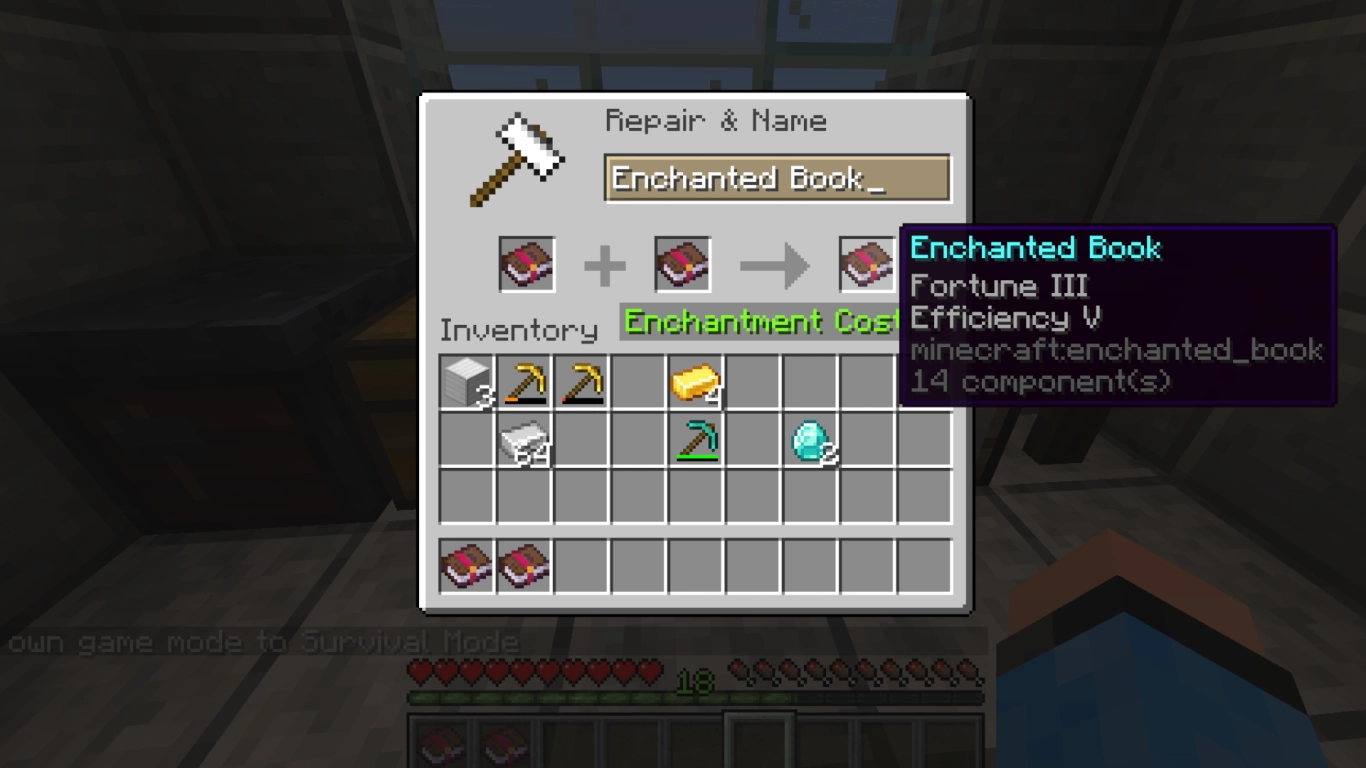
The third function is using enchantments with the anvil. This is where most players spend their time—and sometimes get frustrated—because there are some hurdles.
In general, you can apply enchantments from books to tools with the anvil. You can also combine two identical items, and their enchantments are merged. A third option is to fuse two books together to increase an enchantment’s level. For example, two books with Unbreaking II become Unbreaking III.
Sooner or later you’ll hit a problem: the anvil shows Too Expensive! No matter how many levels you have, the anvil can only process costs up to 39 levels. Anything above that won’t work. Because repeated anvil use accumulates the Prior Work penalty, you’ll reach this limit eventually. To avoid it, use the anvil as few times as possible.
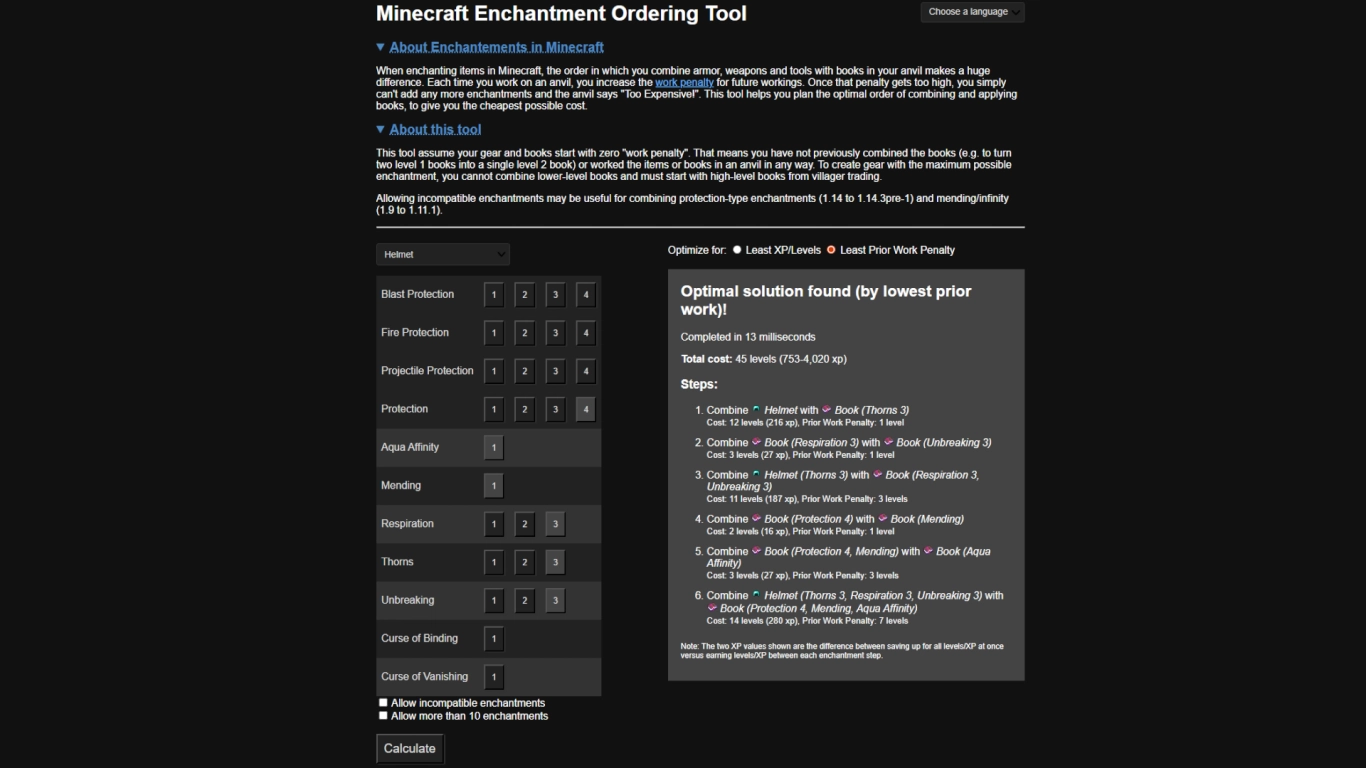
More tips to avoid Too Expensive!:
- Use the enchanting table for your first enchantments to skip the anvil where possible.
- Combine books with single enchantments first before applying them to tools. It’s best to end up with 2–3 books, each with 2–3 enchantments, instead of using many single-enchantment books directly.
- Try both input slots—the combination cost can differ depending on the order.
- Pair books with one expensive and one cheap enchantment for maximum cost efficiency.
- Then apply two or three books to your tool or armor on the anvil.
- Use Mending to avoid repairs in the long run.
If you want an optimal plan, there are tools online that compute the best anvil order. We recommend the Minecraft Enchantment Ordering Tool to keep XP costs as low as possible.
Building an anvil trap in Minecraft and using its damage
One last, often forgotten property of the anvil is that it’s affected by gravity, like sand or gravel. You’ll notice this if you remove the block under an anvil—it crashes to the ground. Depending on the fall height, the anvil deals damage, roughly one heart per block, up to a maximum of 20 hearts. You can be killed by a falling anvil if you’re not careful. The anvil itself also takes damage from the fall.
Conclusion: Using the Minecraft anvil the right way
The anvil is a versatile workstation in Minecraft and crucial for the longevity of your tools. You can not only repair items but also add new enchantments. The system can be complicated, especially with the level cap. With a few tricks, you can avoid Too Expensive! combinations and get the most out of your gear.
Rent your own Minecraft server from us and show your friends the best ways to use the anvil. Share resources and plan your level spending efficiently together!